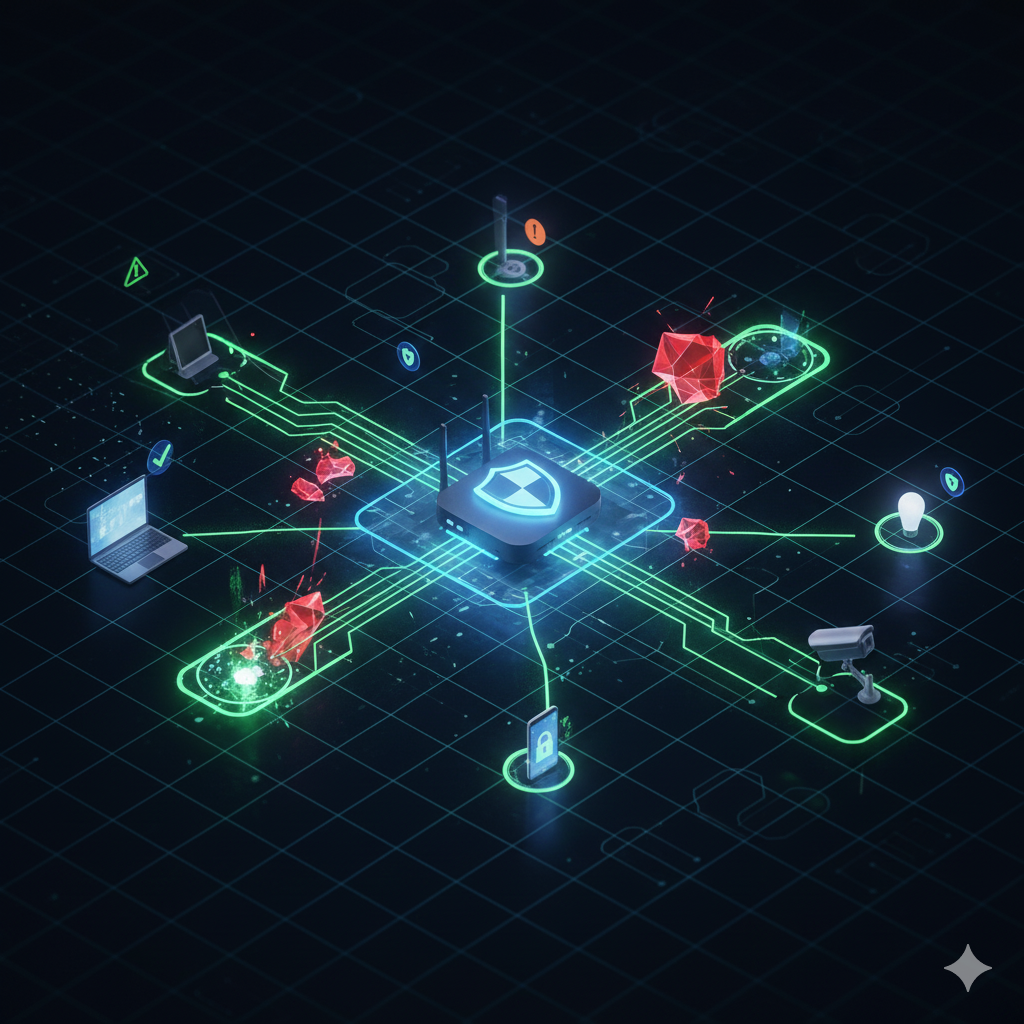
As cyber threats continue to rise, improving your home network security is more important than ever. Hackers no longer focus solely on corporate systems. Instead, they increasingly target home WiFi networks because personal devices are often unsecured or outdated. This is why the Zero-Trust model, which follows the rule of “never trust, always verify,” is now recommended even for home users. Although it sounds advanced, Zero-Trust can be implemented at home with a few practical steps.
What Is Zero-Trust Security and Why It Matters for Home Networks
Zero-Trust Security does not automatically trust any device or user, even inside your own home network. Instead, every action must be verified before access is granted. Although originally designed for corporate environments, the same approach significantly improves security at home.
Additionally, modern households often use smart home devices such as smart TVs, cameras, and IoT appliances. These devices rarely receive security updates. As a result, they may expose the network to unnecessary risks.
According to Cybersecurity Ventures, more than 70 percent of home networks contain at least one vulnerable IoT device. This statistic highlights the importance of adopting Zero-Trust principles at home.
Strengthen Home Network Security With Multi-Factor Authentication (MFA)
Why MFA Is Essential
MFA requires more than just a password before granting access. Although passwords can be guessed or stolen, MFA adds another verification layer. As a result, even if a hacker obtains your password, they cannot log in without the second factor.
Types of MFA
Authenticator Apps
Using apps such as Google Authenticator or Microsoft Authenticator is one of the most secure MFA options.
Hardware Authentication Keys
Physical devices such as YubiKeys offer even stronger protection and are commonly used in high-security environments.
SMS One-Time Password
Although SMS codes provide an extra layer of protection, they are less secure due to risks such as SIM-swap attacks. However, they are still better than relying on passwords alone.
Improve Home Network Security With Network Segmentation
Why Network Segmentation Helps
Segmenting your home network separates your important devices from less secure ones. For example, connecting your smart TV and cameras to a separate network prevents them from accessing your laptop or phone.
Recommended Network Segments
Main Network
Use this for personal devices such as laptops, phones, and tablets.
IoT Network
Connect smart devices, cameras, and appliances to this isolated network. Although convenient, these devices often have weak security.
Guest Network
Set up a guest network for visitors. This prevents guest devices from accessing your main network.
Use a VPN to Add a Verification Layer
A VPN encrypts your internet traffic. As a result, your online activities are protected from interception. Additionally, a VPN ensures that only verified devices can access certain online services, which aligns with Zero-Trust principles.
Premium VPNs include features such as threat blocking, private DNS, and device verification. Although a VPN is not mandatory, using one significantly increases home network security.
Keep Devices and Apps Updated
Software updates patch security vulnerabilities. When updates are ignored, your devices become easier targets for attackers. Therefore, you should frequently update:
- Router firmware
- Phones and laptops
- Smart home devices
- Security applications
- Operating systems
Although updates may seem inconvenient, they are one of the most effective Zero-Trust practices.
Strengthen WiFi Security Settings
Although many users rely on default router settings, adjusting a few key options can greatly enhance protection.
Recommended Router Settings
Enable WPA3
Use WPA3 if your router supports it, as it provides the strongest WiFi encryption.
Use Strong WiFi Passwords
Your WiFi password should be long, random, and not shared with many people.
Disable WPS
Although WPS makes connecting devices easier, it also weakens security.
Change Default Admin Password
Default router passwords are widely known. Changing them increases your network’s safety.
Disable Unnecessary Features
For example, disabling UPnP reduces the number of automatically opened ports, which lowers security risks.
Key Takeaway
Zero-Trust for home networks means verifying every device, enabling strong MFA, separating networks, using VPN layers, updating devices, and securing your WiFi settings. Although it requires a few extra steps, these practices significantly reduce the chances of a successful attack.
Frequently Asked Questions (FAQ)
What is the easiest first step to improve home network security?
Enabling MFA and updating your router firmware are the quickest improvements you can make.
Do I really need separate networks at home?
Yes. Segmentation prevents compromised devices from gaining access to your personal information.
Is using a VPN necessary for home network Zero-Trust?
Although not mandatory, it adds encrypted communication and improves identity verification.
Can smart home devices be hacked?
Yes. Many smart devices receive infrequent updates, making them vulnerable.
How do I know if my WiFi network has been compromised?
Unstable internet, unknown devices, or sudden password reset emails may be signs of intrusion.