
Welcome to Techwizs Tech Guides, your go-to resource for easy-to-follow tutorials, practical walkthroughs, and expert troubleshooting tips. Whether you’re fixing network issues, optimizing your devices, learning new tools, or exploring modern tech solutions, our guides break everything down into simple steps—perfect for beginners and professionals alike.
Tech Guides
0

0
DHCP (Dynamic Host Configuration Protocol) automatically assigns IP addresses and other network settings to devices, allowing them to communicate without ...
 The Tech wizard
0

0
Apps crashing randomly usually happens because of outdated software, low storage, corrupted app cache, weak internet, device memory issues, or a bug inside the ...
0

0
Your internet can test as “fast” but still feel slow because speed is only one part of the experience. Latency, Wi-Fi signal, router performance, device ...
0

0
If Wi-Fi not showing on your laptop, the problem is usually caused by airplane mode, a disabled Wi-Fi adapter, a driver issue, router settings, or Windows ...
0

0
Startup optimization tips help your computer boot faster by reducing unnecessary apps, background tasks, and services that load when Windows starts. The safest ...
0

0
If your browser keeps crashing, the most common causes are overloaded tabs, faulty extensions, corrupted browser data, low device memory, outdated software, or ...
0
0
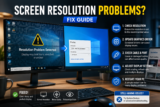
Screen resolution problems usually happen because your display settings, graphics driver, cable, monitor mode, or scaling settings are not matching correctly. ...
0

0
Packet loss happens when small pieces of data fail to reach their destination, causing lag, freezing video calls, buffering, game delays, and unstable ...
0

0
BIOS and UEFI are the startup systems that help your computer wake up, check its hardware, and load Windows or another operating system. UEFI is the modern ...
0

0
Latency refers to the delay between an action and its response in a network or system. Understanding latency explained is essential because high latency can ...
0

0
NVMe drives are significantly faster than SATA SSDs in benchmark tests, but for everyday tasks such as web browsing, Microsoft Office, streaming, and basic ...
0
0
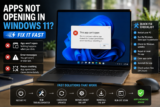
Apps not opening in Windows 11 is usually caused by corrupted system files, Windows glitches, background conflicts, outdated software, or storage problems. ...
At Techwizs, we believe technology should be simple, accessible, and empowering. Our Tech Guides are updated regularly to ensure you always have accurate, actionable, and up-to-date solutions. If you need personalized guidance or expert help, feel free to reach out to our team anytime.