

Difficulty: Beginner
If you’ve ever experienced lag during an online game or noticed a delay in a video call, you’ve already encountered latency. This latency explained guide will help you understand what latency is, what causes it, and why reducing it can significantly improve your online experience.
Whether you’re a gamer, remote worker, content creator, or casual internet user, understanding latency helps you make better decisions about your network and devices.
Definition Box
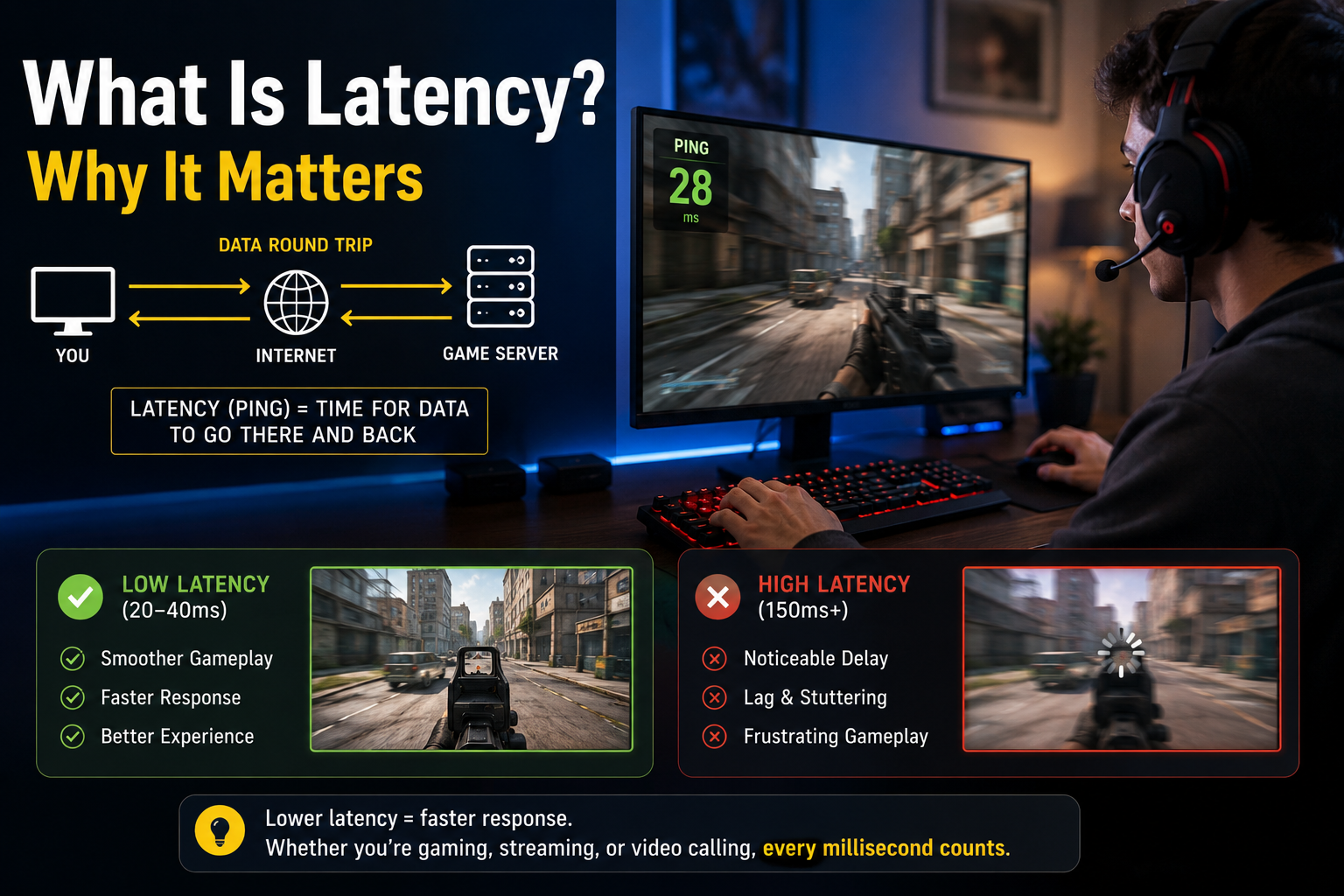
Latency is the amount of time it takes for data to travel from its source to its destination and back. It is typically measured in milliseconds (ms), where lower numbers indicate faster responsiveness.
What Is Latency?
Latency measures delay—not speed. While internet speed tells you how much data can be transferred, latency tells you how quickly the transfer begins.
For example:
- A connection with 1 Gbps speed but 150 ms latency may feel sluggish.
- A 100 Mbps connection with only 10 ms latency can feel much more responsive for interactive tasks.
This distinction is one of the most important concepts when discussing latency explained.
Why Latency Matters
High latency affects many everyday activities:
Online Gaming
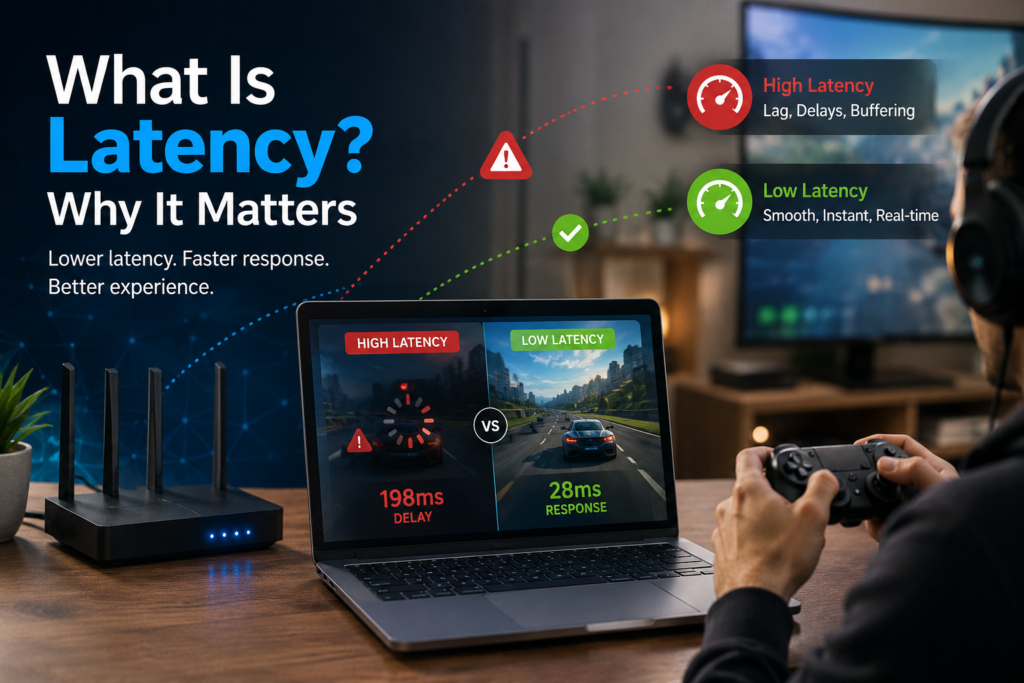
Gamers experience delayed movements, missed actions, and “rubber-banding” when latency is high.
Video Conferencing
Voice and video may become unsynchronized, creating awkward conversations and interruptions.
Web Browsing
Pages can take longer to start loading even if download speeds are fast.
Cloud Applications
Business tools, remote desktops, and cloud-hosted software feel less responsive.
VoIP Calls
Internet phone calls may suffer from noticeable delays or participants talking over one another.
Key Takeaway Box
Low latency means faster responsiveness. Even with excellent download speeds, high latency can make your internet feel slow during real-time activities.
Latency vs Bandwidth
Many people confuse latency with bandwidth.
| Latency | Bandwidth |
|---|---|
| Measures delay | Measures capacity |
| Measured in milliseconds | Measured in Mbps or Gbps |
| Affects responsiveness | Affects transfer volume |
| Important for gaming and calls | Important for downloads and streaming |
Think of bandwidth as the width of a highway and latency as how long it takes the first car to reach its destination.
What Causes High Latency?
Distance
The farther data must travel, the longer it generally takes to arrive.
Network Congestion
Busy networks increase delays as packets wait to be transmitted.
Wireless Interference
Wi-Fi signals can be disrupted by walls, neighboring networks, or electronic devices.
Poor Routing
Internet traffic may take inefficient paths between source and destination.
Server Performance
A slow or overloaded server can introduce delays before responding.
Hardware Limitations
Older routers, switches, or computers may add processing delays.
How to Measure Latency
Several methods can help determine latency:
- Ping tests measure round-trip response times.
- Traceroute tools identify delays along the network path.
- Online speed tests often display latency alongside download and upload speeds.
- Gaming diagnostics may show real-time ping values during play.
For most home users:
- 0–20 ms: Excellent
- 20–50 ms: Very good
- 50–100 ms: Acceptable
- 100–200 ms: Noticeable delay
- 200+ ms: Poor for real-time applications
Real-World Examples of Latency
Example 1: Competitive Gaming
A player with 15 ms latency reacts almost instantly, while another at 180 ms may consistently lose fast-paced encounters due to delayed inputs.
Example 2: Video Meetings
Two colleagues on identical fiber plans may have very different experiences if one connects via Ethernet and the other uses congested Wi-Fi.
Example 3: Smart Home Devices
Voice assistants and security cameras respond faster when network latency is minimized.
Step-by-Step: How to Reduce Latency
1. Use a Wired Ethernet Connection
Ethernet connections generally provide lower latency than Wi-Fi.
2. Restart Networking Equipment
Rebooting your modem and router can clear temporary issues.
3. Move Closer to the Router
Reducing distance improves wireless signal quality.
4. Limit Background Traffic
Large downloads and cloud backups can increase latency for other devices.
5. Update Router Firmware
Manufacturers regularly release updates that improve stability and performance.
6. Choose Nearby Servers
Many games and applications allow you to select geographically closer servers.
7. Upgrade Outdated Hardware
Modern routers often provide better traffic management and reduced processing delays.
Troubleshooting High Latency
Ping Suddenly Increases
- Restart networking equipment.
- Check for ISP outages.
- Pause large downloads.
Gaming Feels Laggy
- Switch from Wi-Fi to Ethernet.
- Select a nearer game server.
- Close background applications.
Video Calls Stutter
- Reduce network congestion.
- Ensure sufficient upload bandwidth.
- Use a wired connection if possible.
Industry Insight
According to many broadband performance studies and networking best practices, latency below 20 ms is generally considered excellent for real-time applications such as gaming and voice communications, while enterprise cloud providers continually optimize infrastructure to reduce delays for end users.
Frequently Asked Questions
What is latency in simple words?
Latency is the time delay between sending data and receiving a response.
Is lower latency always better?
Yes. Lower latency usually results in smoother gaming, video calls, and interactive applications.
Is latency the same as internet speed?
No. Internet speed measures capacity, while latency measures delay.
Can fiber internet still have high latency?
Yes. Although fiber often provides low latency, routing issues, congestion, or distant servers can still increase delays.
Does Wi-Fi increase latency?
It can. Wireless interference and signal quality may introduce additional delays compared to wired Ethernet.
Conclusion
Understanding latency explained helps you diagnose network issues that speed tests alone may not reveal. While download speeds remain important, low latency is often the key to responsive gaming, crystal-clear video calls, fast web browsing, and reliable cloud applications.
By choosing quality networking equipment, minimizing interference, and optimizing your setup, you can significantly improve your overall online experience.





[…] means latency keeps […]