
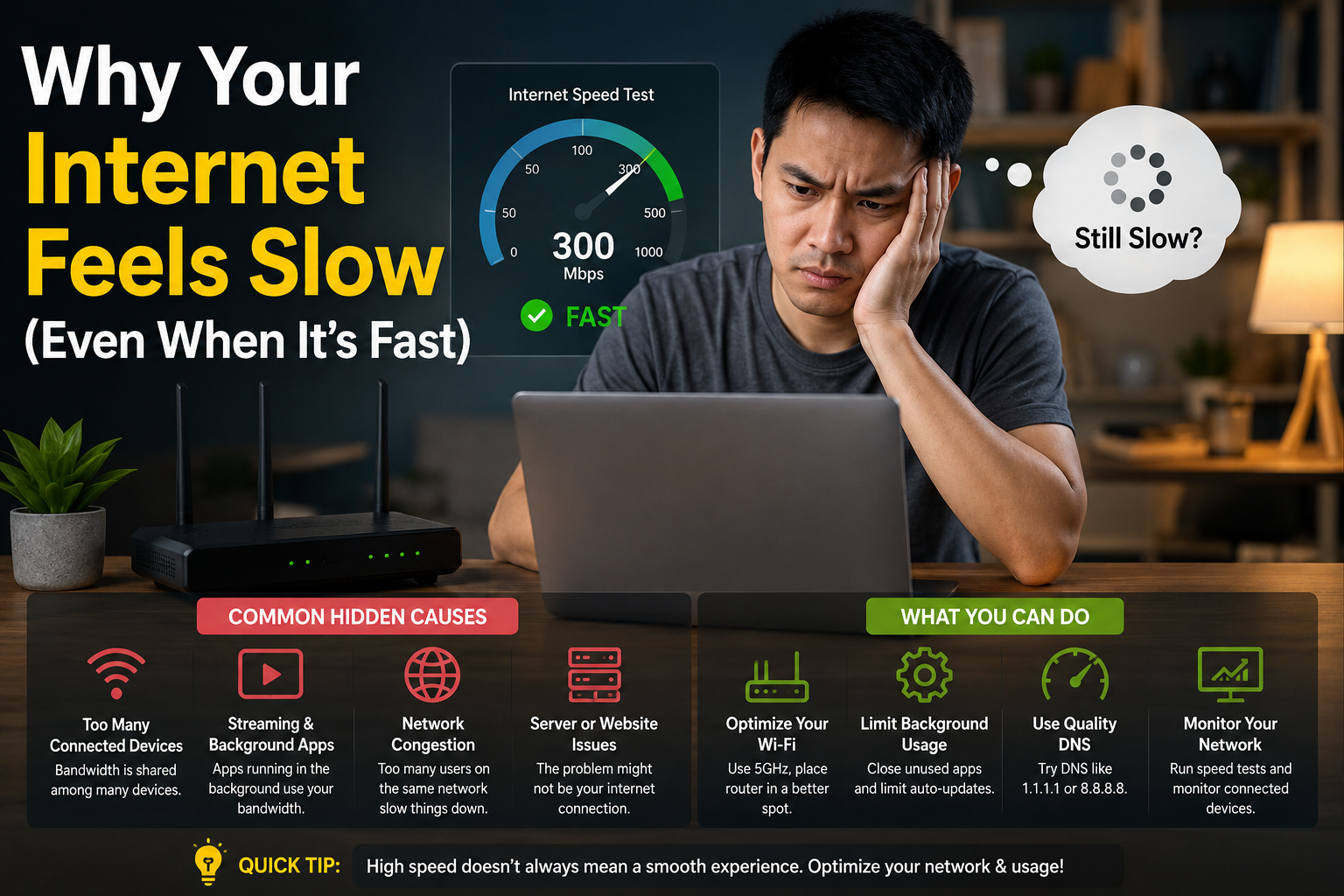
If your internet feels slow even though your speed test looks good, you are not imagining things. A 500 Mbps or 1 Gbps plan can still feel annoying when websites take time to open, video calls freeze, games lag, or apps spin endlessly.
That happens because internet “speed” is not just about the big number your provider advertises. That number usually refers to download speed, which is only one part of the full experience. In real life, your internet also depends on response time, Wi-Fi quality, router health, device performance, website speed, background downloads, and even how busy the network is at that moment.
Think of it like a highway. A road may support high speed, but if there are traffic lights, potholes, bad junctions, and too many cars, your journey still feels slow.
Key Takeaway Box
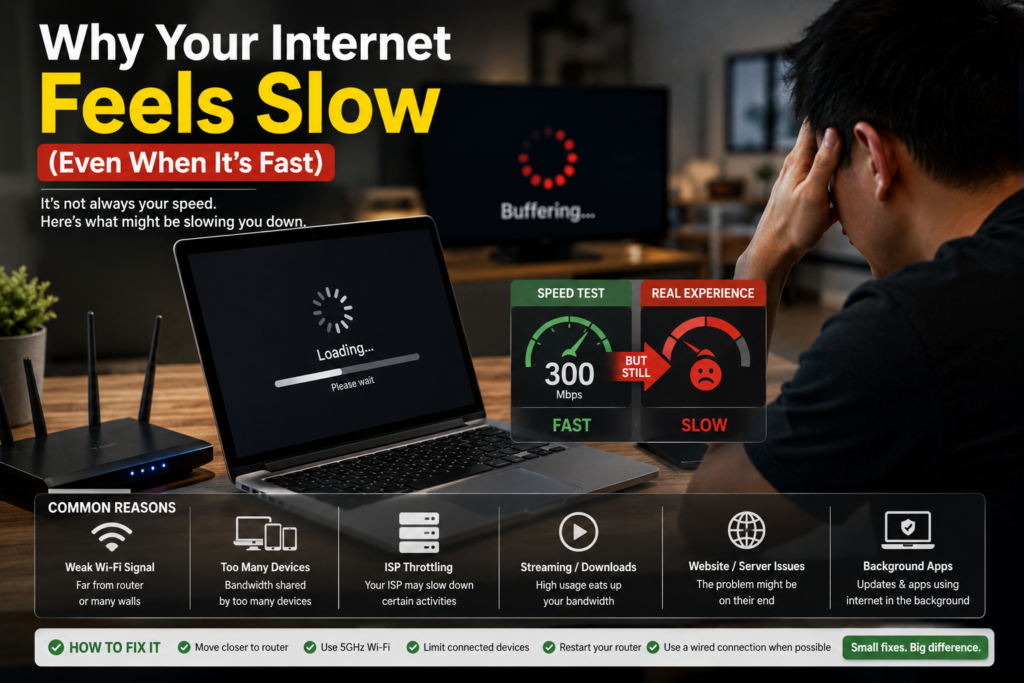
Fast internet does not always mean smooth internet. Your plan speed may be high, but your experience can still feel slow if latency, Wi-Fi signal, router load, device issues, or website performance are poor.
Why Internet Feels Slow Even With High Speed
The main reason internet feels slow on a fast plan is that most people judge internet quality by download speed only.
Download speed tells you how much data can move to your device at once. It is useful when downloading large files, updating games, watching high-resolution video, or backing up data. But it does not fully explain how quickly the internet responds when you click, scroll, open a website, join a video call, or play online games.
According to the FCC’s Measuring Broadband America program, broadband performance is commonly measured using download speed, upload speed, latency, and packet loss. That matters because a connection can look strong in one area but still feel weak in another.
Speed is capacity, not always responsiveness
Imagine your internet connection as a water pipe.
A bigger pipe can carry more water. That is like higher Mbps. But if the tap takes a long time to respond, the water pressure keeps changing, or the pipe has small leaks, the experience still feels bad.
That is why a speed test may say 800 Mbps, but your web browser still takes three seconds before anything appears.
The issue may not be your plan speed. It may be delay, unstable Wi-Fi, slow DNS, overloaded equipment, or the website itself.
Download Speed vs Latency: The Big Difference
To understand why your internet feels slow, you need to know the difference between download speed and latency.
What is download speed?
Download speed is how quickly data comes from the internet to your device.
It affects things like:
- Downloading files
- Streaming Netflix or YouTube
- Updating software
- Loading large images
- Installing games
- Syncing cloud files
If download speed is low, large files take longer and high-quality video may buffer.
What is latency?
Latency is the delay before data starts moving back and forth.
Cloudflare explains latency as the time delay in communication over a network, and notes that distance and network equipment can add delays that cannot be completely removed.
In plain English, latency is the “reaction time” of your internet.
Low latency feels instant. High latency feels delayed.
Latency affects:
- Online gaming
- Video calls
- Website loading
- Remote desktop
- Voice calls
- Smart home controls
- Cloud apps
- Online work tools
You can have high download speed but poor latency. That is like having a sports car stuck at traffic lights every few meters.
Simple example
Let’s say two people open the same website.
| Connection | Download Speed | Latency | Real Experience |
|---|---|---|---|
| Person A | 100 Mbps | Low | Website opens quickly |
| Person B | 800 Mbps | High | Website hesitates before loading |
Person B has the faster plan, but Person A may feel like they have the better internet.
When Internet Feels Slow Because of Wi-Fi
Many people blame the internet provider when the real problem is Wi-Fi.
Your provider may deliver fast internet to your router, but your device still needs a strong wireless connection from the router to your phone, laptop, TV, or console.
If your Wi-Fi is weak, blocked, crowded, or outdated, your internet feels slow even when the actual line is fine.
Common Wi-Fi problems
Your Wi-Fi can struggle because of:
- Router placed too far away
- Thick walls
- Router hidden inside a cabinet
- Too many connected devices
- Old router hardware
- Interference from neighbours
- Using 2.4 GHz when 5 GHz would be better
- Poor mesh Wi-Fi placement
- Device connected to the wrong access point
A strong internet plan cannot fix weak Wi-Fi coverage inside your home.
2.4 GHz vs 5 GHz in simple terms
Most modern routers have two common Wi-Fi bands: 2.4 GHz and 5 GHz.
Think of 2.4 GHz like a long-distance road. It reaches farther and passes through walls better, but it is often slower and more crowded.
Think of 5 GHz like a faster road with shorter range. It is usually better for speed, but it does not travel through walls as well.
For nearby devices, 5 GHz usually feels faster. For far rooms, 2.4 GHz may connect better but feel slower.
Quick Wi-Fi test
Stand near your router and run a speed test. Then go to the room where internet feels slow and test again.
If the speed drops a lot, your issue is likely Wi-Fi coverage, not your internet plan.
Quick Fix Box
If your internet is fast near the router but slow in another room, do not upgrade your plan first. Move the router, adjust mesh placement, use 5 GHz nearby, or add a proper access point.
Your Router May Be the Bottleneck
Your router is the traffic controller for your home network.
Even if your internet plan is fast, an old or overloaded router can make everything feel slow. This is especially common when many people are streaming, gaming, using video calls, syncing cloud files, or connecting smart devices at the same time.
Signs your router is struggling
Your router may be the issue if:
- Internet improves after restarting it
- Wi-Fi randomly disconnects
- Speed is good at certain times but bad later
- Video calls freeze when someone else streams
- The router feels hot
- The router is more than five years old
- Many devices are connected at once
- Wired connection is fast but Wi-Fi is poor
Restarting helps temporarily because it clears stuck processes, memory issues, and connection problems. But if the same issue keeps returning, the router may need a firmware update, better placement, or replacement.
Router speed ratings can be misleading
Routers often advertise big numbers like AC1200, AX3000, or BE6500. These numbers do not mean every device will get that exact speed.
They are usually combined theoretical maximums across multiple bands. In real use, distance, walls, interference, device support, and router processing power affect the final result.
A good router is not just about high numbers. Stability matters.
Website Speed Can Make Fast Internet Feel Slow
Sometimes your connection is fine, but the website is slow.
When you open a webpage, your browser may need to load text, images, ads, fonts, tracking scripts, videos, buttons, and other files. A modern website can pull content from many different servers before it fully appears.
Google’s Core Web Vitals measure real-world user experience for loading performance, interactivity, and visual stability. In simple terms, Google looks at whether a page loads quickly, responds well, and stays visually stable while loading.
That means your internet can be fast, but a poorly built website can still feel slow.
Why some websites open slowly
A website may be slow because of:
- Large images
- Too many ads
- Heavy tracking scripts
- Poor hosting
- Server overload
- Bad website design
- Slow third-party tools
- Too many pop-ups
- Unoptimized videos
This is why one website may load instantly while another crawls, even on the same internet connection.
Real-life example
If YouTube works perfectly but one shopping website takes forever to load, your internet is probably not the main problem.
The shopping website may be heavy, busy, or poorly optimized.
When Internet Feels Slow Because of Your Device
Your phone, laptop, tablet, or smart TV can also make the internet feel slow.
The internet may be fine, but your device may struggle to process what it receives.
Common device-related causes
Your device can slow browsing or streaming because of:
- Too many browser tabs open
- Low storage space
- Outdated software
- Background apps using data
- Old Wi-Fi adapter
- Malware or unwanted extensions
- Weak processor
- Low memory
- Battery saver mode
- VPN or security software issues
For example, a laptop with 40 browser tabs open may load websites slowly even on fast Wi-Fi. The bottleneck is the device, not the internet.
Browser extensions can be sneaky
Some browser extensions inspect every page you open. Ad blockers, coupon tools, security extensions, grammar tools, and screenshot tools can all affect loading.
They may be useful, but too many extensions can slow things down.
Try opening the same website in another browser or private mode. If it loads faster, your browser setup may be the problem.
Background Downloads Can Steal Your Speed
Your internet may feel slow because something else is using the connection.
This is common in homes with many devices. You may not notice that a phone is backing up photos, a console is updating a game, a laptop is syncing OneDrive, or a TV is streaming 4K video.
Hidden activities that use bandwidth
Background usage can include:
- Windows updates
- Game downloads
- Cloud backups
- Phone photo sync
- Security camera uploads
- Smart TV streaming
- Video call uploads
- Torrent downloads
- App updates
- File sharing tools
Upload usage is especially important. Many people focus only on download speed, but when upload is full, the whole internet can feel stuck.
Think of upload like the outgoing lane of a road. If it is jammed, even small requests from your device may take longer to leave.
Packet Loss and Jitter: The Hidden Annoyers
Two other problems can make your internet feel bad: packet loss and jitter.
What is packet loss?
Data travels across the internet in small pieces called packets.
Packet loss happens when some of those pieces do not arrive properly. Your device then has to wait, retry, or continue with missing information.
This can cause:
- Robotic voice calls
- Video freezes
- Game lag
- Random disconnections
- Webpages loading halfway
- Streaming quality drops
What is jitter?
Jitter means latency keeps changing.
Stable latency is good. Unstable latency feels jumpy.
For example, if your ping is 20 ms, then 80 ms, then 25 ms, then 150 ms, your connection may feel inconsistent even if speed is high.
Video calls and online games are especially sensitive to jitter.
How to Check Why Your Internet Feels Slow
You do not need to be technical to troubleshoot this. Use a simple process.
Step 1: Test near the router
Run a speed test while standing near your router.
If the result is good there but bad elsewhere, the issue is likely Wi-Fi coverage.
Step 2: Test with a cable
If you have a laptop with Ethernet, connect it directly to the router using a LAN cable.
If wired internet is fast but Wi-Fi is slow, the internet line is probably fine.
Step 3: Restart your router
Turn off your router for about 30 seconds, then turn it back on.
If the problem improves but returns later, your router may be overloaded, outdated, overheating, or poorly configured.
Step 4: Check other devices
Test on another phone or laptop.
If only one device is slow, focus on that device. If every device is slow, focus on the router, Wi-Fi, or internet provider.
Step 5: Check upload usage
Pause cloud backups, game updates, torrents, and large uploads.
Then test again.
If everything becomes smoother, your connection was probably congested by background activity.
Step 6: Test different websites
Try opening several websites and apps.
If only one website is slow, the website may be the problem.
Step 7: Check latency
Use a speed test that shows ping or latency. For gaming and video calls, latency can matter more than download speed.
Cloudflare’s speed test, for example, focuses not only on speed but also on connection quality and consistency.
Simple Fixes Before Upgrading Your Internet Plan
Do not rush to buy a faster plan. Many slow-feeling internet problems can be fixed without paying more every month.
Try these first
- Move your router to a central, open location.
- Avoid placing the router inside cabinets.
- Restart the router weekly if it often slows down.
- Update router firmware.
- Use 5 GHz Wi-Fi when close to the router.
- Use Ethernet for gaming, work PCs, or smart TVs.
- Reduce unnecessary background downloads.
- Remove unused browser extensions.
- Close unused apps and tabs.
- Replace very old routers.
- Add mesh Wi-Fi or access points for large homes.
- Check whether your device supports modern Wi-Fi standards.
- Pause cloud backup during video calls or gaming.
When upgrading makes sense
A higher-speed plan may help if:
- Many people stream at the same time.
- You download large files often.
- You upload videos or backup large files.
- Your current plan is genuinely low speed.
- Speed is poor even with wired testing.
- Your provider confirms line limitations.
- Your household has many heavy users.
But if your wired speed is already high, upgrading may not fix lag, weak Wi-Fi, or slow websites.
Best Setup for Smooth Home Internet
For most homes, the best setup is not just “the fastest plan.”
A smooth setup usually includes:
- A reliable fibre or broadband plan
- A modern router
- Good router placement
- Strong Wi-Fi coverage
- Ethernet for important devices
- Updated phones and laptops
- Controlled background downloads
- Secure passwords
- Regular router firmware updates
For apartments or small homes, one good router may be enough.
For larger houses, a mesh Wi-Fi system or wired access points may make a bigger difference than upgrading from 500 Mbps to 1 Gbps.
Common Mistakes That Make Internet Feel Slow
Mistake 1: Only checking download speed
Download speed is useful, but it does not tell the whole story. Always consider latency, upload speed, packet loss, jitter, and Wi-Fi signal.
Mistake 2: Keeping the router in a bad location
A router hidden behind a TV, inside a cabinet, or near thick walls will not perform well.
Place it in an open area whenever possible.
Mistake 3: Using old equipment with a new plan
A fast plan with an old router is like putting a powerful engine into a car with bad tyres. The speed is available, but the experience is limited.
Mistake 4: Ignoring upload speed
When upload is full, browsing, gaming, and video calls can all feel delayed.
This often happens during cloud backup, CCTV upload, video meetings, or large file transfers.
Mistake 5: Expecting every website to load instantly
Some websites are slow because of their own design, server, ads, or scripts. Your internet cannot fully fix a poorly optimized website.
FAQ
Why does my speed test show fast internet but browsing is slow?
Your speed test mainly shows how much data your connection can move under test conditions. Browsing can still feel slow because of latency, DNS delays, Wi-Fi problems, device performance, browser extensions, or the website itself.
Does higher Mbps always mean faster internet?
No. Higher Mbps helps with downloads and multiple users, but it does not automatically guarantee quick response time. Latency, packet loss, router quality, and Wi-Fi strength also matter.
Why is my internet slow only in one room?
That usually means weak Wi-Fi coverage. The room may be too far from the router, blocked by walls, or affected by interference. Moving the router, using mesh Wi-Fi, or adding an access point can help.
Can an old router make fast internet slow?
Yes. An old router may not handle modern speeds, many devices, or newer Wi-Fi standards well. If your speed improves after restarting the router but becomes slow again later, the router may be struggling.
Why do video calls lag even when download speed is good?
Video calls depend heavily on upload speed, latency, jitter, and packet loss. If your upload is busy or your Wi-Fi is unstable, calls can freeze even when download speed looks fine.
Should I upgrade my internet plan if it feels slow?
Not immediately. First test near the router, test with a cable, check other devices, restart the router, and look for background downloads. Upgrade only if the line itself is genuinely too slow for your household usage.
Final Thoughts
When your internet feels slow even though the speed test says it is fast, the problem is usually not as simple as “my plan is bad.”
It could be latency, weak Wi-Fi, router overload, packet loss, upload congestion, an old device, a slow website, or too many background tasks. The trick is to test step by step instead of guessing.
Start near the router. Try a wired connection. Compare different devices. Check whether uploads or updates are running. Then decide whether you need a better router, better Wi-Fi coverage, or a faster plan.
Fast internet is nice. Smooth internet is better.