
 The Tech wizard
At Techwizs, we believe technology should be simple, accessible, and empowering. Our Tech Guides are updated regularly to ensure you always have accurate, actionable, and up-to-date solutions. If you need personalized guidance or expert help, feel free to reach out to our team anytime.
Tech Guides
0
0
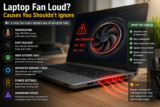
A laptop fan loud issue usually means your system is overheating or working too hard. Fixing it early can improve performance, extend lifespan, and prevent ...
0

0
Wi-Fi boosters are cheaper and extend signal quickly, but mesh Wi-Fi systems provide stronger, more reliable whole-home coverage with fewer connection issues.
0

0
Laptop screen flickering is usually caused by outdated drivers, refresh rate issues, loose connections, or software conflicts. By updating drivers, adjusting ...
0

0
DNS errors occur when your computer cannot translate website names into IP addresses. Restarting your router, clearing DNS cache, or switching DNS servers ...
0
0
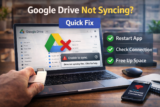
When Google Drive stops syncing, it’s usually due to paused syncing, internet issues, storage limits, or application glitches. Restarting the Drive app, ...
0

0
Chrome uses more RAM than other browsers because each tab, extension, and plugin runs in a separate process for better security and stability. However, ...
0

0
Sound crackling on Windows usually happens because of outdated audio drivers, incorrect sound settings, or system performance problems. Updating drivers, ...
0

0
The best budget printers for home offices in 2026 balance low purchase cost with affordable ink or toner. Ink tank printers are best for high-volume printing, ...
0
0
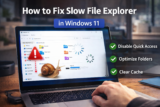
Slow File Explorer in Windows 11 is typically caused by Quick Access cache issues, overloaded indexing, background processes, or corrupted system files. ...
0

0
High RAM usage in Windows is commonly caused by too many background processes, startup apps, memory leaks, or system services consuming resources. By ...
0

0
A slow laptop startup is usually caused by too many programs launching during boot, outdated drivers, or slow storage drives. Reducing startup apps, updating ...
0
0
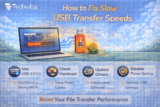
Slow USB transfer speeds are commonly caused by using older USB ports (2.0 instead of 3.0+), poor-quality cables, incorrect file system formatting, write-cache ...