Difficulty: Beginner / Basic User
When setting up Wi-Fi, many users struggle to decide whether their devices should connect to 5GHz or 2.4GHz. Although both are part of your router’s dual-band system, they deliver very different results in terms of speed, range, and stability. Choosing the wrong band often leads to weak signals, laggy streaming, and inconsistent internet performance — but choosing the right one can instantly improve your entire network.
The focus keyphrase here is 5GHz vs 2.4GHz, and it appears early because it’s exactly what readers search for when comparing Wi-Fi performance.
Key Takeaway
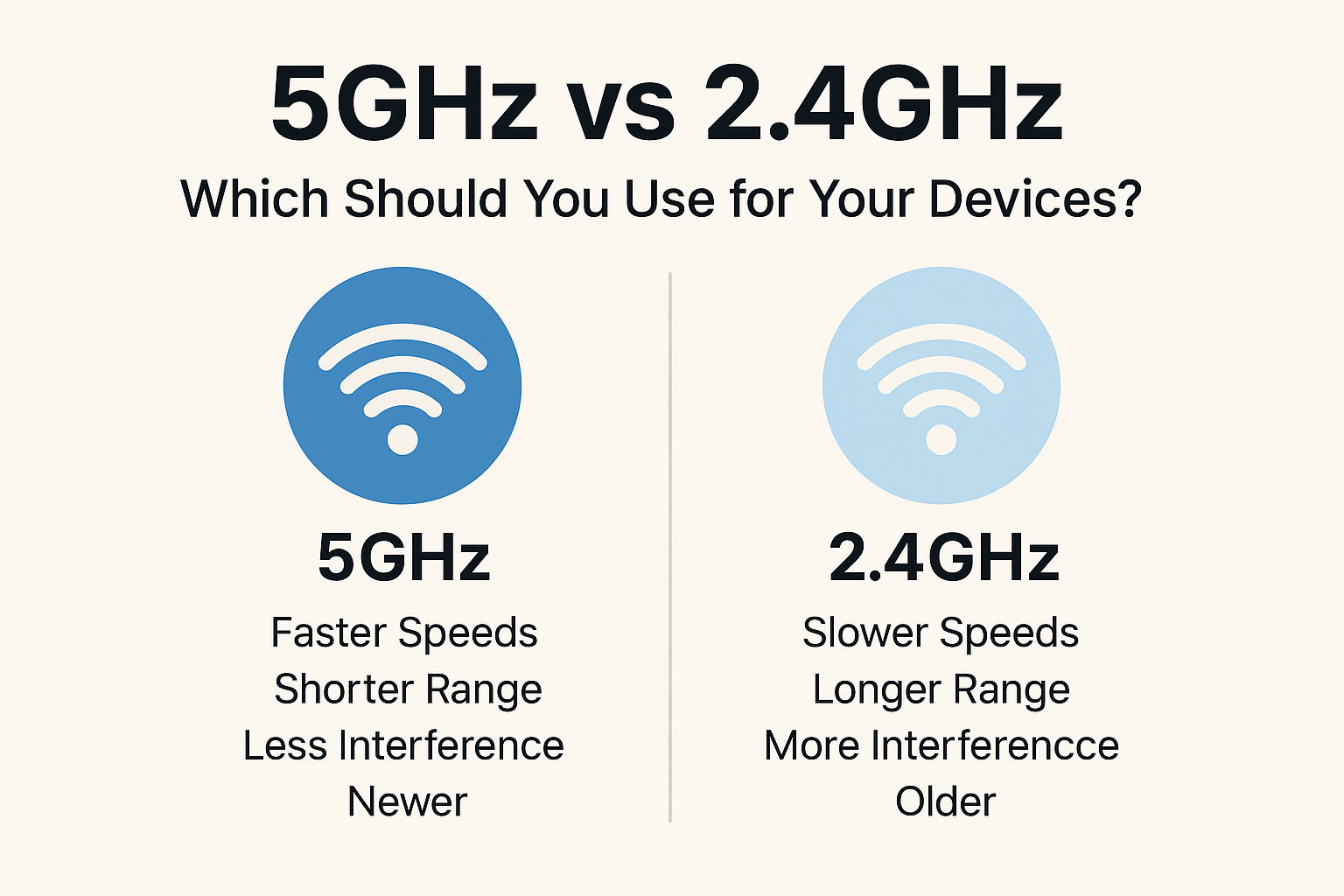
5GHz = Faster speeds, shorter range.
2.4GHz = Slower speeds, longer range.
Use 5GHz when close to the router, and 2.4GHz when distance or walls weaken your connection.
Understanding the Difference Between 5GHz and 2.4GHz
To understand which Wi-Fi band is better, it’s useful to think of them like two types of roads:
- 2.4GHz is a long, older highway — it stretches far but often gets congested.
- 5GHz is a newer expressway — much faster, but only if you’re close enough to use it efficiently.
Both serve different needs and both are essential for a balanced home Wi-Fi network.
Speed Comparison: 5GHz Wins for Pure Performance
If you’re prioritizing connection speed, 5GHz is almost always superior. This is because higher frequencies can transmit data much faster.
- 5GHz speed range: Up to 1300 Mbps (depending on the router)
- 2.4GHz speed range: Typically up to 450 Mbps
According to StatCounter’s device usage data, over 70% of modern smartphones support dual-band Wi-Fi, and most achieve significantly higher speeds on 5GHz when positioned correctly.
Why 5GHz is faster:
- Larger channel width
- Less interference
- More available channels
If you notice slow downloads, buffering videos, or lag in games, switching to 5GHz often solves the problem instantly.
Range & Coverage: 2.4GHz Dominates Long Distance
Speed isn’t everything. If your device is far from the router, 2.4GHz becomes the better choice because it travels farther and penetrates walls more effectively.
- 5GHz struggles with obstacles like walls, floors, and thick concrete.
- 2.4GHz travels farther and maintains usable performance even across rooms.
Real-world example:
A laptop two rooms away from your router may get full bars on 2.4GHz, but only one bar on 5GHz.
Interference: Why 5GHz Is More Stable in Crowded Areas
The 2.4GHz band is extremely crowded because many everyday devices use the same frequency:
- Bluetooth gadgets
- Microwave ovens
- Cordless phones
- Smart home devices
- Neighboring Wi-Fi networks
This congestion can slow down your connection or cause sudden drops.
5GHz is cleaner, with far more channels and less interference.
If you live in an apartment or condo with dozens of visible Wi-Fi networks, switching to 5GHz noticeably improves stability.
Device Compatibility: Not All Devices Support Both Bands
Even today, some devices only support the 2.4GHz band.
Examples of 2.4GHz-only devices:
- Smart home plugs
- Sensors
- Older smartphones
- Budget smart TVs
Meanwhile, modern devices — laptops, iPhones, Android phones, game consoles — generally support both frequencies.
If your device refuses to connect on 5GHz, it’s usually because:
- The device does not support 5GHz
- The router uses DFS channels
- The distance to the router is too far
When You Should Use 5GHz Wi-Fi
Use 5GHz if you want:
- Faster speeds
- Better gaming performance
- Smoother 4K streaming
- More stable video calls
- Lower latency
- Less interference
Ideal for:
- Phones
- Laptops
- Gaming PCs
- Smart TVs (near router)
- Wi-Fi 6 devices
If your router is nearby, always prefer 5GHz for performance.
When You Should Use 2.4GHz Wi-Fi
Use 2.4GHz when:
- Your device is far from the router
- Multiple walls block your signal
- You’re using older or budget devices
- You rely heavily on smart home accessories
- You need maximum range
Ideal for:
- Smart plugs
- Security cameras
- Door sensors
- Older laptops
- Outdoor devices
If you have Wi-Fi dead zones, 2.4GHz often remains the only workable option.
Definition Box
Dual-Band Wi-Fi:
Routers offering both 2.4GHz and 5GHz frequencies, letting devices choose the best band based on distance, speed, and compatibility.
Should You Combine or Separate the Wi-Fi Bands?
Most routers let you merge both bands under one Wi-Fi name (SSID). This is called Smart Connect.
Combined Network (One SSID)
Pros:
- Router automatically chooses the best band
- Easier for non-technical users
Cons:
- Smart devices may struggle to pair
- Router may assign 2.4GHz even when 5GHz would be faster
Separate Networks (Two SSIDs)
Pros:
- Total control — you choose 2.4GHz or 5GHz
- Better for troubleshooting
- Perfect for smart home setups
Cons:
- Requires manual switching
For TechWizs-style optimization, separating SSIDs generally gives better control.
Troubleshooting Common Wi-Fi Band Issues
1. Devices won’t connect to 5GHz
- Device may not support 5GHz
- Router may be using DFS channels
- Range is too far
Fix: Change to channel 36–48 and test again.
2. 5GHz signal drops frequently
- Thick walls blocking frequency
- Router placed too low
Fix: Raise the router and position it centrally.
3. Smart home devices only connect to 2.4GHz
This is normal — they are designed for low energy usage and long range.
Fix: Temporarily disable 5GHz during pairing.
FAQ (Schema Ready)
1. Is 5GHz always faster than 2.4GHz?
Yes, but only at short distances. 5GHz loses performance quickly when walls or floors block it.
2. Why does 2.4GHz have longer range?
Lower frequencies travel farther and penetrate obstacles more easily.
3. Should I put my phone on 5GHz or 2.4GHz?
Use 5GHz whenever possible for better speed and lower latency.
4. Why do my smart home devices only support 2.4GHz?
IoT devices prioritize range and power efficiency, making 2.4GHz ideal.
5. Can I use both bands at the same time?
Yes. Modern routers support simultaneous dual-band broadcasting.