Difficulty: Beginner
What Makes a Good Budget Keyboard?
Before choosing from the budget keyboards category, it helps to know what actually matters.
Definition Box
Budget Keyboard
An affordable keyboard that prioritizes core typing comfort, durability, and essential features without premium pricing.
Key things to look for:
- Comfortable key feel
- Reliable build quality
- Wired or wireless stability
- Layout that fits your desk and workflow
Expensive features like RGB lighting or metal frames are nice—but not required.
Membrane vs Mechanical (Quick Explanation)
Membrane Keyboards
- Quiet and soft
- Lower cost
- Good for offices and shared spaces
Mechanical Keyboards
- Tactile feedback
- More durable switches
- Better for heavy typing or gaming
Key Takeaway Box
If you want quiet and affordable, choose membrane. If you want better typing feel, entry-level mechanical keyboards are worth it.
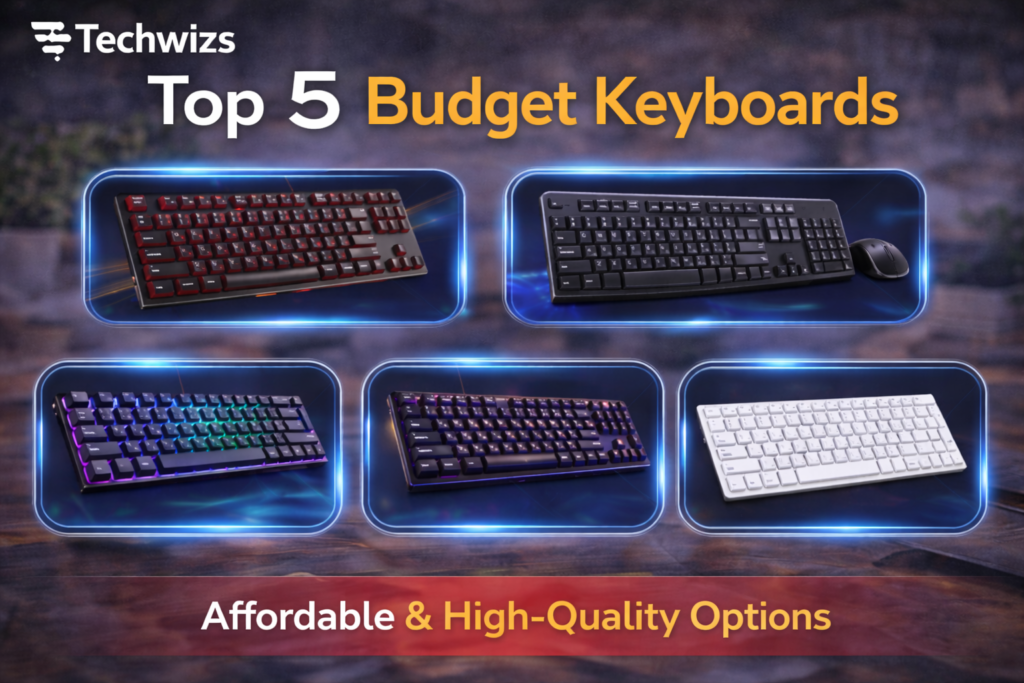
Top 5 Budget Keyboards
These picks balance price, comfort, and reliability.
1) Logitech K380 (Best for Multi-Device Use)
Type: Membrane (Wireless)
Best for: Laptops, tablets, multi-device setups
Why it stands out:
- Connects to up to 3 devices
- Compact and portable
- Long battery life
According to product documentation from Logitech, the K380 is designed for low-profile, comfortable typing across platforms.
Downside: Small layout may feel cramped for some users.
2) Redragon K552 (Best Budget Mechanical Keyboard)
Type: Mechanical (Wired)
Best for: Typing and light gaming
Why it stands out:
- Solid metal frame
- Mechanical switches at a low price
- Excellent durability
This is often the go-to choice when people want mechanical keys without spending much.
Downside: Louder than membrane keyboards.
3) Microsoft Wired Keyboard 600 (Best for Office Work)
Type: Membrane (Wired)
Best for: Office and productivity
Why it stands out:
- Quiet, comfortable keys
- Spill-resistant design
- Full-size layout
Microsoft designed this keyboard for everyday reliability rather than flashy features.
Downside: Very basic design.
4) HP C2500 Keyboard (Best Simple Full-Size Option)
Type: Membrane (Wired)
Best for: Home and office users
Why it stands out:
- Standard full-size layout
- Comfortable typing for long sessions
- Plug-and-play simplicity
If you just want a no-fuss keyboard, this is a safe choice.
Downside: No extra features or customization.
5) MageGee MK-Box (Best Compact Mechanical Option)
Type: Mechanical (Wired, 60%)
Best for: Small desks and travel
Why it stands out:
- Compact design saves space
- Mechanical feel at a low price
- Lightweight and portable
Great if desk space is limited or you prefer minimalist setups.
Downside: No number pad or arrow keys (requires shortcuts).
Comparison Table: Budget Keyboards
| Keyboard | Type | Size | Best For |
|---|---|---|---|
| Logitech K380 | Membrane | Compact | Multi-device use |
| Redragon K552 | Mechanical | Full-size | Typing & gaming |
| Microsoft 600 | Membrane | Full-size | Office work |
| HP C2500 | Membrane | Full-size | Everyday use |
| MageGee MK-Box | Mechanical | 60% | Small desks |
How to Choose the Right Budget Keyboard
Ask yourself:
- Do I need quiet keys or tactile feedback?
- Do I want wired or wireless?
- Do I need a number pad?
- How much desk space do I have?
Quick Fix Box
If you’re unsure, start with a full-size membrane keyboard—it’s the safest and most comfortable option for beginners.
Common Budget Keyboard Myths
“Cheap keyboards don’t last.”
Not true. Many budget keyboards last for years with normal use.
“Mechanical keyboards are only for gamers.”
False. Many writers and programmers prefer them.
“Wireless keyboards always lag.”
Modern wireless keyboards are very reliable for everyday work.
FAQs: Budget Keyboards
1) Are budget keyboards good for typing?
Yes. Many offer excellent comfort for everyday typing.
2) Is mechanical better than membrane?
It depends on preference. Mechanical feels better; membrane is quieter.
3) Do cheap keyboards break easily?
Not if you choose reputable brands.
4) Are wireless keyboards under $50 reliable?
Yes, especially for office and home use.
5) Should I avoid RGB keyboards on a budget?
Not necessary, but RGB adds cost without improving typing.