Difficulty: Beginner
What Makes a Good Budget Printer?
Before looking at models, it’s important to understand what actually matters.
Many people buy a cheap printer but later discover the ink costs more than the printer itself.
When choosing among the best budget printers home office, consider these four factors:
1️⃣ Printing Cost (Most Important)
This is called cost per page.
Think of it like fuel efficiency in a car.
Some printers are cheap to buy but expensive to run because the ink cartridges run out quickly.
2️⃣ Print Speed
If you print many documents daily, a faster printer saves time.
Laser printers are usually faster than inkjet printers.
3️⃣ Wireless Printing
Most modern printers support:
- Wi-Fi printing
- Mobile printing
- Cloud printing
This means you can print directly from your phone or laptop without plugging in cables.
4️⃣ Ink vs Toner
There are two main types of printers.
| Type | Best For |
|---|---|
| Inkjet | Color printing and photos |
| Laser | Fast black-and-white documents |
Understanding this helps you choose among the best budget printers home office without wasting money.
Ink Tank vs Cartridge Printers (Explained Simply)
Many modern budget printers use ink tanks instead of cartridges.
Cartridge Printer
Small ink cartridges that must be replaced often.
Good for:
- Low printing volume
Ink Tank Printer
Large refillable tanks that hold bottles of ink.
Good for:
- Printing hundreds of pages monthly
- Lower long-term cost
According to industry printer usage data, ink tank printers can reduce printing costs by up to 80–90% compared to cartridges.
🧠 Definition Box
Ink Tank Printer:
A printer that uses refillable ink reservoirs instead of disposable cartridges, significantly reducing printing cost per page.
Best Budget Printers for Home Offices (2026)
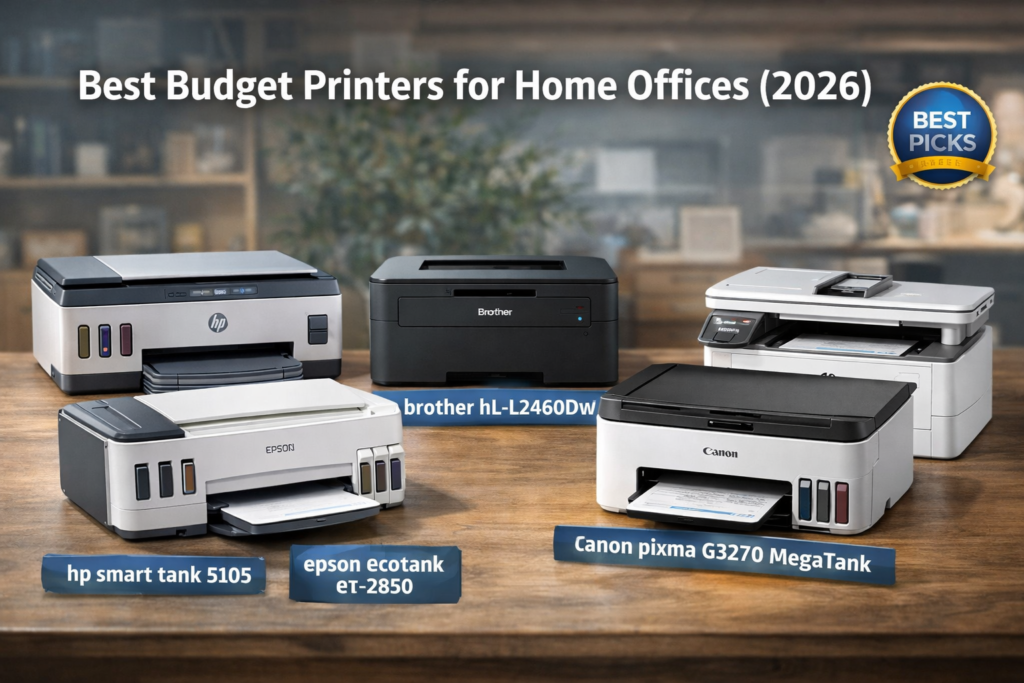
Below are some of the best budget printers home office users should consider this year.
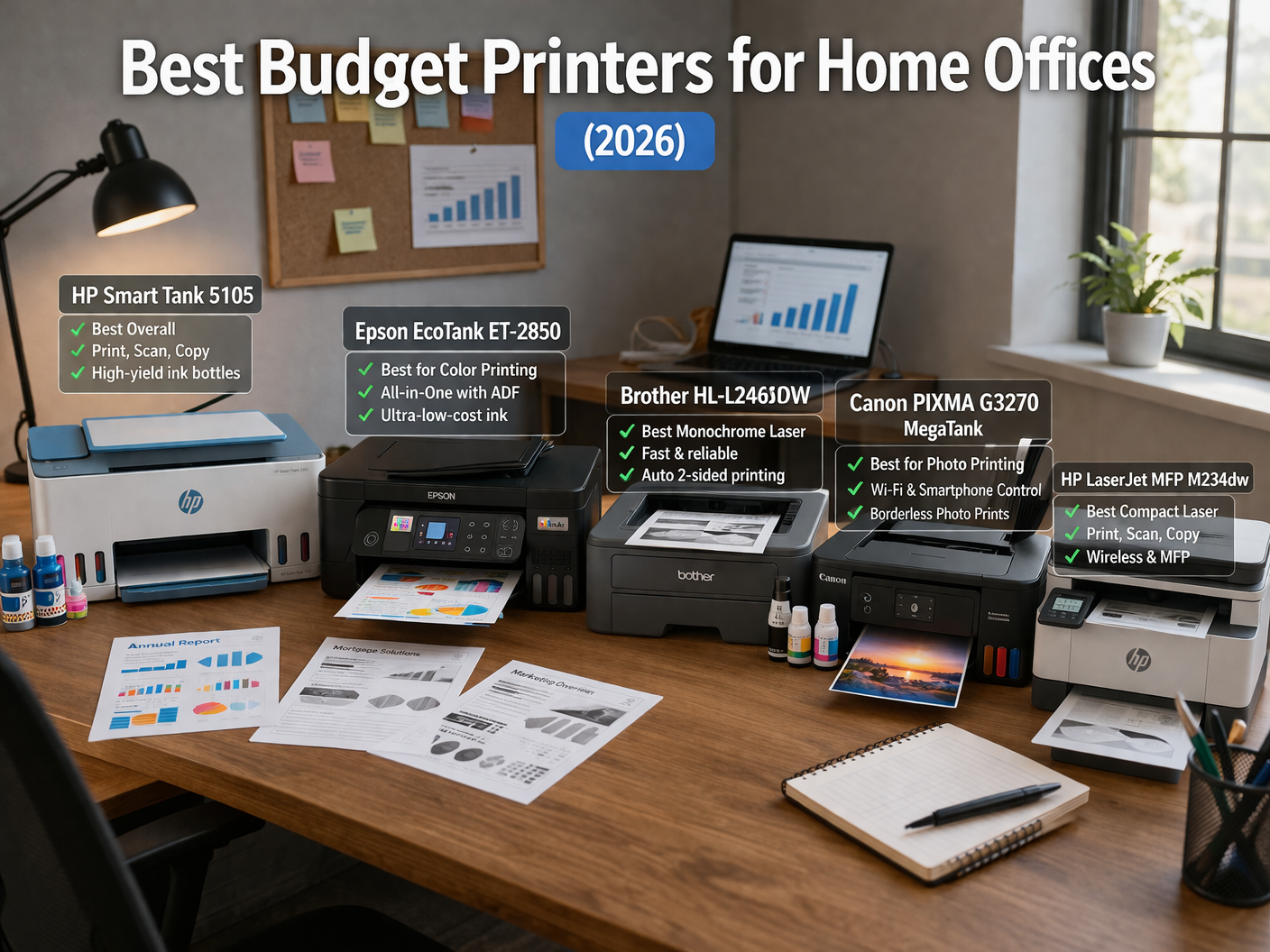
1️⃣ HP Smart Tank 5105
Best for: Low-cost color printing
Key features:
- Refillable ink tank
- Wireless printing
- Mobile app printing
- Up to 6,000 pages per refill
Pros:
✔ Extremely cheap ink cost
✔ Great for students and home businesses
✔ Simple to use
Cons:
❌ Print speed is moderate
This is one of the most affordable long-term printers available.
2️⃣ Epson EcoTank ET-2850
Best for: High volume home printing
Epson pioneered ink tank technology.
Features:
- Ultra-low ink cost
- Auto duplex printing
- Wi-Fi and mobile printing
Pros:
✔ Very low printing cost
✔ Reliable long-term
✔ Quiet operation
Cons:
❌ Higher upfront price than basic printers
For heavy users, this is among the best budget printers home office setups can rely on.
3️⃣ Brother HL-L2460DW
Best for: Fast black-and-white documents
This is a laser printer, meaning it uses toner instead of ink.
Features:
- Up to 36 pages per minute
- Automatic duplex printing
- Wi-Fi printing
Pros:
✔ Extremely fast
✔ Toner lasts long
✔ Perfect for documents
Cons:
❌ No color printing
For invoices, reports, or contracts, this is one of the most reliable budget options.
4️⃣ Canon PIXMA G3270 MegaTank
Best for: Color printing at low cost
Canon’s MegaTank series is designed for:
- Students
- Small home offices
- Family printing
Pros:
✔ Cheap color printing
✔ Wireless printing
✔ Compact size
Cons:
❌ Slightly slower printing speed
5️⃣ HP LaserJet MFP M234dw
Best for: All-in-one laser printing
This printer includes:
- Scan
- Copy
Pros:
✔ Fast document printing
✔ Reliable laser technology
✔ Compact design
Cons:
❌ Black and white only
Quick Comparison Table
| Printer | Type | Best For |
|---|---|---|
| HP Smart Tank 5105 | Ink Tank | Cheapest long-term printing |
| Epson EcoTank ET-2850 | Ink Tank | High volume home office |
| Brother HL-L2460DW | Laser | Fast document printing |
| Canon PIXMA G3270 | Ink Tank | Affordable color printing |
| HP LaserJet MFP M234dw | Laser | Reliable office use |
Which Printer Should You Choose?
If you print:
Mostly documents → Choose Laser Printer
Examples:
- Contracts
- Invoices
- Reports
If you print:
Color documents or photos → Choose Ink Tank Printer
Examples:
- School assignments
- Marketing materials
- Photos
Choosing correctly ensures the best budget printers home office users need for their specific workflow.
⚡ Quick Recommendation Box
Best overall budget printer:
Epson EcoTank ET-2850
Best cheap printer:
HP Smart Tank 5105
Best document printer:
Brother HL-L2460DW
Real-World Example
A freelancer prints:
- 50 invoices per week
- 20 shipping labels
- occasional marketing flyers
If they use a cartridge printer, ink costs could exceed the printer price within months.
Switching to an ink tank printer reduces long-term printing cost dramatically.
Tips to Reduce Printing Costs
Even the best budget printers home office users buy can become expensive if used inefficiently.
Follow these tips:
✔ Print in draft mode
✔ Use duplex printing
✔ Avoid unnecessary color prints
✔ Turn off printer when unused
These simple habits extend ink life.
Frequently Asked Questions (FAQ)
1. What is the cheapest printer to run?
Ink tank printers are usually the cheapest long-term because refill ink bottles last thousands of pages.
2. Are laser printers better for home offices?
Laser printers are ideal if you print mostly black-and-white documents.
3. How long does printer ink last?
Ink tanks can last thousands of pages, while cartridges may last only a few hundred.
4. Can I print from my phone?
Yes. Most modern printers support mobile printing through apps like AirPrint or Google Print.
5. Is it better to buy a printer with a scanner?
For home offices, all-in-one printers with scanning and copying features are usually more practical.