

Laptops slow down when unplugged because Windows automatically switches to a power-saving mode that reduces CPU speed and performance. Adjusting power ...
 The Tech wizard
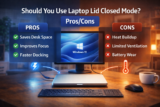
Laptop lid closed mode allows you to use your laptop like a desktop when connected to an external monitor. While it improves desk organization and ...

Apps opening slowly in Windows 11 are commonly caused by startup bloat, high background usage, outdated drivers, or storage bottlenecks. Optimizing startup ...

Affordable Bluetooth headsets can deliver excellent call quality when they focus on mic clarity, comfort, and battery life. In 2026, several sub-$100 models ...

USB 3.0 slow speeds are commonly caused by wrong ports, bad cables, power limits, file system issues, or background activity. Correcting these factors can ...
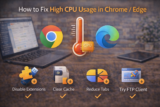
High CPU usage in Chrome and Edge is most often driven by heavy tabs, misbehaving extensions, background services, or outdated builds. Identifying the culprit ...

You can clear cache safely without losing tabs, logins, or unsaved work by removing only cached files and avoiding cookies or site data. This guide explains ...
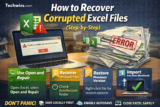
Excel files often become corrupted due to improper shutdowns, storage issues, or software conflicts. By using Excel’s built-in repair tools and a few manual ...
If Google Docs feels slow, laggy, or painful to type in, there's usually a simple cause—heavy extensions, large files, low RAM, or an overloaded browser. This ...
