
Welcome to the Techwizs Security Hub. Here, you can learn how to protect your devices, accounts, and networks with simple and effective steps. We cover passwords, malware, phishing, safe browsing, and more. Each guide focuses on clear actions you can apply right away to stay safe online.
Security & Privacy
0

0
Most browsers collect data and allow websites to track your activity. By adjusting browser privacy settings, blocking trackers, and using privacy-focused ...
 The Tech wizard
0

0
HTTPS encrypts communication between your browser and a website, while HTTP sends data in plain text. Websites that still use HTTP often trigger “Not Secure” ...
0

0
Hidden spy apps can monitor your phone’s activity without your knowledge. By checking installed apps, device permissions, battery usage, and security settings, ...
0

0
A compromised Google account often shows clear warning signs like unfamiliar logins, password reset emails, or security setting changes. Acting quickly through ...
0

0
Unexplained phone overheating can be caused by hidden malware running background processes such as crypto mining, ad fraud, or spyware. Checking battery usage, ...
0

0
The best cheap firewall for small business combines stateful inspection, intrusion prevention, VPN support, and easy management at an affordable price. Modern ...
0
0
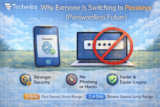
Passkeys replace traditional passwords with cryptographic authentication tied to your device. They are more secure than passwords, resistant to phishing, and ...
0

0
You can detect many forms of hidden malware using built-in Windows security tools, system monitors, and network checks—no third-party downloads required. ...
0
0
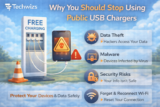
Public USB chargers can be modified to steal data or install malware through a technique known as juice jacking. Using your own charger, a power-only cable, or ...
0

0
Most website tracking happens through cookies, scripts, and browser identifiers. Using built-in privacy settings, limiting third-party cookies, and enabling ...
0

0
Fake app updates usually arrive via pop-ups, emails, or texts—not official app stores. Verifying updates through the Google Play Store or Apple App Store and ...
0
0
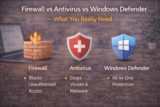
A firewall controls network traffic, antivirus detects malicious files, and Windows Defender combines multiple protections into one built-in solution. For most ...
Techwizs believes everyone can stay secure with the right guidance. We update our Security section often with new tips and easy protection steps. If you need help improving your security setup, our team is ready to support you anytime.
