Difficulty: Beginner / Basic User
If you’ve ever wondered why your wifi slow at night while everything works fine during the day, you’re experiencing one of the most common household tech problems. The slowdown usually has nothing to do with your internet provider — instead, it’s caused by hidden interference, crowded networks, and device behavior that changes after sunset.
In this guide, we’ll unpack the real reasons your Wi-Fi suffers at night and show you practical steps to fix it for good.
Understanding Why Wi-Fi Slow at Night Happens
Night-time slowdowns are not random. They’re triggered by predictable patterns in network usage and environmental factors around your home.
1. Network Congestion: Everyone Logs In at Night
Most households start streaming, gaming, and downloading files after work or school. According to Statista, peak household internet usage happens between 7 PM and 11 PM, which increases local network congestion.
When everyone nearby is using Wi-Fi:
- Channels become overloaded
- Your router struggles to process simultaneous device traffic
- Streaming services buffer more
This is one of the top causes of wifi slow at night.
2. Wi-Fi Channel Interference at Night
Your router broadcasts signals through channels (like radio frequencies). At night, nearby homes, devices, and smart TVs start using the same channels, causing interference.
Common interference sources:
- Neighbors’ routers
- Streaming devices (TV boxes)
- Bluetooth headphones
- Microwave ovens (yes, even at night!)
If multiple routers around you use Channel 1, 6, or 11, your Wi-Fi gets congested — especially in apartments.
3. Device Updates Run Overnight
Many devices automatically update at night:
- Windows laptops
- iPhones and Android phones
- Smart TVs
- Game consoles
If multiple devices download updates at the same time, your network bandwidth may drop dramatically.
4. Lowered Router Performance in “Hot Zones”
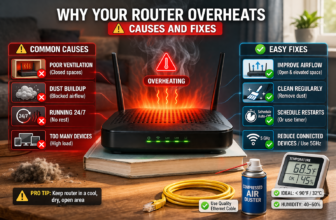
Routers placed in enclosed spaces (cabinets, corners, behind TVs) heat up more at night due to longer continuous usage.
Heat can:
- Reduce router signal strength
- Cause throttling
- Trigger temporary slowdowns
This silently contributes to wifi slow at night without users noticing.
5. Your ISP Might Be Throttling at Night
Some internet providers (especially budget plans) deprioritize bandwidth during peak hours.
If your evenings are slow but mornings are fast, ISP congestion is likely involved.
How to Fix Wi-Fi Slow at Night: Step-by-Step
1. Switch Your Wi-Fi to a Cleaner Channel
Channel congestion is one of the biggest causes of wifi slow at night.
Recommended tools:
- WiFi Analyzer (Android)
- NetSpot (Windows/macOS)
Choose the channel with the least overlap.
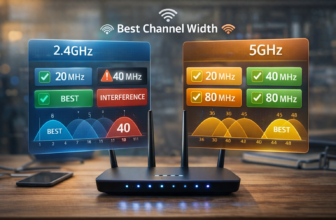
Best channels for 2.4 GHz: 1, 6, 11
Best for 5 GHz: use any low-traffic DFS channel
After switching:
- Reboot router
- Test speed again
This alone can boost speeds by 20–50%.
2. Enable 5 GHz If Not Already
Many old devices stay on 2.4 GHz and suffer more interference.
5 GHz advantages:
- Faster
- Less crowded
- Better for apartments
Rename networks like this:
Home_WiFi_2.4GHome_WiFi_5G
Then connect priority devices (TV, laptop) to 5G.
3. Reduce Internal Interference
To fix wifi slow at night, find devices that overlap with router frequencies.
Avoid placing router near:
- Microwaves
- Wireless speakers
- Baby monitors
- Bluetooth hubs
Also, elevate it higher for stronger coverage.
4. Turn Off Automatic Overnight Updates
On Windows:
Settings → Windows Update → Pause or schedule updates
On Android/iOS:
Disable auto-download of large updates.
This prevents sudden nighttime bandwidth drops.
5. Upgrade Your Router If It’s Too Old
If your router is:
- More than 5 years old, or
- Still uses Wi-Fi 4 (802.11n)
…it cannot handle modern bandwidth demands.
Suggested upgrades:
- TP-Link Archer AX55
- ASUS RT-AX58U
- Deco X20 Mesh (for large homes)
6. Consider Mesh Wi-Fi for Large Homes
If your house has weak zones:
- bedrooms
- upstairs
- far corners
A mesh system ensures consistent speeds across every room.
Key Takeaway Box
If your Wi-Fi slows down at night, the most common causes are channel interference, peak-time congestion, and device auto-updates. Switching channels, using 5 GHz, and optimizing router placement often fix the issue instantly.
FAQ: Wi-Fi Slow at Night Problems
1. Why does my Wi-Fi only slow down at night?
Because more people use the internet simultaneously, causing congestion and interference.
2. Does my ISP throttle my speed?
Some ISPs slow speeds during peak hours. Run a speed test at 10 AM and 10 PM — if night is always slower, throttling is likely.
3. Is it better to use Ethernet at night?
Yes. Ethernet bypasses interference and provides a stable, full-speed connection.
4. Should I upgrade my router to fix nighttime Wi-Fi issues?
If your router is older than 5 years, an upgrade will significantly improve performance.
5. Can neighbors affect my Wi-Fi?
Yes. Overlapping channels and crowded frequency bands from nearby routers can cause slowdowns.