
 The Tech wizard
At Techwizs, we believe technology should be simple, accessible, and empowering. Our Tech Guides are updated regularly to ensure you always have accurate, actionable, and up-to-date solutions. If you need personalized guidance or expert help, feel free to reach out to our team anytime.
Tech Guides
0

0
Slow Gmail performance is most often caused by heavy browser extensions, large mailboxes, background sync, or outdated settings. A few targeted changes can ...
0

0
Upgrading from an HDD to an SSD delivers the largest performance boost for most users. RAM upgrades matter most when systems run out of memory and rely on slow ...
0
0
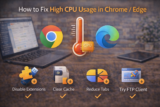
High CPU usage in Chrome and Edge is most often driven by heavy tabs, misbehaving extensions, background services, or outdated builds. Identifying the culprit ...
0
0
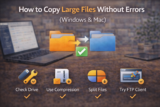
Large file copy errors are commonly caused by incompatible file systems, unstable connections, power-saving limits, or disk issues. Using the right format, ...
0

0
Most Google Drive storage issues come from large files, duplicates, emails, and photos—not critical documents. Using Google’s storage tools and better ...
0

0
AI PCs add dedicated hardware for on-device AI tasks, improving efficiency and enabling new features. For certain workflows, they’re already valuable—but many ...
0

0
You can clear cache safely without losing tabs, logins, or unsaved work by removing only cached files and avoiding cookies or site data. This guide explains ...
0
0
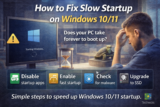
Slow startup on Windows 10/11 is commonly caused by startup programs, background services, and disk performance issues. Disabling unnecessary items and ...
0
0
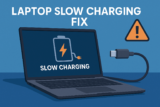
If your laptop suddenly charges slowly, the issue usually comes from mismatched chargers, weak USB-C cables, power-delivery limitations, or wrong charging ...
0
0
Chrome slowing down is usually caused by memory-heavy tabs, cached junk, and background processes. This guide shows you how to speed up Chrome in under 5 ...
0
0
If Google Docs feels slow, laggy, or painful to type in, there's usually a simple cause—heavy extensions, large files, low RAM, or an overloaded browser. This ...
0
1
If your laptop shows “Charging Slowly” or takes forever to reach 100%, this guide explains why USB-C slow charging happens and how to fix it using simple, ...
