Difficulty: Beginner
What Are QR Code Scams?
Definition Box – QR Code Scams
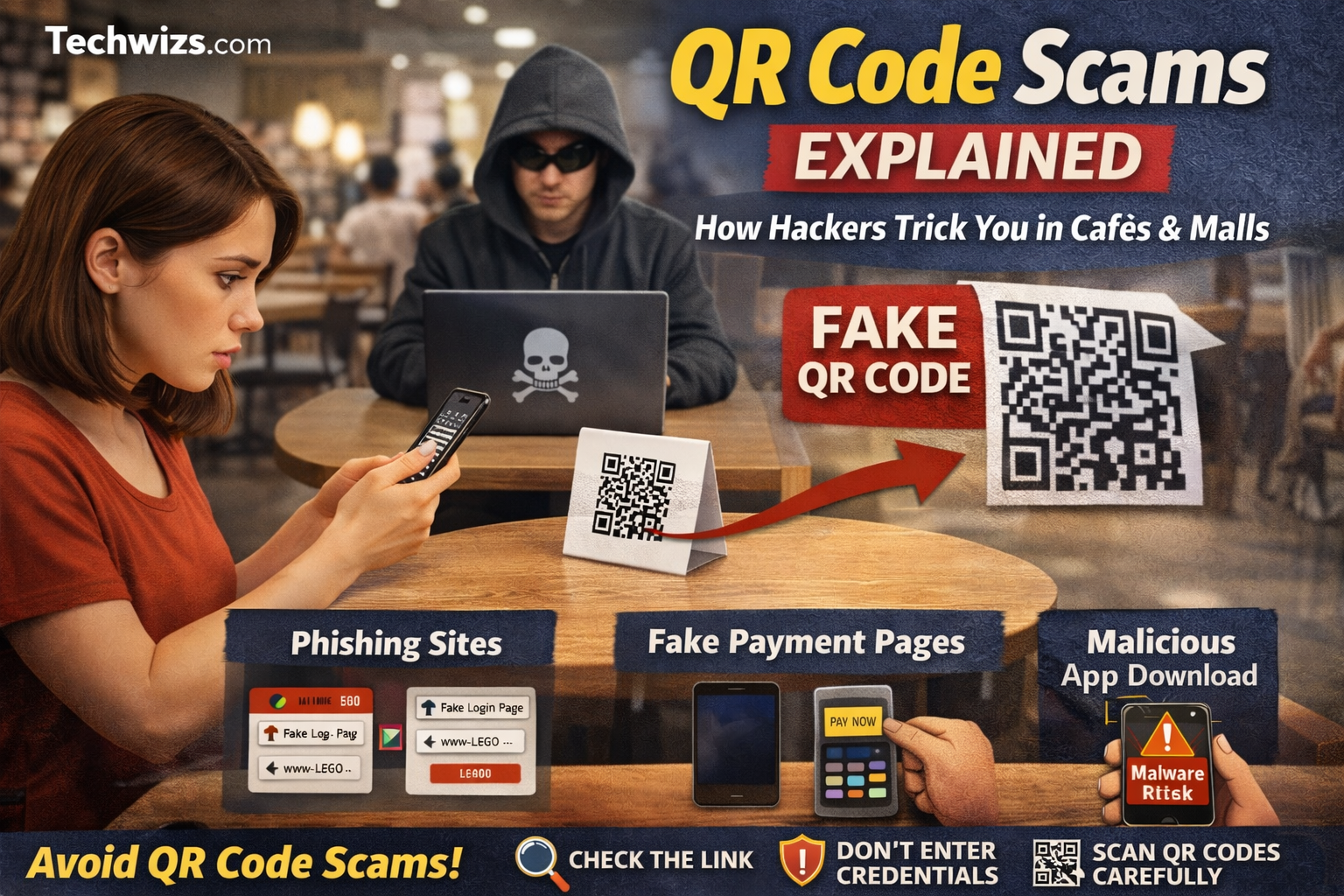
QR code scams are attacks where criminals replace or overlay legitimate QR codes with malicious ones that redirect users to phishing websites, fake payment pages, or malware downloads.
QR codes themselves are not dangerous. The risk comes from what the QR code points to. Unlike normal links, you can’t visually inspect a QR code before scanning it, which makes QR code scams especially effective against unsuspecting users.
According to cybersecurity reports cited by the FBI and multiple security vendors, QR-based phishing (often called “quishing”) has increased sharply since contactless services became common in public places.
Why Cafés and Malls Are Prime Targets for QR Code Scams
QR code scams thrive in places where people expect convenience and speed.
Common reasons hackers target public spaces:
- People are distracted or in a hurry
- QR codes are already expected (menus, parking, payments)
- Physical stickers are easy to replace or tamper with
- Victims often use personal phones on public Wi-Fi
A hacker doesn’t need to breach a system. They can simply print a fake QR code sticker and place it over a real one on a café table, payment terminal, or mall signboard.
How Hackers Trick You Using QR Codes
1. Fake Menu QR Codes
You scan a QR code on a café table expecting a menu. Instead, it opens a webpage asking you to:
- “Confirm your phone number”
- “Log in to Wi-Fi”
- “Sign in to view today’s promotions”
That page may look legitimate—but it’s actually a phishing site.
2. Payment Redirection Scams
Some QR code scams redirect users to fake payment pages that imitate:
- E-wallets
- Online banking portals
- Parking payment systems
Once you enter your details, the attacker captures them instantly.
3. Malicious App Downloads
Another common QR code scam leads to a page prompting you to:
- Download a “menu app”
- Install a “parking helper”
- Update a “payment plugin”
These downloads may contain spyware or banking trojans.
4. Wi-Fi Login Phishing
In malls and cafés, QR codes often link to Wi-Fi portals. Hackers exploit this by directing users to fake Wi-Fi login pages that harvest email credentials or social media accounts.
Real-World Example: Café Table Scam
A real case reported by security researchers involved attackers placing fake QR codes on café tables. Customers scanned the code, landed on a site resembling a popular payment provider, and unknowingly handed over login credentials. Several victims later reported unauthorized transactions.
This type of QR code scam works because trust is implied by location—people assume anything inside a café or mall is safe.
Warning Signs of QR Code Scams You Should Never Ignore
🚩 Red flags after scanning a QR code:
- The URL looks strange or misspelled
- The site asks for login details immediately
- You’re asked to download an app unexpectedly
- The page lacks HTTPS security
- The site creates urgency (“Account locked”, “Payment failed”)
Key Takeaway Box
If a QR code asks for personal information, passwords, or app downloads—pause immediately. Legitimate QR codes rarely require sensitive data.
How to Protect Yourself from QR Code Scams
1. Preview the Link Before Clicking
Most smartphones show the URL before opening it. Always check:
- Domain spelling
- Brand name consistency
- HTTPS security
2. Avoid QR Codes on Stickers
Be cautious with QR codes that look like stickers placed over another surface. This is a common method used in QR code scams.
3. Don’t Enter Credentials via QR Links
Never log in to banking, email, or payment services directly after scanning a QR code. Open the official app or website manually instead.
4. Use Built-in Security Features
Modern phones and browsers can block malicious sites. Keep your device updated and avoid outdated browsers.
5. Be Extra Careful on Public Wi-Fi
Public Wi-Fi combined with QR code scams increases risk. If possible, use mobile data when scanning QR codes.
Quick Fix Box – Safe QR Scanning Habit
Scan → Preview URL → Close browser → Open official app manually
This one habit stops most QR code scams instantly.
Are QR Codes Unsafe to Use?
No—QR codes are not inherently dangerous. The danger lies in blind trust. When used by reputable businesses and verified sources, QR codes are safe and convenient. Problems arise when attackers exploit trust and lack of awareness.
What Businesses Can Do to Prevent QR Code Scams
If you run a café or retail space:
- Print QR codes directly (avoid stickers)
- Check tables and signs daily
- Add brand verification on landing pages
- Educate staff to spot tampering
Preventing QR code scams protects both customers and brand reputation.

FAQ: QR Code Scams
Are QR code scams common?
Yes. QR code scams have increased significantly due to contactless payments and digital menus becoming standard.
Can a QR code infect my phone?
A QR code itself cannot infect your phone, but it can lead you to malicious websites or downloads.
How do I know if a QR code is fake?
Check for unusual URLs, login prompts, or unexpected downloads after scanning.
Are QR code payments safe?
They are safe when used through official apps and verified merchants. Avoid browser-based payment pages from QR scans.
Should I stop using QR codes entirely?
No. Just apply basic safety checks before interacting with any QR-linked content.