
Difficulty: Beginner
Why You Need an Ergonomic Laptop Stand
Working directly on a flat desk forces you to look downward. Over time, this causes:
- Neck strain
- Rounded shoulders
- Lower back pain
- Wrist discomfort
According to occupational health guidelines from institutions like OSHA, proper monitor positioning — with the top of the screen at eye level — significantly reduces musculoskeletal strain.
A laptop stand lifts your screen to a healthier height and encourages better posture.
What Makes the Best Value Laptop Stands?
Before choosing one, look for:
✔️ Adjustable Height
Allows screen alignment with eye level.
✔️ Stable Base
Prevents wobbling during typing.
✔️ Ventilation
Improves airflow to reduce overheating.
✔️ Portability
Ideal for remote workers and travel.
✔️ Compatibility
Supports 11–17 inch laptops.
Now let’s break down the top 5 options.
1️⃣ Amazon Basics Adjustable Laptop Stand


4
Why It’s One of the Best Value Laptop Stands
- Lightweight aluminum design
- Multiple height adjustments
- Budget-friendly pricing
- Good stability for daily use
Best For: Office and home desk setups
It offers excellent ergonomics at an entry-level price. While not premium-grade, it balances cost and functionality very well.
2️⃣ Rain Design mStand


4
Why It’s Popular
- Sleek aluminum design
- Excellent airflow
- Extremely stable
Best For: Apple users and minimalist setups
Though slightly higher in price than budget models, its durability and clean aesthetic justify the value.
3️⃣ Nulaxy Adjustable Laptop Stand


4
Strong All-Rounder
- Wide compatibility
- Foldable design
- Strong aluminum build
- Adjustable viewing angles
Best For: Remote workers and flexible workspaces
It’s one of the best value laptop stands because it combines adjustability and affordability.
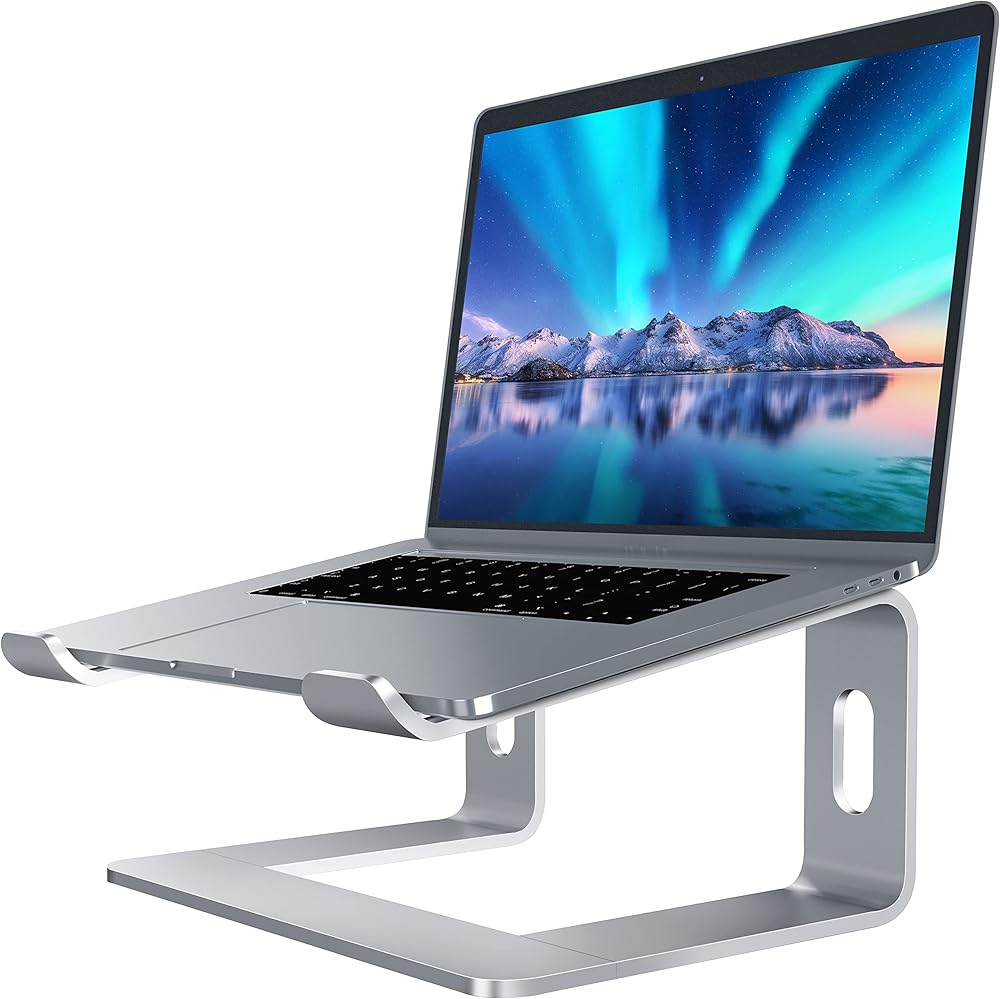
4️⃣ Soundance Laptop Stand


4
Budget Ergonomic Choice
- Fixed height
- Very stable
- Affordable
- Good airflow
Best For: Budget users who don’t need adjustability
It’s simple, effective, and reliable for standard desk use.
5️⃣ MOFT Invisible Laptop Stand


4
Ultra-Portable Option
- Thin and lightweight
- Attaches directly to laptop
- Adjustable typing angles
Best For: Travel and mobile professionals
While it doesn’t lift as high as full stands, it improves typing ergonomics significantly.
🧠 Definition Box
Ergonomic Laptop Stand:
A device designed to raise and position your laptop screen at eye level to reduce strain on your neck, shoulders, and back.
How to Choose the Best Value Laptop Stand for You
🖥️ Desk Worker (8+ Hours Daily)
Choose:
- Adjustable aluminum stand
- Stable base
- External keyboard & mouse
🏠 Remote Worker
Choose:
- Foldable, height-adjustable design
- Lightweight portability
✈️ Frequent Traveler
Choose:
- Slim, attachable stand like MOFT
Key Ergonomic Setup Tips
To maximize benefits from the best value laptop stands:
- Top of screen at eye level
- Elbows at 90-degree angle
- Use external keyboard & mouse
- Sit with feet flat on floor
Poor ergonomics long-term can lead to repetitive strain injuries.
Do Laptop Stands Improve Cooling?
Yes.
Raising your laptop improves airflow underneath, helping prevent overheating. Proper ventilation can extend internal component lifespan.
Are Cheap Laptop Stands Worth It?
Some ultra-cheap plastic models lack stability.
Investing slightly more in aluminum construction ensures:
- Better durability
- Reduced wobble
- Longer lifespan
Value is not just about price — it’s about durability and ergonomic improvement.
🛡️ Key Takeaway Box
The best value laptop stands improve posture, reduce strain, and enhance airflow — without requiring a premium budget.
Frequently Asked Questions (FAQ)
1. Do laptop stands really improve posture?
Yes. Raising the screen to eye level reduces neck and shoulder strain significantly.
2. Should I use an external keyboard?
Yes. For proper ergonomics, external keyboard and mouse are recommended.
3. Are adjustable stands better than fixed ones?
Adjustable stands offer more flexibility and better long-term comfort.
4. Can a laptop stand prevent overheating?
It helps by improving airflow underneath the device.
5. What height should my laptop screen be?
The top of the screen should align roughly with your eye level.