Best WordPress Themes (Fast & SEO-Friendly 2026): Which Ones Are Actually Worth It?

Difficulty: Beginner
Why Speed & SEO Matter More Than Ever
Think of your website like a physical shop.
- Slow loading = customers walk away
- Bad structure = Google can’t find you
According to Google, page speed is a ranking factor, especially on mobile. That means your theme directly affects:
- Google rankings
- User experience
- Bounce rate
- Conversion rate
👉 In simple terms: a bad theme = less traffic and less money.
What Makes a WordPress Theme “Fast & SEO-Friendly”?
Before jumping into the list, here’s what actually matters:
1. Lightweight Design
Less code = faster loading.
2. Clean Coding Structure
Search engines can easily understand your site.
3. Mobile Optimization
Most users browse on phones today.
4. Compatibility with SEO Plugins
Works smoothly with tools like Yoast SEO.
5. Core Web Vitals Ready
Google measures performance using:
- Loading speed
- Interactivity
- Visual stability
🧠 Definition Box: What Is a “Fast Theme”?
A fast theme is a WordPress design that loads quickly because it uses minimal code, optimized files, and avoids unnecessary features that slow down your site.
Best WordPress Themes (Fast & SEO-Friendly 2026)
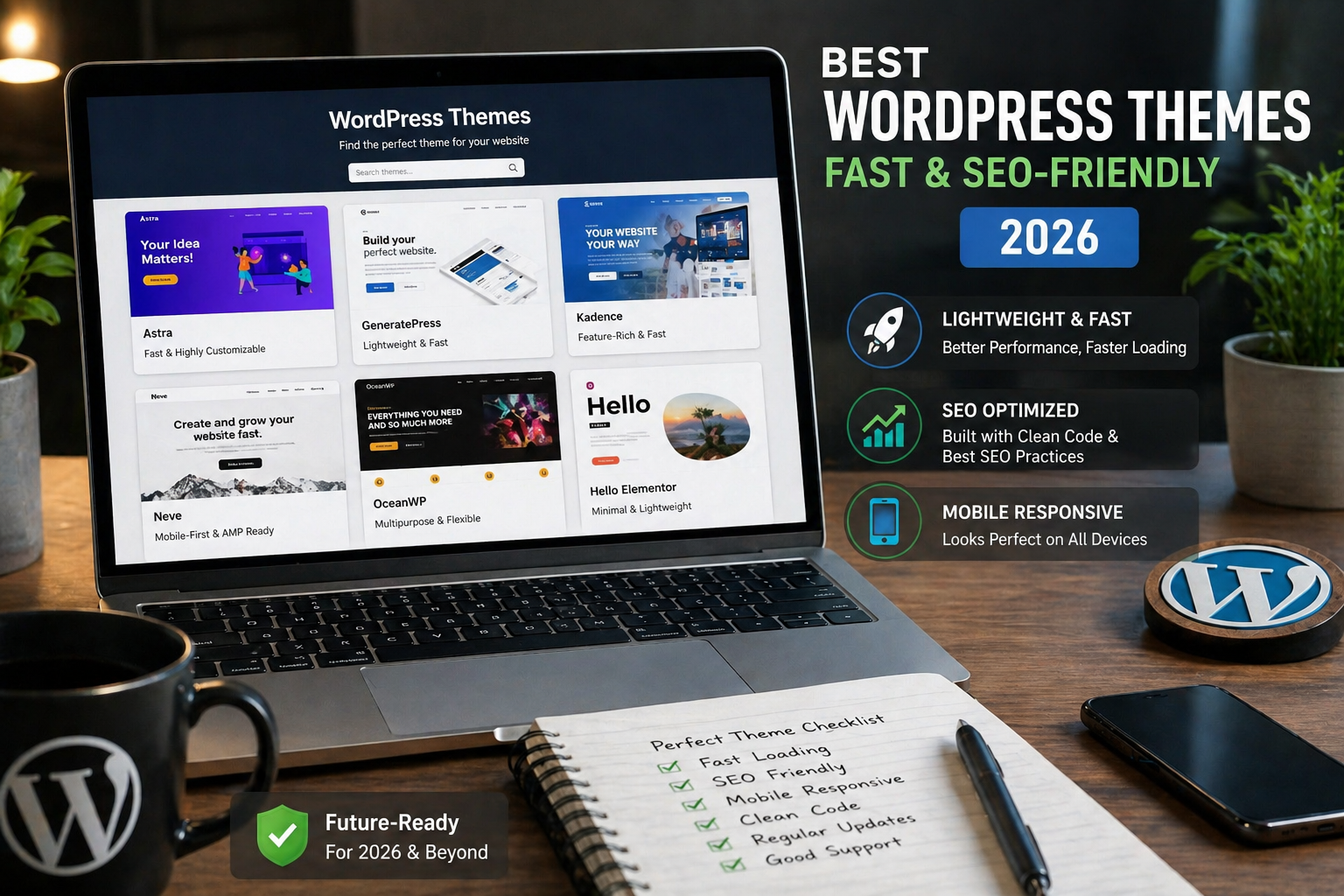
1. Astra


8
Why it stands out:
- Extremely lightweight (under 50KB)
- Loads in under 0.5 seconds
- Huge library of starter templates
- Works perfectly with page builders
Best for: Blogs, business sites, affiliate sites
2. GeneratePress


6
Why it stands out:
- Clean and minimal design
- Highly stable and secure
- Built with performance-first mindset
- Excellent for SEO structure
Best for: Tech blogs, niche sites, SEO-focused websites
3. Kadence


8
Why it stands out:
- Easy drag-and-drop header builder
- Fast loading with modern design
- Built-in accessibility features
- Great WooCommerce support
Best for: Online stores, business websites
4. Neve


6
Why it stands out:
- Mobile-first design
- AMP-ready (super fast on phones)
- Simple setup for beginners
- Lightweight core
Best for: Beginners, startups, small business sites
5. Blocksy


5
Why it stands out:
- Built for Gutenberg (block editor)
- Advanced customization options
- Lightning-fast performance
- Modern UI/UX design
Best for: Advanced users, modern websites
⚡ Quick Fix Box: How to Make Any Theme Faster
Even the best WordPress themes need optimization.
Do this:
- Install caching plugin (e.g. WP Rocket)
- Use lightweight images (WebP format)
- Enable CDN (Content Delivery Network)
- Avoid too many plugins
👉 Think of it like tuning a car — even a fast car needs proper setup.
Comparison Table (Quick Overview)
| Theme | Speed ⭐ | SEO ⭐ | Ease of Use ⭐ | Best For |
|---|---|---|---|---|
| Astra | ⭐⭐⭐⭐⭐ | ⭐⭐⭐⭐⭐ | ⭐⭐⭐⭐⭐ | All-rounder |
| GeneratePress | ⭐⭐⭐⭐⭐ | ⭐⭐⭐⭐⭐ | ⭐⭐⭐⭐ | SEO blogs |
| Kadence | ⭐⭐⭐⭐ | ⭐⭐⭐⭐⭐ | ⭐⭐⭐⭐⭐ | Business / eCommerce |
| Neve | ⭐⭐⭐⭐ | ⭐⭐⭐⭐ | ⭐⭐⭐⭐⭐ | Beginners |
| Blocksy | ⭐⭐⭐⭐⭐ | ⭐⭐⭐⭐⭐ | ⭐⭐⭐⭐ | Advanced users |
Which Theme Should You Choose?
Here’s a simple way to decide:
- Want fast + easy setup → Astra
- Want pure SEO performance → GeneratePress
- Want modern design + features → Blocksy
- Want simple beginner-friendly → Neve
- Want business + shop ready → Kadence
Common Mistakes to Avoid
❌ Choosing based on looks only
❌ Installing heavy “multipurpose” themes
❌ Ignoring mobile performance
❌ Using too many plugins
👉 A beautiful but slow site will still fail.
FAQs
1. Which is the fastest WordPress theme in 2026?
Astra and GeneratePress are among the fastest, both designed with lightweight code and optimized performance.
2. Do WordPress themes affect SEO?
Yes. Themes impact site speed, structure, and mobile usability — all key ranking factors.
3. Can I change my theme later?
Yes, but it may affect design and layout, so it’s better to choose the right one early.
4. Are free themes good enough?
Many free themes like Astra and Neve are excellent. Premium versions just add more features.
5. Do I need a page builder with these themes?
Not necessarily. Most work well with the default WordPress editor, but builders like Elementor can add flexibility.