Public WiFi Mistakes That Can Get You Hacked — and How to Stay Safe

Difficulty: Beginner
Why Public WiFi Is More Dangerous Than Home WiFi
Your home WiFi is usually protected by:
- A password
- Router security settings
- Private access
- Limited unknown users
Public WiFi is different.
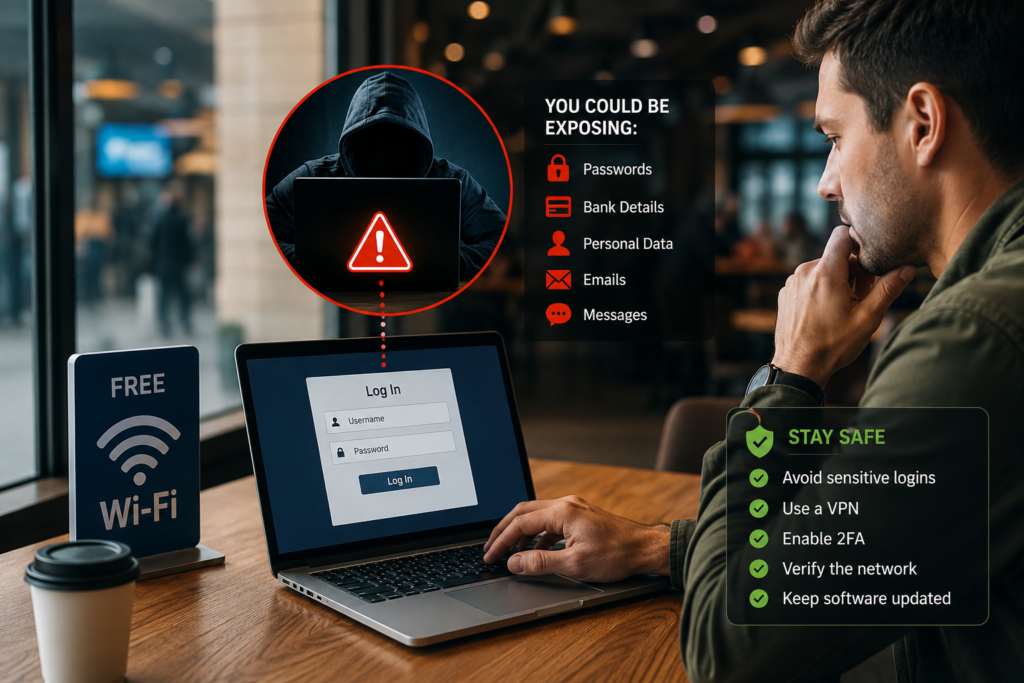
Anyone nearby can potentially connect to the same network. Think of it like sitting in a crowded café where strangers are all sharing the same hallway into the internet.
That creates opportunities for attackers.
According to Google cybersecurity guidance, unsecured public networks increase the risk of data interception and phishing attacks.
Quick Security Box
Public Wi-Fi Safety Basics
Never access banking apps, company systems, or sensitive accounts on public Wi-Fi without protection like a VPN or mobile hotspot.
If the network feels suspicious, do not connect.
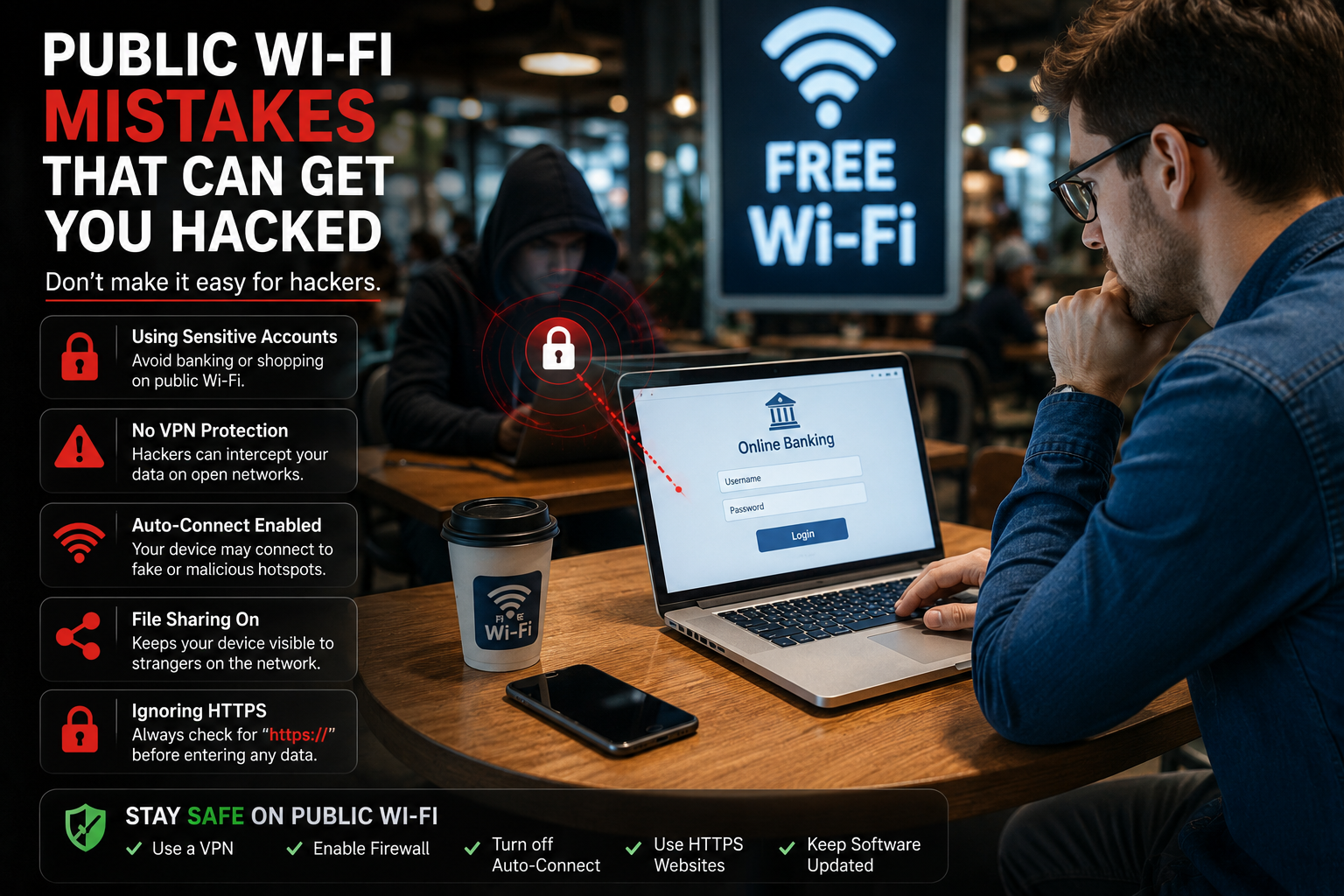
10 Public WiFi Mistakes That Can Get You Hacked
1. Connecting to Fake WiFi Networks
This is one of the most common tricks hackers use.
Imagine you are at an airport and see these WiFi names:
- Airport_Free_WiFi
- Airport Guest WiFi
- Free Airport Internet
One of them may actually belong to a hacker.
Attackers create fake hotspots that look legitimate so users connect without thinking.
Once connected, they may:
- Monitor your traffic
- Redirect you to fake login pages
- Capture passwords
- Install malware
How to Stay Safe
Always confirm the official WiFi name with staff before connecting.
Avoid networks with strange spelling or duplicate names.
2. Logging Into Banking Apps on Public WiFi
This is one of the biggest public WiFi mistakes people still make.
Even if your banking app uses encryption, public networks increase your exposure to:
- Fake login pages
- Session hijacking
- Malware attacks
- Credential theft
Think of it like entering your ATM PIN while strangers stand behind you.
Safer Alternative
Use:
- Mobile data
- Personal hotspot
- Trusted VPN connection
for banking or financial activity.
3. Ignoring HTTPS Warnings
When visiting websites, look for:
- The padlock icon
- HTTPS at the beginning of the URL
HTTPS encrypts data between your device and the website.
Without it, attackers on the same WiFi may intercept information more easily.
Red Flag Signs
Avoid websites that show:
- “Connection Not Secure”
- Certificate warnings
- Browser security alerts
Never ignore those warnings just because you are in a hurry.
4. Leaving File Sharing Turned On
Many laptops automatically allow:
- Printer sharing
- File sharing
- Device discovery
on networks.
That is useful at home, but dangerous on public WiFi.
If enabled, nearby users may potentially see shared folders or attempt network attacks against your device.
Quick Fix Box
Before connecting to public WiFi:
- Turn off file sharing
- Disable network discovery
- Set network type to Public
- Turn on firewall protection
5. Using Weak or Reused Passwords
If hackers capture one password, they often test it on:
- Email accounts
- Social media
- Banking apps
- Work accounts
This is called credential stuffing.
Using the same password everywhere dramatically increases your risk.
Better Approach
Use:
- Unique passwords
- Password managers
- Multi-factor authentication (MFA)
Even if one password leaks, your other accounts remain safer.
6. Not Using a VPN
A VPN (Virtual Private Network) creates an encrypted tunnel between your device and the internet.
Think of it like putting your internet traffic inside a locked armored vehicle instead of sending it openly across the road.
Without a VPN on public Wi-Fi:
- Your browsing activity may be visible
- Attackers may attempt interception
- Privacy risks increase
Is a VPN Perfect?
No.
But it significantly improves security on untrusted networks.
7. Allowing Devices to Auto-Connect to Wi-Fi
Many phones and laptops automatically reconnect to known Wi-Fi names.
Hackers can exploit this by creating fake networks with familiar names like:
- Starbucks WiFi
- Airport Free WiFi
- Hotel Guest
Your device may connect automatically without you noticing.
How to Prevent It
Disable:
- Auto-connect
- Automatic join
- Remember network
for public Wi-Fi networks.
8. Downloading Files on Public Wi-Fi
Downloading apps, software, or files on public Wi-Fi can be risky.
Attackers may:
- Inject malware
- Redirect downloads
- Fake update notifications
This is especially dangerous for:
- Software installers
- Browser extensions
- APK files
- Cracked software
Safer Practice
Wait until:
- You are home
- You use mobile data
- You use a trusted VPN
before downloading important files.
9. Forgetting to Update Your Device
Older devices often contain known security vulnerabilities.
Hackers actively target outdated:
- Phones
- Browsers
- Laptops
- Operating systems
According to Microsoft, security updates frequently patch actively exploited vulnerabilities.
Skipping updates is like leaving broken locks on your doors.
Important Updates Include
- Operating system updates
- Browser updates
- Antivirus updates
- Security patches
10. Assuming Public WiFi Is “Probably Safe”
This mindset causes many security problems.
People often assume:
- “It’s a famous café.”
- “The hotel provides it.”
- “Everyone uses it.”
But public Wi-Fi safety depends on how the network is configured — not how popular the location is.
Even legitimate networks can still expose users to risks if:
- Encryption is weak
- Devices are infected
- Attackers are already connected
How Hackers Actually Attack Public WiFi Users
Man-in-the-Middle Attacks
This happens when attackers secretly place themselves between you and the internet connection.
Think of it like someone secretly reading your mail before it reaches the destination.
They may intercept:
- Login details
- Emails
- Browsing activity
- Payment data
Evil Twin Attacks
A fake hotspot copies the appearance of a real WiFi network.
You think you connected to hotel WiFi, but you actually connected to a hacker’s laptop.
This is surprisingly common in airports and cafés.
Malware Injection
Some attackers attempt to inject:
- Fake software updates
- Popups
- Browser redirects
- Malicious downloads
onto connected devices.
Safest Ways to Use Public WiFi
Use Mobile Hotspot Instead
Your mobile data connection is usually safer than public Wi-Fi.
Especially for:
- Banking
- Work systems
- Sensitive accounts
Use Multi-Factor Authentication
Even if a password is stolen, MFA adds another layer of protection.
Examples:
- SMS code
- Authentication app
- Fingerprint login
Turn Off WiFi When Not Using It
Leaving Wi-Fi enabled all day increases exposure.
Turn it off when:
- Walking around
- Traveling
- Not actively connected
Keep Firewall Protection Enabled
Your firewall helps block suspicious incoming connections.
Never disable it on public networks.
Are Public WiFi Networks Always Dangerous?
Not always.
Some public networks are reasonably secured.
But the problem is:
you usually cannot verify who else is connected or whether attackers are nearby.
That uncertainty is what creates risk.
The safest mindset is:
“Treat public Wi-Fi like a public space.”
Final Thoughts
Public Wi-Fi is useful, but convenience should never come before security.
Most public WiFi mistakes happen because people assume:
- “Nothing will happen.”
- “I’m not important enough to target.”
- “It’s only for a few minutes.”
Unfortunately, attackers often target easy opportunities — not just high-profile victims.
The good news is that a few smart habits can dramatically reduce your risk:
- Verify networks
- Use strong passwords
- Enable MFA
- Avoid banking on public Wi-Fi
- Use VPN protection
- Keep devices updated
Small cybersecurity habits can prevent very big problems later.
FAQ
Is public WiFi safe with HTTPS websites?
HTTPS improves security, but it does not eliminate all risks like fake hotspots or malware attacks.
Should I use a VPN on hotel WiFi?
Yes. Hotel Wi-Fi is still considered public Wi-Fi and can expose your traffic to risks.
Can hackers see my passwords on public WiFi?
Potentially yes, especially on fake or compromised networks without proper protection.
Is mobile data safer than public WiFi?
Usually yes. Mobile networks are generally more secure than open public Wi-Fi networks.
Can public WiFi infect my phone?
It is possible through malicious downloads, fake popups, or software vulnerabilities.
Should I avoid public WiFi completely?
Not necessarily. You just need proper precautions like VPNs, HTTPS, updated devices, and safer browsing habits.