Difficulty: Beginner
What Is Wi-Fi 7?
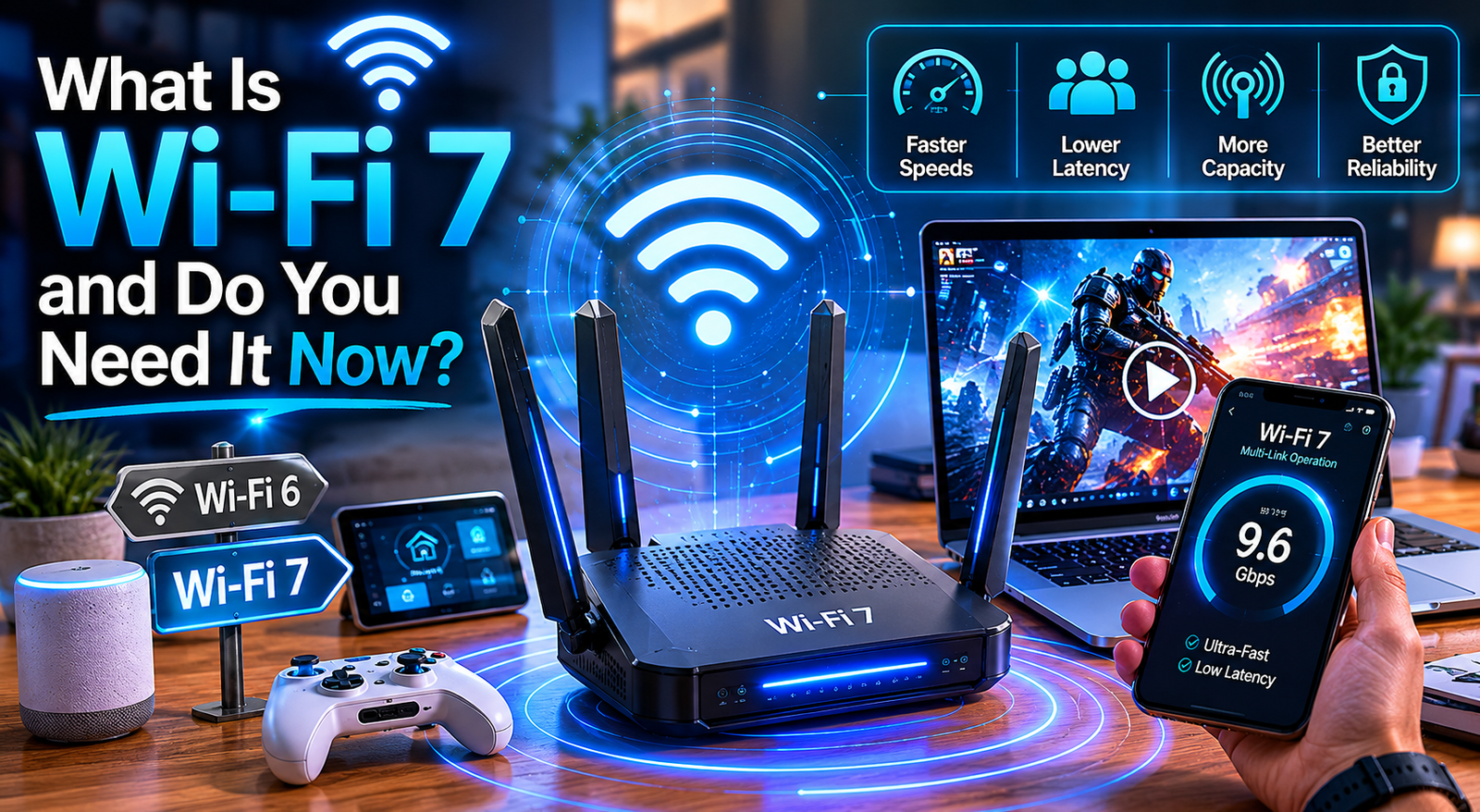
Wi-Fi 7 is the next evolution of wireless networking technology.
Its technical name is:
- IEEE 802.11be
But most people simply call it Wi-Fi 7.
Think of Wi-Fi generations like highways:
- Wi-Fi 5 = normal highway
- Wi-Fi 6 = wider highway
- Wi-Fi 7 = smart multi-lane express highway with traffic control
It is designed to:
- Handle more devices
- Deliver faster wireless speeds
- Reduce lag
- Improve stability
- Lower latency
This becomes especially important today because homes now contain:
- Smartphones
- Laptops
- TVs
- Gaming consoles
- Smart home devices
- Cameras
- Tablets
- Streaming devices
According to Wi‑Fi Alliance, Wi-Fi 7 focuses heavily on high-performance networking, real-time responsiveness, and multi-device efficiency.
Quick Definition Box
What Makes Wi-Fi 7 Different?
Wi-Fi 7 improves wireless speed, reduces delay, and allows multiple devices to communicate more efficiently at the same time.
Key Wi-Fi 7 Features Explained Simply
1. Much Faster Speeds
Wi-Fi 7 supports dramatically higher theoretical speeds than older Wi-Fi generations.
Maximum Theoretical Speeds
| Wi-Fi Version | Max Speed |
|---|---|
| Wi-Fi 5 | ~3.5 Gbps |
| Wi-Fi 6 | ~9.6 Gbps |
| Wi-Fi 7 | Up to 46 Gbps |
Real-world speeds will be lower, but the improvement is still huge.
What This Means for You
Faster:
- Game downloads
- 4K/8K streaming
- Cloud backups
- File transfers
- NAS access
- Video calls
2. Lower Latency for Gaming & Video Calls
Latency means delay.
If you press a button in a game and it reacts slowly, that is latency.
Wi-Fi 7 reduces this delay significantly.
This is useful for:
- Online gaming
- Zoom meetings
- Teams calls
- VR gaming
- Cloud gaming
For smoother gaming setups, understanding Monitor Refresh Rates Explained can also improve your overall experience.
3. Multi-Link Operation (MLO)
This is one of the biggest upgrades.
Older Wi-Fi usually uses one wireless band at a time.
Wi-Fi 7 can combine multiple bands together simultaneously.
Think of it like using:
- Two roads at once instead of one
This helps:
- Reduce congestion
- Improve stability
- Increase speed consistency
Especially in crowded homes or offices.
4. Better Performance in Busy Homes
Modern homes are crowded with wireless devices.
Even things like:
- Smart bulbs
- Cameras
- TVs
- Smart speakers
all compete for bandwidth.
Wi-Fi 7 handles crowded environments much more efficiently than older routers.
This matters more than raw speed for many families.
5. Improved 4K and 8K Streaming
Streaming quality continues to increase every year.
Wi-Fi 7 is designed to support:
- Multiple 4K streams
- 8K video
- High-bitrate streaming
- Cloud gaming services
without buffering problems.
Is Wi-Fi 7 Worth It for Most People?
Now to the big question:
Is Wi-Fi 7 Worth It Right Now?
The honest answer:
- Sometimes yes
- Sometimes no
It depends on your situation.
Wi-Fi 7 Is Worth It If…
You Have Very Fast Internet
If your internet plan is:
- 1Gbps
- 2Gbps
- 5Gbps
Wi-Fi 7 can help you actually use more of that speed wirelessly.
Older routers may become bottlenecks.
You Have Many Devices Connected
If your home has:
- Smart TVs
- Cameras
- Gaming PCs
- Smart home systems
- Multiple family members
Wi-Fi 7 handles congestion better.
You Play Competitive Online Games
Lower latency can improve:
- Response time
- Stability
- Reduced lag spikes
Especially for FPS and fast-paced games.
You Transfer Large Files Frequently
Wi-Fi 7 is excellent for:
- NAS storage
- Video editing workflows
- Content creators
- Home servers
This is especially useful for creators working with AI and local processing systems such as What Is Edge AI environments where large data transfers matter.
You Plan to Keep Your Router for Many Years
Future-proofing matters.
A good Wi-Fi 7 router may last:
- 4–6 years
Buying now can help avoid another upgrade soon.
Wi-Fi 7 May NOT Be Worth It If…
Your Internet Is Already Slow
If your internet plan is:
- 100Mbps
- 300Mbps
you may not notice major improvements.
Your ISP speed becomes the limitation.
Your Devices Do Not Support Wi-Fi 7
A Wi-Fi 7 router does not magically upgrade older devices.
To fully benefit, devices also need Wi-Fi 7 support.
Older phones and laptops may still connect using:
- Wi-Fi 5
- Wi-Fi 6
Your Current Wi-Fi Already Works Fine
If:
- Streaming is smooth
- Gaming is stable
- Coverage is good
then upgrading may not provide dramatic real-world improvements.
Wi-Fi 7 vs Wi-Fi 6: Real Difference
Wi-Fi 6 Is Still Very Good
This is important.
Wi-Fi 6 is not outdated.
In fact, many users still will not fully utilize Wi-Fi 6 capabilities yet.
For most homes:
- Wi-Fi 6 remains excellent
- Wi-Fi 7 is more premium/future-focused
Biggest Practical Differences
Wi-Fi 7 Improves:
- Multi-device performance
- Latency
- Stability
- Future scalability
Wi-Fi 6 Already Handles:
- Streaming
- Gaming
- Video calls
- Smart homes
quite well for most users.
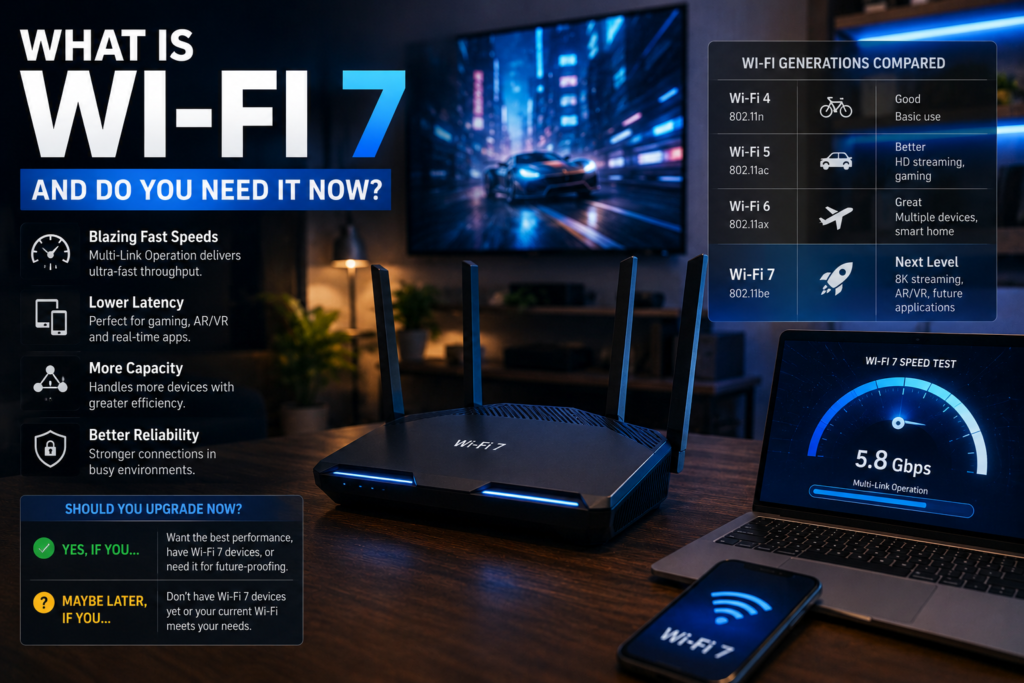
Should You Upgrade Your Router Now?
Upgrade Immediately If:
- Your current router is old
- You experience lag or congestion
- You own Wi-Fi 7 devices
- You use high-speed fiber internet
Wait If:
- Your router is still modern
- Your internet speed is modest
- Your devices are older
- Your network already performs well
Are Wi-Fi 7 Routers Expensive?
Currently, yes.
Wi-Fi 7 routers still cost more because:
- The technology is newer
- Hardware is more advanced
- Early adoption pricing exists
However, prices are slowly dropping in 2026.
Budget Wi-Fi 7 routers are starting to appear.
Common Myths About Wi-Fi 7
“Wi-Fi 7 Makes Internet Faster Automatically”
Not exactly.
Your internet plan still matters.
Wi-Fi cannot exceed the speed your ISP provides.
“Wi-Fi 7 Improves Coverage Everywhere”
Not necessarily.
Coverage depends on:
- Router placement
- Home layout
- Walls
- Antennas
Mesh systems may still matter more.
“You Must Upgrade Immediately”
No.
Wi-Fi 6 is still excellent for many users.
FAQ
Is Wi-Fi 7 worth it for gaming?
Yes, especially for competitive gaming where lower latency and stability matter.
Do I need a Wi-Fi 7 phone or laptop?
Yes. To fully benefit from Wi-Fi 7 features, your device must also support Wi-Fi 7.
Is Wi-Fi 7 faster than Ethernet?
Not usually. Wired Ethernet is still generally more stable and lower latency.
Is Wi-Fi 6 still good in 2026?
Absolutely. Wi-Fi 6 remains excellent for most households.
Should I upgrade from Wi-Fi 5 to Wi-Fi 7?
If your router is old and you use many devices, the upgrade can be very noticeable.
Are Wi-Fi 7 routers future-proof?
Yes. They are designed to support next-generation devices and higher internet speeds for years ahead.
Final Thoughts
So, is wi-fi 7 worth it in 2026?
For power users, gamers, large households, and high-speed internet users:
- probably yes.
For casual users with stable Wi-Fi 6 setups:
- maybe not yet.
The biggest advantage of Wi-Fi 7 is not just raw speed — it is smarter handling of modern digital lifestyles filled with connected devices.
If your current network struggles with:
- congestion
- lag
- unstable streaming
- crowded device environments
then Wi-Fi 7 can absolutely make a difference.
But if your current setup already works smoothly, waiting another year or two may be the smarter financial decision.