Difficulty: Beginner
What Is Edge AI? (In Plain English)
Let’s keep it simple.
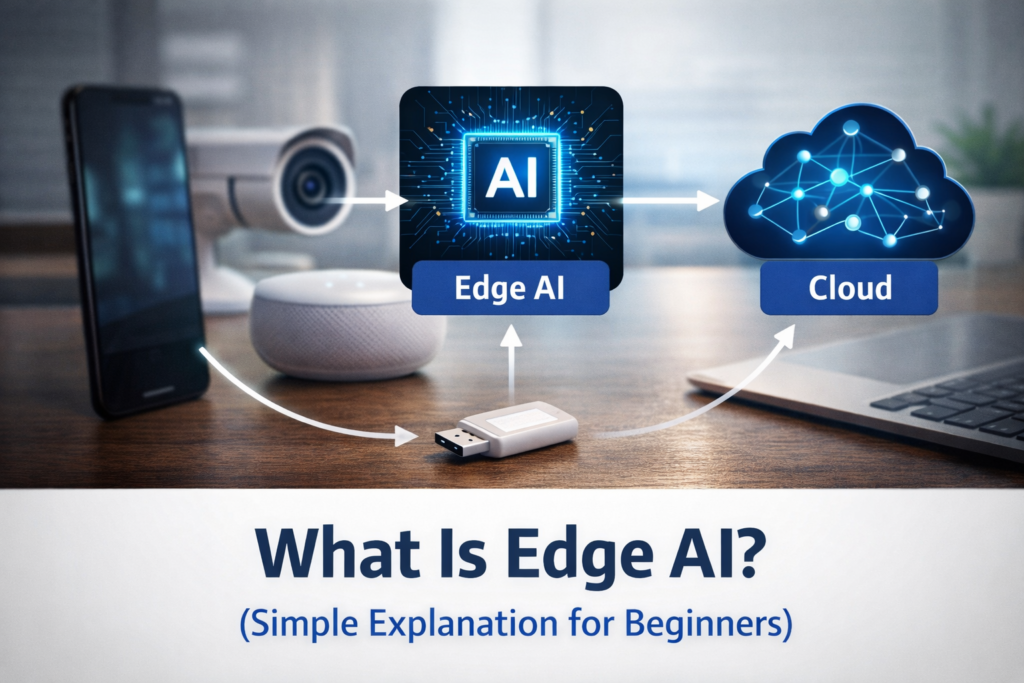
Edge AI = AI that runs on your device instead of the internet
Think of it like this:
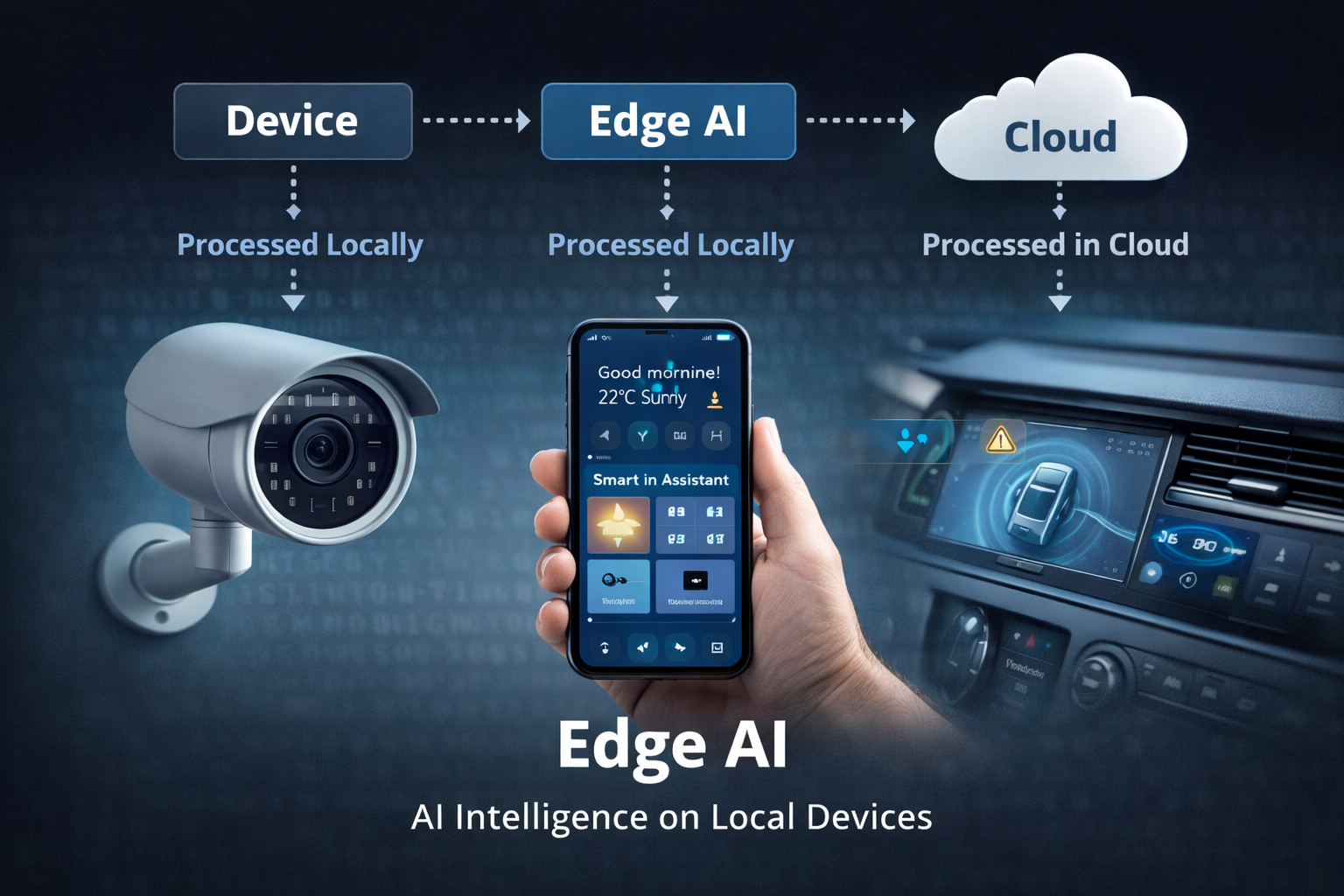
- Cloud AI → sends data to the internet → processes → sends results back
- Edge AI → processes data instantly on your device
Example:
When your phone:
- Recognizes your face
- Enhances your photos
- Translates text instantly
That’s Edge AI in action.
🧠 Definition Box
Edge AI:
Artificial intelligence that runs directly on local devices (like phones or laptops) instead of relying on cloud servers.
Why Edge AI Matters (Simple Explanation)
Understanding edge AI explained simply is easier when you see what problems it solves.
1️⃣ Faster Response (No Waiting)
Because data doesn’t travel to the cloud:
- No delay
- Instant results
Example:
- Face unlock happens immediately
- Voice assistants respond faster
2️⃣ Better Privacy
Your data stays on your device.
That means:
- Less data sent to servers
- Lower risk of data leaks
This is especially important for:
- Personal photos
- Voice recordings
- Sensitive data
3️⃣ Works Without Internet
Edge AI doesn’t always need Wi-Fi.
Example:
- Offline translation
- Camera AI features
- Smart keyboard predictions
4️⃣ Reduces Internet Load
Instead of sending everything to servers:
- Devices process data locally
- Less bandwidth usage
This improves performance across networks.
Where You’re Already Using Edge AI
You might not realize it, but Edge AI is everywhere.
📱 Smartphones
- Face unlock
- Camera enhancements
- Voice typing
💻 Laptops
- Background blur in video calls
- AI noise cancellation
- Smart performance optimization
If your device struggles with display or performance issues, you might also notice related symptoms like Laptop Screen Flickering, which can sometimes be tied to GPU or AI-driven display processing.
🌐 Web Browsers
Modern browsers are starting to include AI features.
For example:
- Smart autofill
- AI assistants
- Content summarization
This trend is growing rapidly in ai-in-web-browsers, where AI tasks are handled directly within your browser instead of relying fully on cloud processing.
Edge AI vs Cloud AI (Simple Comparison)
| Feature | Edge AI | Cloud AI |
|---|---|---|
| Speed | Instant | Slower (depends on internet) |
| Privacy | High | Lower |
| Internet Needed | Not always | Required |
| Processing Location | Your device | Remote servers |
Real-World Example (Easy to Understand)
Let’s say you use voice typing.
Without Edge AI:
- Your voice → sent to cloud
- Processed → returned
With Edge AI:
- Your voice → processed instantly on device
Result:
- Faster
- More private
- Works offline
⚡ Quick Takeaway Box
Edge AI makes devices faster, smarter, and more private by processing data locally instead of sending it to the cloud.
Is Edge AI Safe?
Yes — and often safer than cloud-based AI.
Why?
- Data stays on your device
- Less exposure to breaches
- No constant data transfer
However:
- Device security still matters
- Malware can still pose risks
Does Edge AI Make Devices Slower?
Good question.
Short answer:
👉 No — modern devices are built for it.
In fact:
- Dedicated AI chips (like NPUs) handle processing efficiently
- Reduces load on CPU/GPU
This improves overall performance.
What Devices Support Edge AI?
Most modern devices already support it:
- Smartphones (iPhone, Android)
- Laptops with AI chips
- Smart cameras
- IoT devices
According to industry trends, Edge AI adoption is increasing rapidly as hardware becomes more powerful and efficient.
The Future of Edge AI
Edge AI is expected to grow in:
- Smart homes
- Autonomous vehicles
- Wearables
- Real-time analytics
As internet speed improves and devices get smarter, more AI tasks will shift from cloud to edge.
Should You Care About Edge AI?
Yes — even as a non-technical user.
Why?
Because it directly affects:
- Speed of your apps
- Privacy of your data
- Battery efficiency
- Offline capabilities
Understanding edge AI explained simply helps you make better decisions when choosing devices.
Frequently Asked Questions (FAQ)
1. What is Edge AI in simple terms?
It’s AI that runs directly on your device instead of the cloud.
2. Does Edge AI need internet?
Not always. Many features work offline.
3. Is Edge AI better than cloud AI?
It’s faster and more private, but cloud AI is still useful for heavy processing.
4. Is Edge AI used in phones?
Yes — face unlock, camera AI, and voice typing all use Edge AI.
5. Will Edge AI replace cloud AI?
No. Both will work together depending on the task.