Wi-Fi Booster vs Mesh Wi-Fi — Which One Actually Works Better for Your Home?

Difficulty: Beginner
What Is a Wi-Fi Booster vs Mesh Wi-Fi (Simple Explanation)
Let’s keep this super simple.
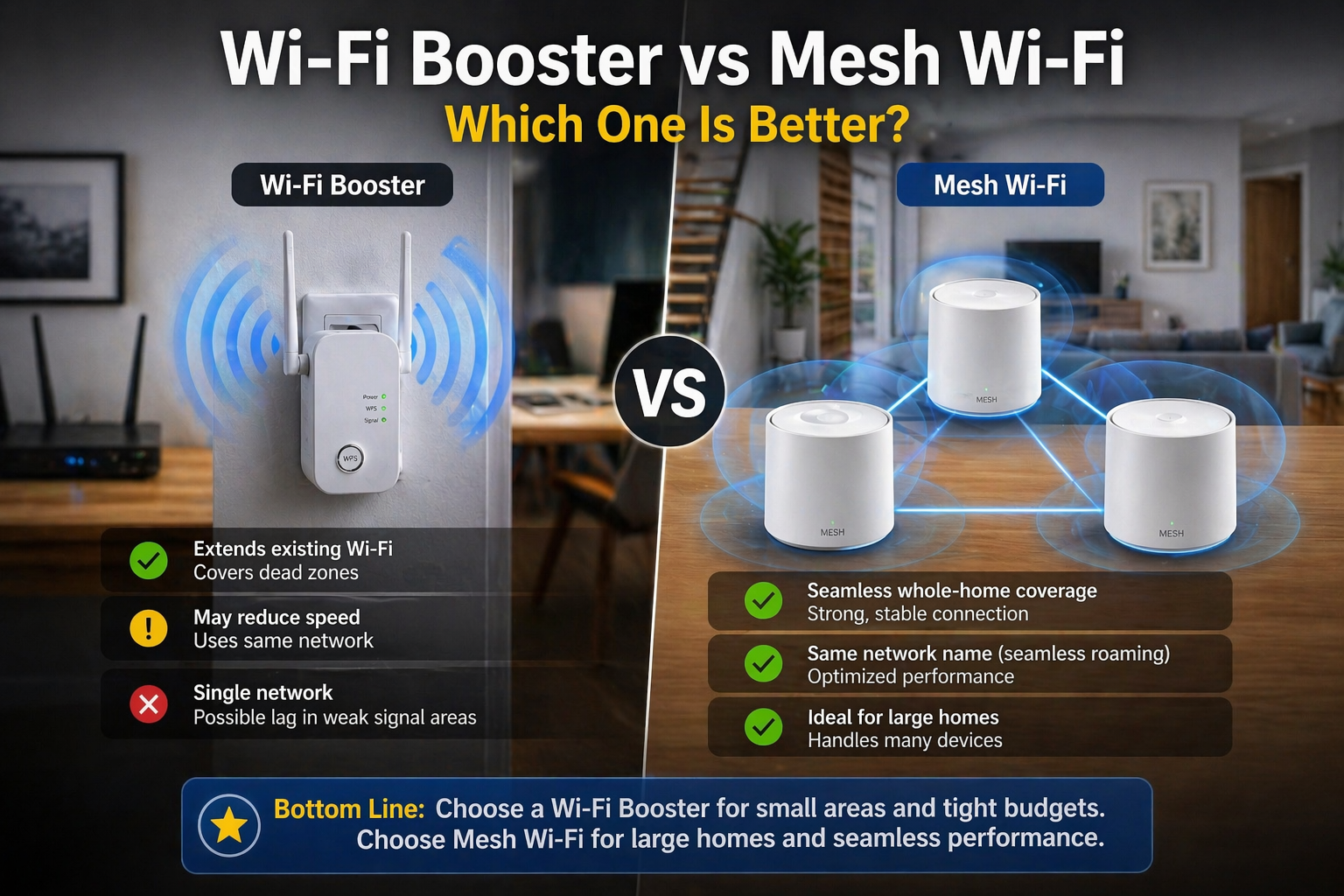
Wi-Fi Booster (Also Called Extender)
Think of it like a middleman.
- It grabs your existing Wi-Fi signal
- Then rebroadcasts it to a farther area
👉 Problem: It often cuts speed and can create a second network name.
Mesh Wi-Fi System
Think of it like multiple mini routers working as one team.
- Several nodes placed around your home
- All connected as a single seamless network
- Your phone/laptop automatically connects to the strongest node
👉 Result: Stronger, smoother, no disconnects
Quick Comparison: Wi-Fi Booster vs Mesh Wi-Fi
| Feature | Wi-Fi Booster | Mesh Wi-Fi |
|---|---|---|
| Price | Cheap | Higher upfront |
| Setup | Easy | Easy (app-based) |
| Speed | Often reduced | Maintains speed |
| Coverage | Extends signal | Creates full coverage |
| Network name | Sometimes separate | One single network |
| Stability | Can drop | Very stable |
Why Wi-Fi Boosters Often Feel Slow
Here’s the part most people don’t realize.
A Wi-Fi booster:
- Receives signal
- Then re-sends it using the same channel
Think of it like:
One person listening… then repeating the message again
This causes:
- Delay (latency)
- Reduced speed (sometimes 30–50%)
- More interference
📦 Quick Fix Box
If you’re using a booster and getting slow speeds:
- Move it closer to your router (not the dead zone)
- Avoid placing behind walls or metal objects
- Use it only for light usage areas (like hallway or guest room)
Why Mesh Wi-Fi Feels Much Better
Mesh systems solve the core problem differently.
Instead of repeating signal, they:
- Distribute Wi-Fi intelligently
- Use dedicated channels (in some models)
- Automatically route your device to the best node
👉 According to Google, mesh Wi-Fi systems are designed to eliminate dead zones by creating a unified network across your entire home.
Real-Life Example (Easy to Understand)
Let’s say your router is in your living room.
With Wi-Fi Booster:
- Bedroom gets signal… but slower
- Walking around → phone disconnects/reconnects
With Mesh Wi-Fi:
- Every room has strong signal
- You walk around → no interruption
Think of mesh like having Wi-Fi in every room, not just “extended Wi-Fi.”
When a Wi-Fi Booster Is Actually Good Enough
Let’s be fair—boosters still have their place.
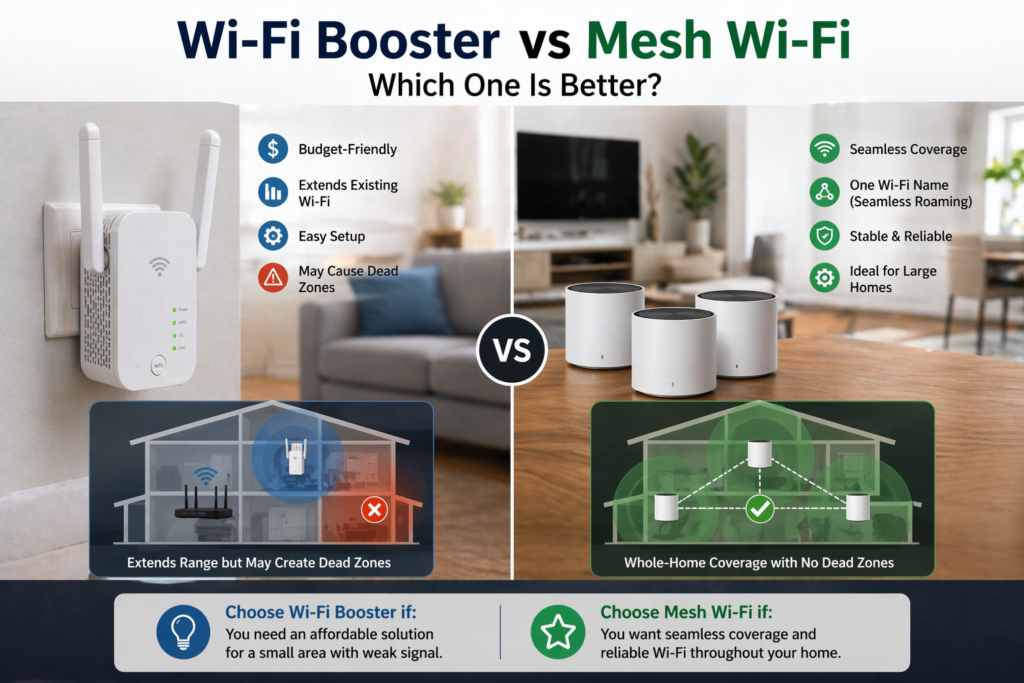
Use a Wi-Fi booster if:
- Your home is small (apartment/condo)
- Only 1–2 dead zones
- You want a cheap quick fix
- You don’t mind slight speed drop
👉 For casual browsing, YouTube, or social media—it’s fine.
When You Should Choose Mesh Wi-Fi
Mesh is the better choice if:
- Double-storey house or large layout
- Thick walls (concrete, brick)
- Many devices (phones, TV, laptops, smart home)
- You work from home or do video calls
👉 Especially important if you:
- Use Zoom / Teams
- Stream Netflix in 4K
- Play online games
🔑 Key Takeaway
If you want cheap fix → Wi-Fi booster
If you want long-term stable performance → mesh Wi-Fi
Does Mesh Wi-Fi Replace Your Router?
Yes… and no.
- Most mesh systems replace your router completely
- Some can work with your existing router
👉 But best performance = use mesh as your main system
Cost Comparison (Realistic Expectation)
| Setup | Price Range (MYR) |
|---|---|
| Wi-Fi Booster | RM50 – RM150 |
| Mesh Wi-Fi (2–3 nodes) | RM400 – RM1200+ |
Yes, mesh is more expensive—but you’re paying for:
- Stability
- Speed
- Coverage
Common Mistakes People Make
❌ Putting booster in dead zone
→ It needs signal to boost
❌ Buying 1 mesh node only
→ That’s just a router, not mesh
❌ Mixing brands randomly
→ Causes instability
If you’re upgrading your home setup, you might also want to explore:
- For productivity gear, check out Best Portable Monitors
- For deeper setup comparison, read mesh wifi vs extender best home setup
FAQ: Wi-Fi Booster vs Mesh Wi-Fi
1. Is mesh Wi-Fi really faster than a booster?
Yes. Mesh systems maintain speed better because they don’t simply repeat the signal—they optimize it.
2. Can I use both booster and mesh together?
Not recommended. It can cause interference and network confusion.
3. Do I need internet upgrade for mesh Wi-Fi?
No. Mesh improves coverage, not your ISP speed—but it helps you fully use what you’re paying for.
4. Is mesh Wi-Fi hard to install?
No. Most systems use mobile apps and take 10–15 minutes.
5. Will mesh Wi-Fi fix Wi-Fi dropping issues?
In most cases, yes—especially in large homes.