What Affects Battery Life? The Simple Truth Most People Miss

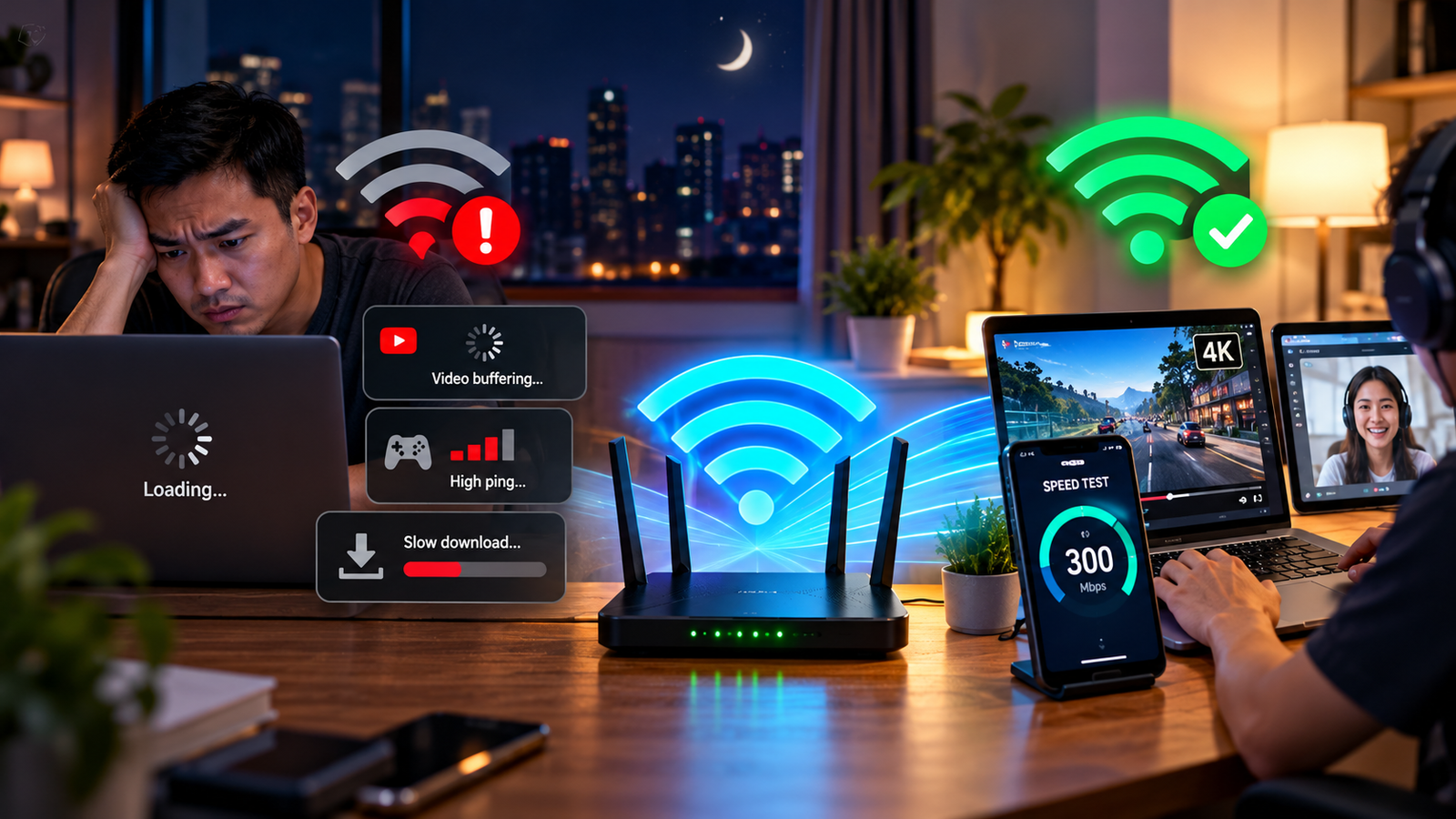
Battery life can feel random. One day your phone or laptop lasts all day. Another day, it drops fast even though you feel like you barely used it.
The truth is simple: your battery is like a water tank. Every app, screen setting, wireless connection, and background process opens a small tap. Some taps drip slowly. Others drain the tank fast.
In this guide, we’ll explain what affects battery life in simple, non-technical language, so you can understand why your device drains quickly and what you can do about it.
Key Takeaway Box
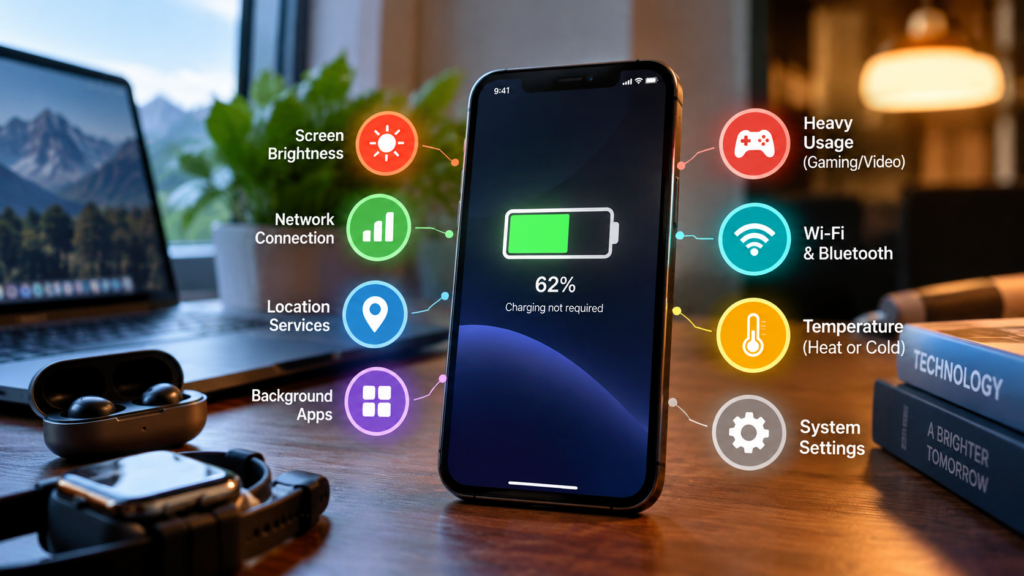
The biggest things that affect battery life are screen brightness, heat, background apps, weak signal, heavy apps, charging habits, and battery age. You do not need to be technical to improve it—small setting changes can make a big difference.
Battery Life Factors That Matter Most
Many people think battery drain only comes from using too many apps. That is partly true, but it is not the full story.
Your device uses power for many things at the same time:
- Keeping the screen on
- Connecting to Wi-Fi, mobile data, Bluetooth, and GPS
- Running apps in the background
- Checking notifications
- Syncing email and cloud files
- Playing video, games, or music
- Cooling down when it gets hot
- Powering speakers, cameras, and sensors
Think of your phone or laptop like a small car. Driving slowly on a flat road saves fuel. Driving uphill with air conditioning on uses more fuel. Your device works the same way.
The harder it works, the faster the battery drains.
How Screen Settings Affect Battery Life
Your screen is one of the biggest battery users on most phones, tablets, and laptops.
A brighter screen needs more power. A screen that stays on longer also keeps draining power even when you are not actively using the device.
Microsoft’s Windows battery-saving guidance recommends adjusting settings that use more power, including screen brightness, screen saver, and how long the device stays inactive before sleeping or turning off. Microsoft Support
Screen brightness
High brightness is useful outdoors, but indoors you usually do not need it at maximum.
If your screen is always set to 90% or 100%, your battery is working harder than necessary. Reducing brightness to a comfortable level is one of the easiest ways to extend usage time.
Screen timeout
Screen timeout controls how long your display stays on when you stop touching the device.
For example:
| Screen Timeout | Battery Impact |
|---|---|
| 30 seconds | Best for saving power |
| 1–2 minutes | Balanced |
| 5 minutes or more | Drains more battery |
| Never turn off | Worst for battery |
If you often leave your phone on the table with the screen active, battery drain will happen quickly even if you are not “using” it.
Refresh rate
Some phones, tablets, and monitors support high refresh rates, such as 90Hz, 120Hz, or higher.
A refresh rate means how many times the screen updates every second. Higher refresh rates make scrolling look smoother, but they can also use more power.
For normal reading, messaging, and browsing, a lower or adaptive refresh rate is usually enough.
Apps and Background Activity
Apps can drain your battery even when you are not looking at them.
This happens because many apps keep working quietly in the background. They may check messages, refresh feeds, track location, upload photos, or sync data to the cloud.
Common battery-draining app types include:
- Social media apps
- Navigation apps
- Video streaming apps
- Gaming apps
- Shopping apps with many notifications
- Cloud backup apps
- Fitness tracking apps
- Messaging apps with frequent alerts
This does not mean these apps are bad. It only means they may use power often.
Background refresh
Background refresh lets apps update even when you are not using them.
For example, a news app may download fresh headlines before you open it. A messaging app may check for new messages. A cloud app may upload photos.
Convenient? Yes.
Good for battery? Not always.
If an app does not need constant updates, you can limit its background activity.
Notifications
Every notification wakes part of your device. The screen may light up, the speaker may make sound, vibration may activate, and the app may refresh.
One notification is tiny. Hundreds per day can add up.
A good habit is to keep notifications only for important apps.
Heat Is a Silent Battery Killer
Heat is one of the most important things that affects battery health and daily performance.
According to Apple, a battery’s chemical age is affected by several factors, including temperature history and charging pattern. Apple also explains that as lithium-ion batteries chemically age, they hold less charge, which results in reduced battery life and reduced peak performance. Apple Support
In simple words: batteries do not like heat.
Heat can come from:
- Leaving your phone in a hot car
- Charging under a pillow
- Gaming while charging
- Using navigation under direct sunlight
- Charging with a poor-quality charger
- Running heavy apps for long periods
- Using a laptop on a bed or sofa that blocks airflow
Why heat matters
When your battery gets hot often, it ages faster. That means it may not hold as much charge after months or years.
You may notice:
- Battery percentage drops faster
- Device feels warm even during normal use
- Charging slows down
- Phone shuts down unexpectedly
- Laptop fan becomes louder
- Performance becomes slower
Cold temperature can also affect performance
Cold conditions may temporarily reduce battery performance. Apple notes that iPhone performance management looks at factors including device temperature, battery state of charge, and battery impedance. Apple Support
For most people in Malaysia and other warm countries, heat is usually the bigger daily concern.
Charging Habits and Battery Life
Charging style can affect long-term battery health.
Modern phones and laptops usually use lithium-ion batteries. Apple explains that lithium-ion batteries charge faster, last longer, and have higher power density compared with older battery technology. also its batteries fast charge to around 80%, then switch to slower trickle charging. Apple
This is why charging often feels fast at first, then slower near the end.
Is charging overnight bad?
Charging overnight is usually not as dangerous as people think because modern devices manage charging better than old devices.
However, keeping a device hot while fully charged for long periods is not ideal.
For example, overnight charging becomes worse if:
- The phone is under a pillow
- The case traps heat
- The charger is poor quality
- The room is hot
- The device runs backup tasks while charging
If your phone supports optimized charging or adaptive charging, it may slow charging near full to reduce battery stress. Google says Pixel phones can prolong battery life by learning charging habits and fully charging before you need to use the device. Google Help
Should you always charge to 100%?
You can charge to 100% when needed. That is what the device is designed for.
But if you want better long-term battery health, avoid keeping it at 100% in hot conditions for long periods.
A practical everyday habit:
| Situation | Recommended Charging Habit |
|---|---|
| Normal daily use | Charge when convenient |
| Heavy gaming or video editing | Avoid charging while device is very hot |
| Long-term storage | Do not store fully empty or fully charged |
| Travelling | Charge to 100% when you need maximum runtime |
| Daily office use | Use optimized charging if available |
Network Signal and Wireless Connections
A weak signal can drain battery faster than many people expect.
When your phone struggles to find mobile signal, it works harder to stay connected. Think of it like shouting instead of speaking normally. Shouting uses more energy.
This can happen in:
- Basements
- Lifts
- Rural areas
- Underground parking
- Thick-walled buildings
- Areas with poor mobile coverage
- Crowded events where networks are overloaded
Wi-Fi vs mobile data
Wi-Fi often uses less power than mobile data when the connection is strong and stable.
But if Wi-Fi is weak, unstable, or constantly disconnecting, your device may waste power switching between networks.
GPS and location services
GPS is useful for maps, ride-hailing, weather, delivery apps, and fitness tracking.
But constant location tracking can drain power quickly.
Check which apps have location access. Some only need your location while you are using them. Very few need it all the time.
Heavy Apps, Gaming, and Video Streaming
Some activities naturally use more power.
Gaming, video calls, video editing, hotspot sharing, and 4K video recording are heavy tasks. They use the processor, screen, camera, microphone, speaker, internet connection, and sometimes GPS at the same time.
That is a lot of power demand.
High-drain activities
| Activity | Battery Impact |
|---|---|
| Reading text | Low |
| Messaging | Low to medium |
| Music streaming with screen off | Low to medium |
| Watching video | Medium |
| Video calls | High |
| Gaming | High |
| GPS navigation | High |
| Mobile hotspot | High |
| 4K video recording | Very high |
This is why your phone may last many hours while messaging but drain quickly during gaming or video calls.
Battery Age and Device Condition
Batteries are consumable parts. This means they wear out over time.
Even if you use your device carefully, the battery will slowly lose capacity. It is normal.
After enough charging cycles, your device may not hold as much power as it did when new.
Signs your battery is aging
Your battery may be aging if:
- It drains faster than before
- It jumps from 30% to 10% quickly
- It shuts down before reaching 0%
- It charges very fast but drains very fast
- The device gets warm easily
- Battery health shows a lower percentage
- Performance feels slower under load
Replacing the battery can often make an older device feel much better, especially if the rest of the device is still working well.
Power-Saving Mode: Should You Use It?
Power-saving mode is useful when you want your device to last longer.
It usually works by reducing background activity, lowering performance, limiting visual effects, reducing brightness, or pausing certain automatic updates.
Microsoft notes that Windows can automatically change power settings, and users can apply recommendations such as adjusting brightness, screen sleep, and app power options to save battery. Microsoft Support
When to use power-saving mode
Use it when:
- Your battery is low
- You are travelling
- You are outdoors all day
- You forgot your charger
- You only need basic tasks
- You want fewer background distractions
When not to use it
You may want to turn it off when:
- Gaming
- Editing video
- Doing heavy work
- Running performance-demanding apps
- Using navigation where accuracy matters
- Waiting for urgent background notifications
Power-saving mode is not bad. It simply trades performance and background convenience for longer runtime.
How to Improve Battery Life Without Making Your Device Annoying
You do not need to turn your smart device into a boring brick.
Try these practical steps first:
- Lower screen brightness to a comfortable level.
- Set screen timeout to 30 seconds or 1 minute.
- Turn off notifications from unimportant apps.
- Use Wi-Fi when it is stable.
- Disable location access for apps that do not need it.
- Close heavy apps when you are done.
- Avoid gaming while charging if the device gets hot.
- Keep your device away from direct sunlight.
- Use the original or trusted charger.
- Enable optimized charging or adaptive charging if available.
- Turn on power-saving mode when needed.
- Restart your device if battery drain suddenly becomes strange.
Quick Fix Box
If your battery suddenly drains faster than usual, restart the device, check battery usage by app, reduce brightness, turn off unnecessary location access, and see if one app is using unusually high power.
Common Mistakes That Drain Battery Faster
Keeping brightness too high
Many users leave brightness high all the time. This is one of the easiest problems to fix.
Allowing every app to send notifications
More notifications mean more wake-ups, more screen activity, and more background checks.
Leaving GPS on for too many apps
Maps need location. A calculator app probably does not.
Using cheap or unsafe chargers
A poor charger may charge slowly, create heat, or cause unstable power delivery.
Ignoring software updates
Updates can include battery improvements, bug fixes, and power management changes.
Thinking battery saver fixes everything
Battery saver helps, but it does not solve heat, aging, bad apps, weak signal, or damaged batteries.
FAQ
What affects battery life the most?
The biggest factors are screen brightness, background apps, heat, weak signal, heavy apps, battery age, and charging habits. Screen brightness and heat are two of the easiest areas to improve.
Does closing apps save battery?
Sometimes, but not always. Closing a badly behaving app can help. However, constantly force-closing every app may not be necessary because modern phones manage memory automatically.
Is it bad to charge my phone overnight?
It is usually safe with modern phones, especially if optimized charging is enabled. The bigger issue is heat. Avoid charging under pillows, thick blankets, or in very hot places.
Does dark mode save battery?
Dark mode can save power on OLED screens because black pixels can use less energy. On regular LCD screens, the saving is usually smaller because the backlight is still on.
Why does my battery drain fast even when I do not use the device?
Background apps, weak signal, cloud syncing, notifications, location tracking, software bugs, or battery age may cause drain even when the device is idle.
When should I replace my battery?
Consider battery replacement if your device drains very quickly, shuts down unexpectedly, gets hot easily, or shows poor battery health. If the device is still fast enough for your needs, a new battery may be cheaper than buying a new device.
Final Thoughts
Battery drain is not caused by one single thing. It is usually the result of many small things working together.
The good news is that you do not need complicated technical knowledge to improve battery life. Start with screen brightness, background apps, heat, charging habits, and location settings. These areas usually give the biggest real-world improvement.
A battery will still age over time, but better habits can help your device last longer each day and stay healthier for longer.