Best Mechanical Keyboards for Typing & Coding (2026): Which One Should You Choose?

Difficulty: Beginner
Why Mechanical Keyboards Are Better for Typing & Coding
If you’ve only used a typical laptop keyboard, switching to a mechanical keyboard can feel like upgrading from a basic chair to an ergonomic office throne.
What makes them different?
- Each key has its own switch (instead of a rubber layer)
- More precise and consistent typing
- Longer lifespan (often 50 million+ keystrokes)
👉 Think of it like this:
A regular keyboard is like walking on sand—soft but inconsistent.
A mechanical keyboard is like walking on solid ground—stable and predictable.
🧠 Definition Box: What Is a Mechanical Keyboard?
A mechanical keyboard uses individual mechanical switches under each key. These switches control how a key feels and sounds when pressed.
Types of Switches (Simple Explanation)
Choosing the right switch is the most important part.
1. Linear Switches (Smooth & Quiet)
- No bump, no click
- Great for fast typing and coding
- Example: Red switches
✔ Best for: quiet environments, shared offices
2. Tactile Switches (Balanced Feel)
- Slight bump when pressing
- Lets you “feel” each keypress
✔ Best for: typing accuracy and comfort
3. Clicky Switches (Loud & Satisfying)
- Audible “click” sound
- Very satisfying but noisy
✔ Best for: personal setups, not offices 😄
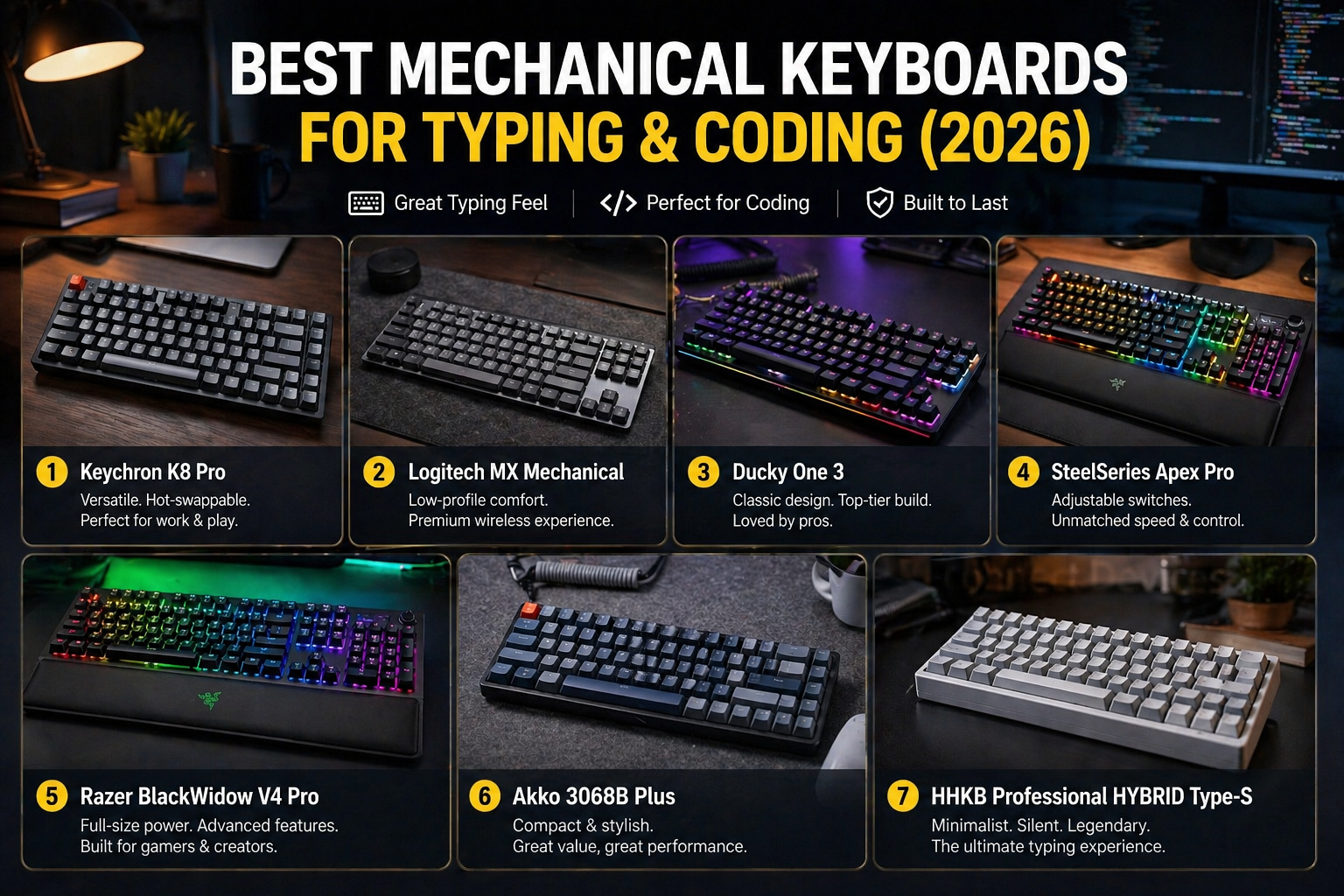
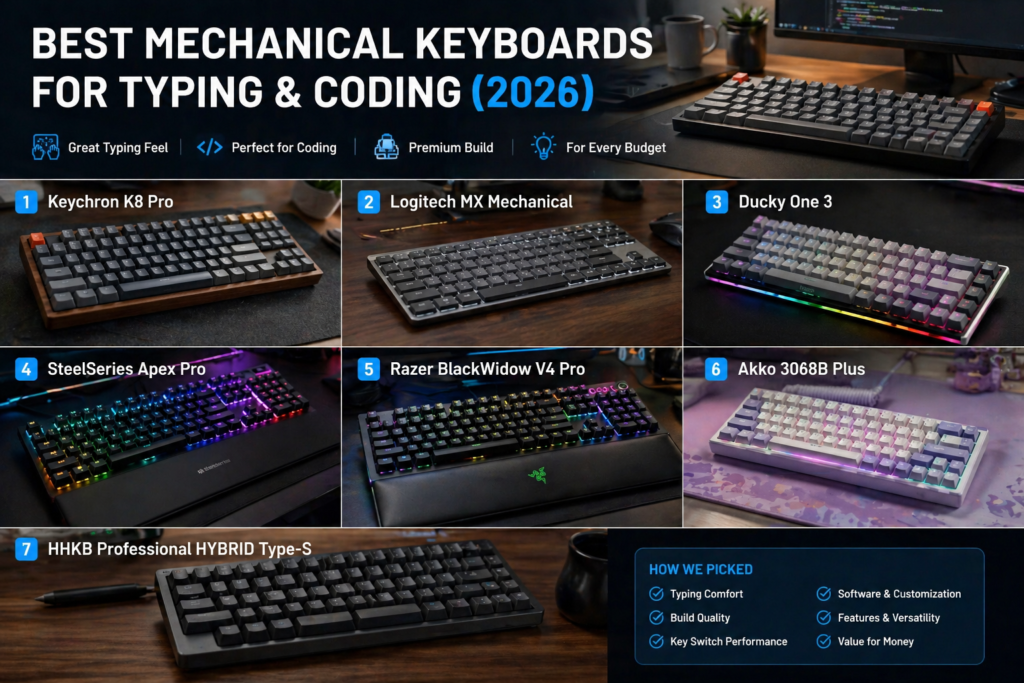
Top 7 Best Mechanical Keyboards for 2026
Here are the top picks based on performance, comfort, and value.
1. Keychron K8 Pro


5
Why it stands out:
- Wireless + wired flexibility
- Mac & Windows support
- Hot-swappable switches
✔ Perfect for developers switching between devices
2. Logitech MX Mechanical


7
Why it stands out:
- Low-profile keys (like laptop feel)
- Silent and professional
- Excellent battery life
✔ Best for office + productivity users
3. Ducky One 3


6
Why it stands out:
- Premium build quality
- Smooth typing experience
- Strong durability
✔ Great for heavy typists
4. SteelSeries Apex Pro


6
Why it stands out:
- Adjustable key sensitivity
- Built-in OLED display
- Fast response time
✔ Ideal for coders + gamers
5. Razer BlackWidow V4 Pro


5
Why it stands out:
- Strong RGB customization
- Comfortable wrist rest
- Macro keys for shortcuts
✔ Best for power users
6. Akko 3068B Plus


7
Why it stands out:
- Compact layout (space-saving)
- Affordable price
- Solid performance
✔ Best budget-friendly option
7. HHKB Professional HYBRID Type-S


7
Why it stands out:
- Unique layout loved by programmers
- Topre switches (premium feel)
- Ultra-portable
✔ Best for hardcore coders
🛠️ Quick Fix Box: How to Choose the Right Keyboard
If you’re unsure, follow this simple guide:
- Want quiet? → Go linear or low-profile
- Want feedback? → Choose tactile
- Limited desk space? → Pick 60% or 75% layout
- Work long hours? → Prioritize ergonomics + wrist rest
What to Look for Before Buying
1. Layout Size
- Full-size: includes number pad
- TKL (Tenkeyless): no number pad
- 60%/75%: compact and portable
2. Build Quality
- Aluminum = premium feel
- Plastic = lighter, cheaper
3. Connectivity
- Wired = stable
- Wireless = flexible
4. Hot-Swappable Feature
Lets you change switches without soldering.
✔ Highly recommended for beginners
Real-World Benefits for Coders
Using one of the best mechanical keyboards can:
- Improve typing speed
- Reduce finger fatigue
- Increase accuracy
- Make long coding sessions more enjoyable
According to ergonomic studies and typing research, better tactile feedback reduces typing errors and strain over time.
FAQs
1. Are mechanical keyboards good for coding?
Yes. They provide better accuracy, comfort, and feedback—ideal for long coding sessions.
2. Which switch is best for typing?
Tactile switches are the most balanced choice for most people.
3. Are mechanical keyboards noisy?
Some are (clicky), but many modern ones are quiet (linear or silent switches).
4. Is wireless reliable for coding?
Yes, especially modern Bluetooth or 2.4GHz keyboards with low latency.
5. Do I need an expensive keyboard?
Not necessarily. Budget options like Akko still perform very well.