Difficulty: Beginner
What Is the Difference Between SSD and NVMe?
Before comparing speeds, let’s clear up a common misunderstanding.
SSD Is a Type of Storage
SSD stands for Solid State Drive.
Unlike old hard drives (HDDs), SSDs have:
- No moving parts
- Faster performance
- Better reliability
- Lower power consumption
NVMe Is a Connection Technology
NVMe stands for Non-Volatile Memory Express.
Think of it like this:
SSD = The Car
NVMe = The Highway
A SATA SSD drives on a smaller road.
An NVMe SSD drives on a much larger expressway.
Both are SSDs, but NVMe can move data much faster.
Understanding SATA SSD vs NVMe SSD
SATA SSD
Typical speed:
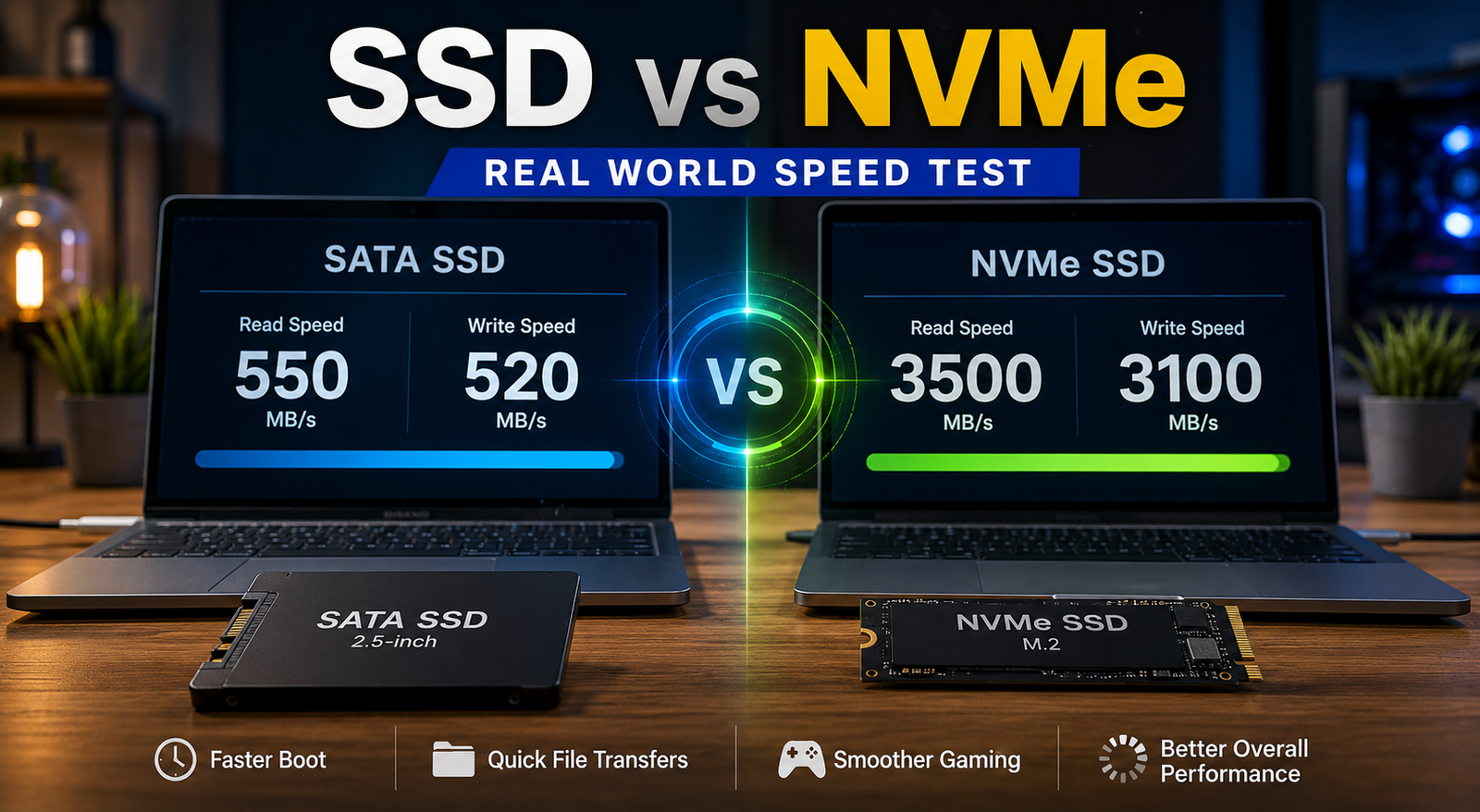
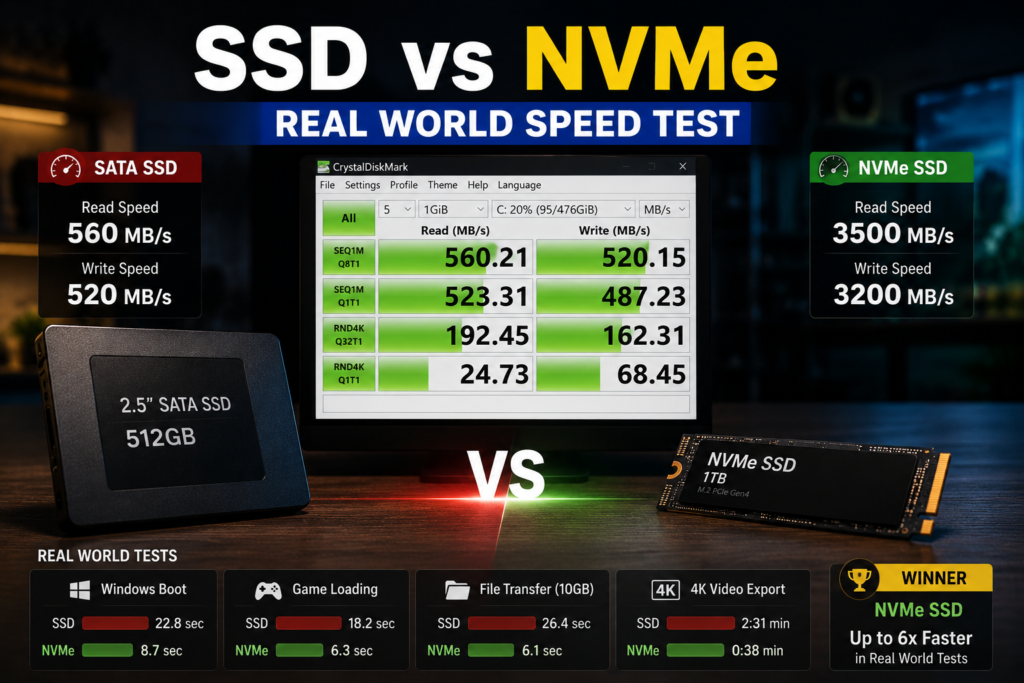
- Read: 500–550 MB/s
- Write: 400–550 MB/s
Common examples:
- Samsung 870 EVO
- Crucial MX500
- WD Blue SATA SSD
NVMe SSD
Typical speed:
- PCIe 3.0: 3,000–3,500 MB/s
- PCIe 4.0: 5,000–7,500 MB/s
- PCIe 5.0: 10,000–14,000+ MB/s
Common examples:
- Samsung 990 Pro
- WD Black SN850X
- Crucial T500
On paper, NVMe absolutely destroys SATA SSDs.
But benchmarks do not always tell the whole story.
Real World Speed Test #1: Windows Boot Time
One of the first things people notice after upgrading storage is startup speed.
SATA SSD
Average boot time:
- 12–20 seconds
NVMe SSD
Average boot time:
- 8–15 seconds
Real-World Difference
You may save:
- 3 to 8 seconds
That’s faster, but not life-changing.
If your PC already uses a SATA SSD, upgrading to NVMe won’t suddenly make Windows boot instantly.
Real World Speed Test #2: Opening Microsoft Office Apps
Let’s look at common productivity software.
Opening Word
SATA SSD:
- Around 1–2 seconds
NVMe SSD:
- Around 1 second
Opening Excel
SATA SSD:
- 1–3 seconds
NVMe SSD:
- Slightly faster
Real-World Difference
Most users will barely notice.
The application itself often becomes the bottleneck rather than the storage drive.
Real World Speed Test #3: Web Browsing
For:
- Chrome
- Edge
- Firefox
the difference is almost impossible to notice.
Websites depend more on:
- Internet speed
- Browser performance
- CPU power
than storage speed.
Winner
Tie.
A SATA SSD already feels extremely fast for browsing.
Real World Speed Test #4: Gaming Load Times
This is where many buyers expect massive gains.
Example Game Loading
SATA SSD:
- 25–35 seconds
NVMe SSD:
- 18–30 seconds
Real-World Difference
Typically:
- 10–30% faster
Not 500% faster.
Modern games often depend on:
- CPU performance
- Game engine optimization
- RAM capacity
rather than raw storage speed.
Key Takeaway
Games load faster on NVMe, but gameplay FPS usually remains unchanged.
Your graphics card has a much larger impact on gaming performance.
Real World Speed Test #5: Copying Large Files
This is where NVMe starts to shine.
Copying a 50GB Video File
SATA SSD:
- Around 100–120 seconds
NVMe SSD:
- Around 20–40 seconds
Real-World Difference
Huge.
This is one of the best examples of where NVMe delivers exactly what the benchmarks promise.
If you regularly move:
- Videos
- ISO files
- Virtual machines
- Large project folders
NVMe can save significant time.
Real World Speed Test #6: Video Editing
Video creators benefit greatly from NVMe.
Tasks like:
- 4K editing
- 8K editing
- Rendering
- Preview generation
often involve reading and writing large amounts of data.
SATA SSD
Good for:
- Basic editing
- 1080p projects
NVMe SSD
Excellent for:
- 4K workflows
- Professional editing
- Large media libraries
This is where the higher speeds become genuinely noticeable.
Real World Speed Test #7: Virtual Machines
IT professionals and developers often run virtual machines.
Examples:
- Proxmox
- Hyper-V
- VMware
- VirtualBox
NVMe drives can dramatically improve:
- VM startup speed
- Snapshot creation
- Backup performance
- Multiple VM workloads
For technical users, NVMe is often worth every cent.
Real World Speed Test Comparison Table
| Task | SATA SSD | NVMe SSD | Difference |
|---|---|---|---|
| Windows Boot | Fast | Slightly Faster | Small |
| Web Browsing | Fast | Fast | Minimal |
| Office Apps | Fast | Slightly Faster | Small |
| Gaming Load Times | Good | Better | Moderate |
| File Transfers | Good | Excellent | Huge |
| Video Editing | Good | Excellent | Huge |
| Virtual Machines | Good | Excellent | Huge |
Who Should Buy a SATA SSD?
A SATA SSD is still a great choice if you:
- Use Office applications
- Browse the web
- Watch videos
- Use email
- Want affordable storage
- Have an older motherboard
For many users, a SATA SSD already delivers 90% of the “fast PC” experience.
Who Should Buy an NVMe SSD?
Choose NVMe if you:
- Edit videos
- Create content
- Work with large files
- Use virtual machines
- Develop software
- Build a new gaming PC
- Want maximum future-proofing
In these scenarios, NVMe’s speed advantage becomes much more noticeable.
Common SSD vs NVMe Myths
Myth #1: NVMe Makes Everything 10x Faster
False.
Some tasks improve dramatically.
Others barely change.
Myth #2: SATA SSD Is Outdated
False.
SATA SSDs remain excellent for many users.
Myth #3: NVMe Improves Gaming FPS
Mostly false.
NVMe helps loading times.
Your GPU affects FPS far more.
Quick Buying Advice
Buy SATA SSD If:
✔ Budget matters
✔ You own an older PC
✔ You mainly browse, work, and stream
Buy NVMe SSD If:
✔ You edit videos
✔ You handle large files
✔ You use VMs
✔ Your motherboard supports NVMe
FAQ
Is NVMe worth it over SATA SSD?
Yes, especially for new PC builds, content creation, and large file transfers. For basic use, the difference is smaller.
Will NVMe make Windows faster?
Slightly. Boot times and app launches improve, but not dramatically.
Is NVMe better for gaming?
It improves loading times but usually does not increase FPS.
Can I replace my SATA SSD with NVMe?
Only if your motherboard supports NVMe M.2 drives.
Is PCIe 5.0 worth it?
For most users, PCIe 4.0 already provides more than enough performance.
How much storage should I buy in 2026?
1TB is generally the sweet spot for most users, while gamers and content creators may prefer 2TB or more.
Final Verdict
When comparing SSD vs NVMe, the benchmark numbers can be misleading.
Yes, NVMe drives are dramatically faster on paper. However, everyday users often experience only modest improvements in common tasks like browsing, email, and office work.
Where NVMe truly shines is in professional workloads, gaming load times, large file transfers, and virtualization.
If you’re upgrading from a hard drive, either option will feel amazing.
If you’re choosing between a SATA SSD and NVMe SSD in 2026, your workload—not the marketing numbers—should determine your decision.