How Much RAM Do You Really Need in 2026? The Answer May Surprise You

Difficulty: Beginner
What Is RAM?
RAM stands for Random Access Memory.
Think of RAM as your computer’s desk space.
- Your SSD or hard drive is the filing cabinet.
- RAM is the desk where you’re actively working.
- The CPU is the worker using everything on the desk.
A larger desk allows more work to happen at once without constantly putting things away and bringing them back.
When RAM runs out, your computer starts using the SSD as temporary memory, which is much slower.
That’s when you notice:
- Slowdowns
- Lag
- Browser freezes
- Apps taking longer to switch
Why RAM Matters More in 2026
Software keeps getting bigger.
Modern applications use more memory than they did just a few years ago:
- Web browsers open dozens of tabs
- Video conferencing apps run continuously
- AI tools process data locally
- Windows 11 uses more background services
- Modern games require larger memory pools
According to Microsoft, Windows 11 officially requires at least 4GB RAM, but real-world usage often demands significantly more for a smooth experience.
Quick Takeaway Box
Recommended RAM in 2026
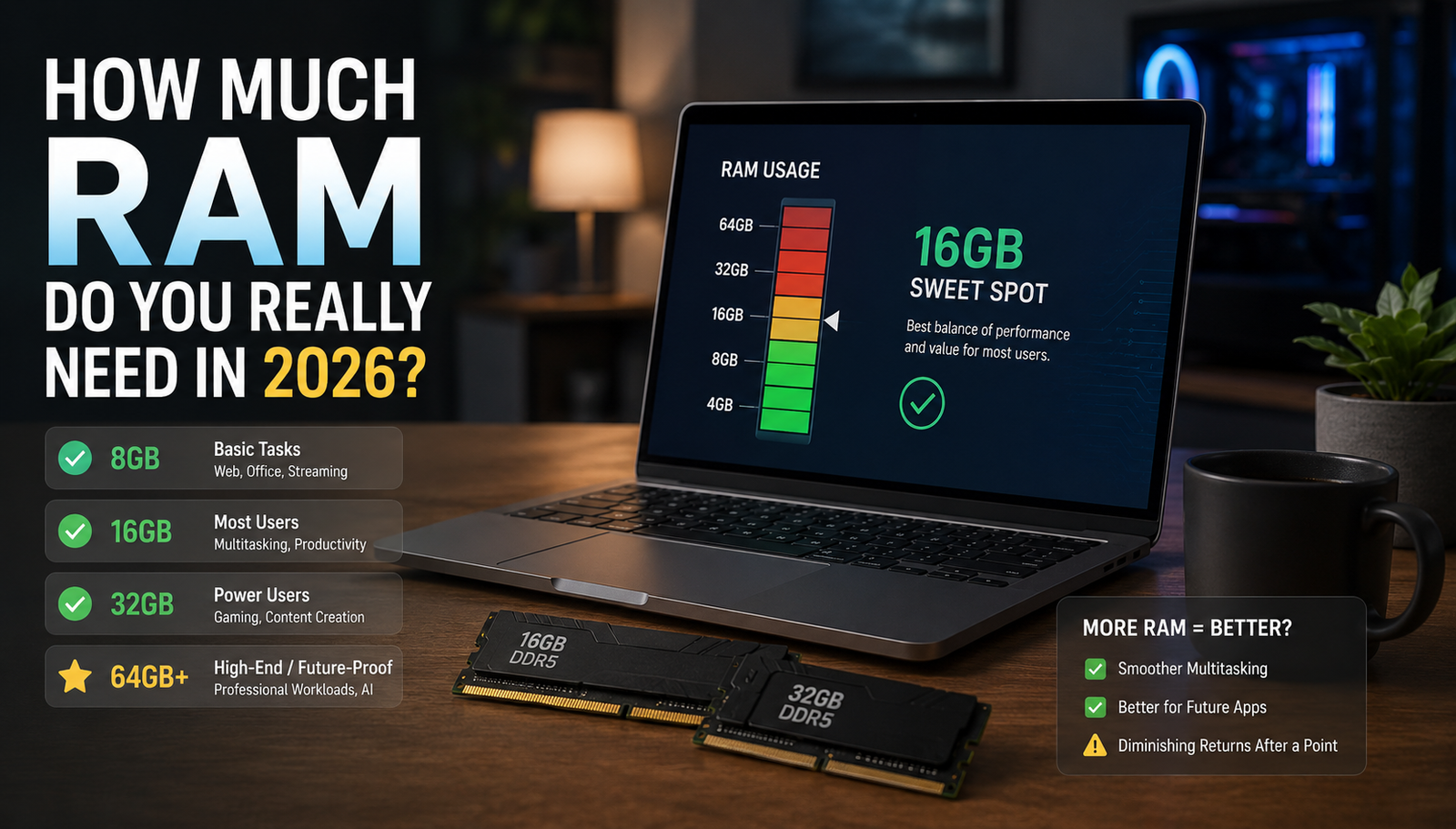
| User Type | Recommended RAM |
|---|---|
| Basic Users | 8GB Minimum |
| Office Workers | 16GB |
| Students | 16GB |
| Gamers | 16GB–32GB |
| Content Creators | 32GB |
| AI Users | 32GB+ |
| Professionals | 32GB+ |
For most buyers today:
16GB is the new standard.
Is 8GB RAM Still Enough in 2026?
Yes, But Barely
8GB RAM can still handle:
- Microsoft Office
- Web browsing
- YouTube
- Netflix
- Online shopping
However, problems appear when you start multitasking.
Imagine running:
- Chrome with 20 tabs
- Teams meeting
- Excel spreadsheet
- Outlook
- Spotify
An 8GB system can quickly become overwhelmed.
Who Should Buy 8GB?
Only if:
- Budget is extremely limited
- Device supports future RAM upgrades
- Usage is very basic
For most people, spending a little more on 16GB is a smarter long-term investment.
Why 16GB RAM Is the Sweet Spot
For most users, 16GB offers the best balance between cost and performance.
It comfortably handles:
- Windows 11
- Microsoft 365
- Web browsing
- Zoom and Teams
- Light photo editing
- Multiple applications
- Casual gaming
Think of 16GB as buying a car with enough power for daily driving and occasional road trips.
You rarely feel limited.
Benefits of 16GB
- Smooth multitasking
- Longer device lifespan
- Better future-proofing
- Reduced slowdowns
- Better overall responsiveness
This is why many IT professionals now recommend 16GB as the default starting point for new systems.
Who Needs 32GB RAM?
Power Users
32GB RAM is becoming increasingly common in 2026.
You should consider 32GB if you regularly use:
- Adobe Photoshop
- Adobe Premiere Pro
- DaVinci Resolve
- Virtual machines
- Large Excel datasets
- Software development tools
- AI applications
Gamers
Many modern games recommend 16GB.
However, gamers often run:
- Discord
- Chrome
- Game launchers
- Streaming software
- Recording software
all at the same time.
That’s where 32GB starts to shine.
Why AI Applications Need More RAM
One of the biggest changes in 2026 is AI.
Local AI tools are becoming increasingly common.
Examples include:
- AI image generation
- AI assistants
- Local language models
- AI-enhanced productivity tools
These applications often require substantial memory.
Think of AI like having another employee sitting at your desk using resources alongside you.
The more capable the AI, the more RAM it often needs.
Do You Need 64GB RAM?
For most people:
No.
64GB is typically for:
- Professional video editors
- Engineers
- Data scientists
- Large AI workloads
- Multiple virtual machines
- Enterprise applications
Buying 64GB for basic office work is like buying a 20-seat bus to drive to the grocery store.
It works, but it is unnecessary.
How Much RAM Do Gamers Need?
Casual Gamers
16GB is usually enough.
Competitive Gamers
16GB remains excellent.
Streamers
32GB is recommended.
Simulators and Modded Games
Games such as:
- Cities: Skylines II
- Microsoft Flight Simulator
- Heavily modded Minecraft
can benefit significantly from 32GB.
How Much RAM Do Students Need?
Students should generally choose:
8GB
Suitable for:
- Basic coursework
- Online classes
- Word processing
16GB
Recommended for:
- University students
- Engineering courses
- Design programs
- Long-term use
A laptop purchased today may need to last 4–6 years.
That’s why 16GB often makes more sense.
MacBook RAM vs Windows RAM
This question comes up frequently.
Modern Apple Silicon MacBooks use memory differently than traditional Windows PCs.
Because of memory optimization:
- 8GB on a Mac can sometimes perform closer to 16GB on some Windows workloads.
- Heavy professional tasks still benefit from 16GB, 24GB, or 32GB configurations.
The key takeaway:
Do not compare RAM amounts alone. Compare actual usage scenarios.
Signs You Need More RAM
Your computer may need additional RAM if you notice:
Frequent Slowdowns
Apps pause unexpectedly.
Browser Tabs Reloading
Chrome refreshes tabs automatically.
High Memory Usage
Task Manager constantly shows 80–100% RAM utilization.
Slow App Switching
Moving between programs feels sluggish.
System Freezes
The computer becomes unresponsive during multitasking.
RAM vs SSD: Which Upgrade Matters More?
Many users ask this question.
Upgrade SSD First If:
You still use:
- Hard drives (HDDs)
- Older storage systems
Upgrade RAM If:
Your RAM usage regularly reaches:
- 80%
- 90%
- 100%
The ideal modern system includes:
- SSD storage
- 16GB RAM minimum
Together, they provide the biggest improvement for most users.
Common RAM Buying Mistakes
Buying Too Little
An 8GB laptop may feel outdated sooner than expected.
Buying Too Much
Many office users will never utilize 64GB.
Ignoring Upgrade Options
Some modern laptops have soldered RAM that cannot be upgraded later.
Always check before buying.
Focusing Only on RAM
CPU and SSD performance also matter significantly.
A system with:
- 32GB RAM
- Slow processor
may still feel slower than:
- 16GB RAM
- Faster processor
FAQ
Is 8GB RAM enough for Windows 11 in 2026?
Yes, but it is becoming the minimum practical amount. Most users will have a better experience with 16GB.
Is 16GB RAM future-proof?
For most users, yes. It should comfortably handle work, browsing, and multitasking for several years.
Do gamers need 32GB RAM?
Not always. Most gamers are still well-served by 16GB, but streamers and power users benefit from 32GB.
Is 32GB overkill?
Not for content creators, developers, AI users, or professionals running demanding applications.
Does more RAM make a computer faster?
Only if you are currently running out of memory. Beyond that point, additional RAM may provide little noticeable improvement.
Should I upgrade RAM or buy a new computer?
If your system is otherwise modern and supports upgrades, adding RAM can be one of the most cost-effective performance improvements.
Final Verdict
If you’re wondering how much RAM do you need in 2026, the answer is simpler than many manufacturers make it seem.
Best Recommendations
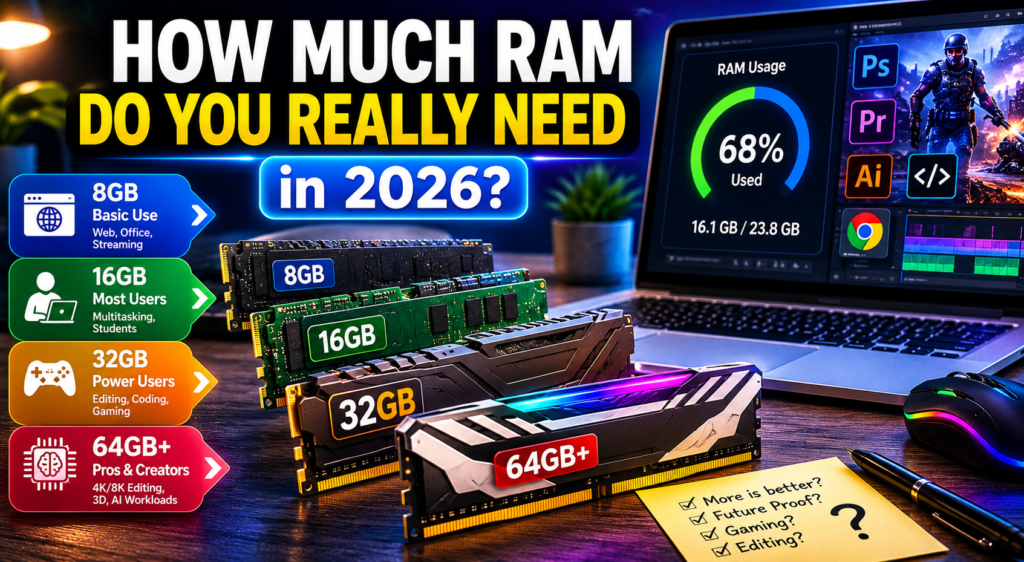
- 8GB → Minimum acceptable
- 16GB → Best choice for most people
- 32GB → Ideal for gamers, creators, and professionals
- 64GB+ → Only for specialized workloads
For most buyers purchasing a laptop or desktop today, 16GB RAM delivers the best balance of performance, longevity, and value.