

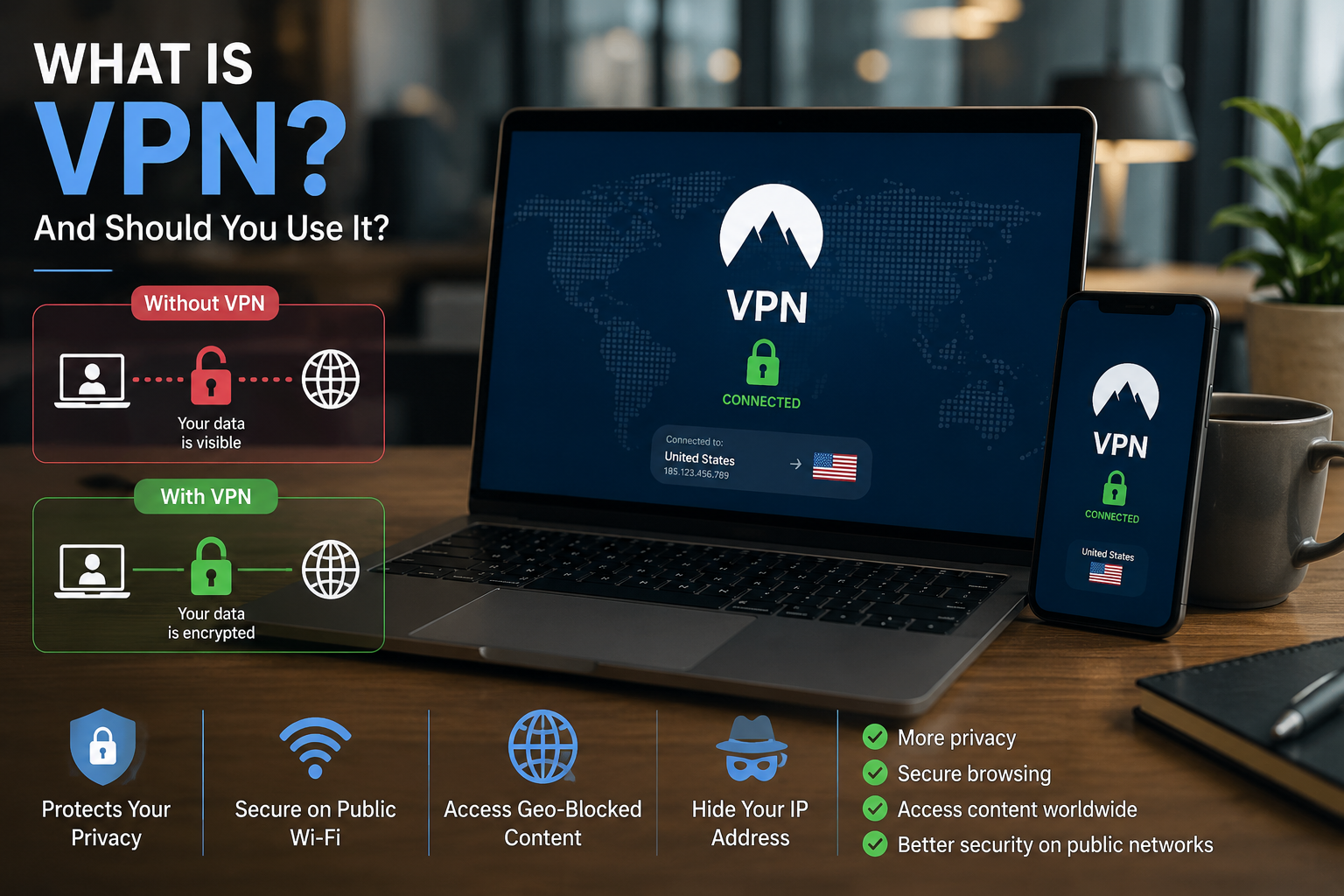
You have probably seen VPN services advertised as essential tools for privacy, security, streaming, and anonymous browsing. But what is a VPN, what does it actually protect, and does the average person really need one?
A VPN can be useful, but it is not an invisibility cloak. It protects certain parts of your internet connection while leaving other risks—such as scams, malware, weak passwords, and unsafe websites—untouched.
This article explains VPNs in plain English so you can decide whether using one makes sense for you.
Key Takeaway Box
A VPN improves privacy by encrypting the connection between your device and a VPN server. It is especially useful on public Wi-Fi, while travelling, or when accessing a company network remotely—but it cannot make you completely anonymous or protect you from every online threat.
What Is a VPN?
VPN stands for Virtual Private Network.
It is a service that creates a protected connection between your phone, computer, tablet, or other device and a remote server operated by the VPN provider.
Think of your normal internet connection like sending a postcard. The message may be protected by the website’s HTTPS encryption, but your internet provider can still see information such as which online services you are connecting to.
A VPN is more like placing that postcard inside a locked delivery bag before it leaves your device. Your local network and internet provider can see that you connected to a VPN, but they generally cannot directly see the websites and services you access through the encrypted tunnel.
The VPN server then connects to the internet on your behalf. Websites see the VPN server’s public IP address instead of the IP address assigned to your home or mobile internet connection.
According to NIST, VPN technology can provide protections including confidentiality, data integrity, authentication, replay protection, and access control. However, NIST also notes that VPNs reduce networking risks rather than eliminating them completely.
How Does a VPN Work?
When you connect to the internet normally, the path usually looks like this:
Your device → Internet provider → Website or app
When you activate a VPN, the path changes:
Your device → Encrypted VPN tunnel → VPN server → Website or app
Here is what happens in simple steps:
- You open the VPN application.
- You select a server location.
- The application encrypts your internet connection.
- Your traffic travels to the VPN server.
- The VPN server sends your request to the website or online service.
- The website sends information back through the VPN server.
- The encrypted information returns to your device.
Encryption changes readable information into a protected format that outsiders cannot easily understand without the correct digital key.
Your bank, social media platform, email service, or other website may already use HTTPS. HTTPS encrypts data between your browser and the website, while a VPN protects the broader connection between your device and the VPN server. Google explains that HTTPS uses certificates to authenticate websites and encrypt the link between a website and your browser.
What Does a VPN Hide?
A properly configured VPN can hide or reduce the visibility of several details.
Your public IP address
Your IP address is a number assigned to your internet connection. It can reveal your approximate area and identify the network you are using.
With a VPN enabled, websites normally see the IP address of the VPN server instead.
This does not necessarily make you anonymous. A website may still identify you through:
- Your account login
- Browser cookies
- Device information
- Advertising identifiers
- Payment information
- Previous browsing activity
For example, connecting to a VPN and then signing into your Google account does not hide your identity from Google. You have directly told the service who you are by logging in.
Your browsing destinations from the local network
People managing a public Wi-Fi network may normally be able to observe some connection information. A VPN encrypts the traffic travelling from your device to its server, making it much harder for the local network to inspect your activity.
Your activity from your internet provider
Your internet service provider can usually see that you are connected to a VPN server. However, it generally cannot directly see the final websites you visit through a properly working VPN tunnel.
The VPN provider becomes an important part of the connection instead, which is why choosing a trustworthy service matters.
Your approximate location
Websites often estimate your location using your IP address. When you use a server in another city or country, websites may assume that you are located near that server.
However, apps can still determine your real location if you give them permission to access your phone’s GPS.
What Is a VPN Used For?
People use VPNs for several different reasons.
Protecting your connection on public Wi-Fi
Public Wi-Fi at airports, cafés, hotels, shopping centres, and events may be convenient, but you do not always know who controls the network or whether it has been configured safely.
A VPN adds protection between your device and the VPN server. Microsoft specifically notes that a VPN can help provide a more secure connection when working from a café or another public location.
You should still use websites with HTTPS, avoid suspicious downloads, and keep your device updated.
Accessing a company network
Businesses commonly use VPNs to give employees secure remote access to internal systems, shared folders, servers, and business applications.
A company VPN is different from a consumer privacy VPN. Its main purpose is often to connect you securely to workplace resources rather than hide your general browsing activity.
Your employer may be able to monitor activity travelling through its VPN. You should treat a company VPN as part of the workplace network, not as a private personal browsing tool.
CISA describes enterprise remote-access VPNs as encrypted tunnels into corporate networks. It also warns that VPN infrastructure must be secured and maintained because attackers may target vulnerable remote-access systems.
Improving privacy at home
A VPN can reduce the amount of browsing information visible to your internet provider. This can be helpful if you prefer not to expose your browsing destinations directly to the company providing your connection.
However, you are shifting some trust from your internet provider to the VPN provider. Choose a company with clear privacy policies, a good reputation, and transparent ownership.
Using the internet while travelling
Some websites, applications, or work systems may behave differently when you are abroad.
A VPN can allow you to connect through a server in your home country. This may help you access services that expect your normal regional IP address.
Access is never guaranteed. Banks, streaming platforms, and other services may block known VPN addresses or require additional verification.
Reducing location-based tracking
Changing your visible IP address can make basic location tracking less accurate. It may also reduce tracking tied directly to your home connection.
It will not stop tracking based on accounts, cookies, browser settings, or mobile advertising IDs.
What Is a VPN Unable to Do?
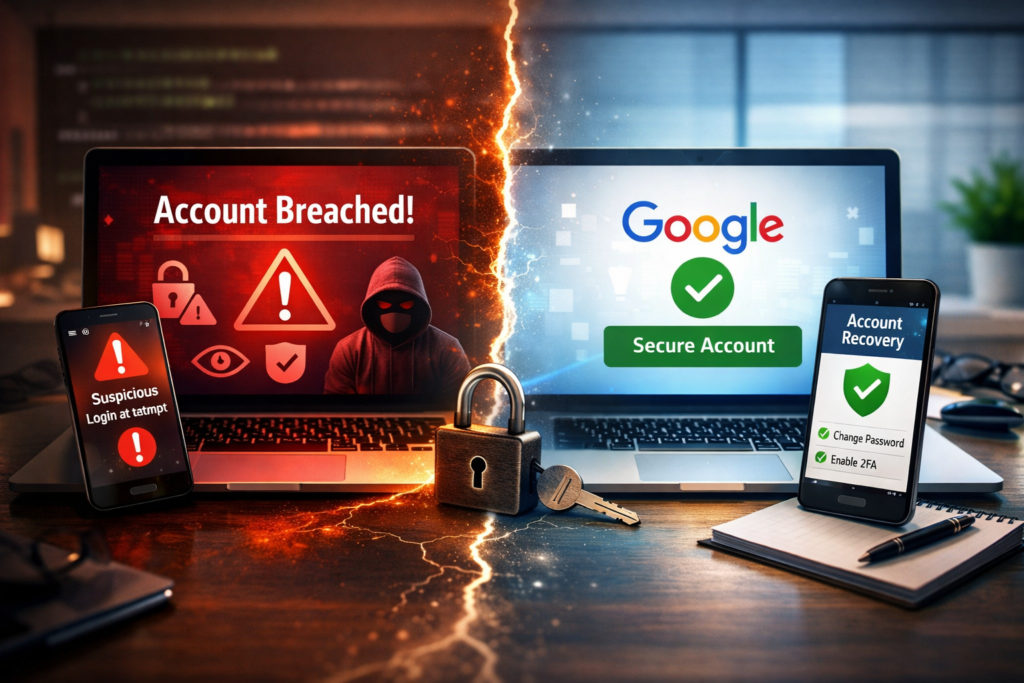
VPN advertising sometimes creates the impression that one application can solve every privacy and security problem. It cannot.
A VPN cannot stop phishing
A phishing message tricks you into revealing passwords, banking details, or other information.
A VPN will securely carry your connection to the fake website, but it will not automatically prevent you from entering information there.
A VPN cannot remove malware
A basic VPN is not antivirus software.
Some VPN providers include malicious-site blocking or additional security tools, but the VPN tunnel itself does not remove viruses, spyware, or ransomware from your device.
A VPN cannot protect weak passwords
If you reuse the same password across several accounts, a VPN will not stop criminals from using a stolen password.
Use unique passwords, a password manager, and multifactor authentication for important accounts.
A VPN cannot make you completely anonymous
Websites and apps can identify you in many ways besides your IP address. Logging into an account immediately connects your activity to your identity.
A VPN improves privacy, but complete anonymity requires far more than changing your IP address.
A VPN cannot make every website trustworthy
A fraudulent website remains fraudulent whether you connect directly or through an encrypted VPN tunnel.
Always check the website address before entering passwords or payment information.
Should You Use a VPN?
Whether you need one depends on how you use the internet.
You should consider using a VPN if:
- You frequently use public Wi-Fi.
- You travel regularly.
- You work remotely and must access company systems.
- You want to reduce browsing visibility from your internet provider.
- You need to connect through an IP address in another region.
- You want an additional privacy layer on your laptop or phone.
- You often stay in hotels or use shared accommodation networks.
You may not need one running constantly if:
- You only use a trusted home network.
- Nearly all your activity uses secure HTTPS websites.
- You do not need another location or remote network access.
- The VPN noticeably slows your connection.
- You already use a secure company-managed connection for work.
- You are uncomfortable trusting the available VPN providers.
For many people, a VPN is useful in specific situations rather than something that must remain enabled every minute of the day.
Benefits and Drawbacks of Using a VPN
| Benefits | Drawbacks |
|---|---|
| Encrypts traffic between your device and the VPN server | May reduce internet speed |
| Hides your normal public IP address | Requires trusting the VPN provider |
| Adds protection on public Wi-Fi | Good services normally require payment |
| Helps when travelling or working remotely | Some websites block VPN connections |
| Can provide access through another region | May cause additional login verification |
| Reduces browsing visibility from your internet provider | Does not stop phishing, malware, or account theft |
Are Free VPNs Safe?
Some free VPNs are offered by reputable companies as limited versions of paid products. Others may have questionable business models.
Operating servers, developing applications, providing customer support, and maintaining security all cost money. When a VPN is completely free, find out how the company funds the service.
Before installing one, check:
- Who owns the service
- What information it collects
- Whether it records browsing activity
- Whether it displays advertisements
- Whether it sells or shares user data
- Whether independent security reviews are available
- Whether the application comes from an official app store
- Whether the privacy policy is understandable
Avoid choosing a VPN simply because it appears first in an advertisement or promises unlimited everything at no cost.
Pro Tip Box
A trustworthy limited free plan from a well-established VPN company is generally a safer starting point than an unknown “100% free” application with unclear ownership and no understandable privacy policy.
How to Choose a VPN Service
Focus on trust, usability, and transparency rather than dramatic marketing claims.
Look for a clear privacy policy
The provider should explain what information it collects, why it collects it, and how long it keeps it.
Be cautious when a service claims to keep “no logs” but provides no meaningful explanation.
Check the company behind it
Research the provider’s ownership, operating history, and reputation. Privacy promises are only valuable when you trust the company making them.
Choose modern VPN protocols
A VPN protocol is the method used to create the encrypted connection.
Common modern options include WireGuard, OpenVPN, and IKEv2. You do not need to understand every technical detail, but the provider should support current, widely recognised technology.
Avoid services that rely only on outdated protocols.
Consider the devices you use
Check whether the service supports:
- Windows
- macOS
- Android
- iPhone and iPad
- Linux
- Routers
- Smart televisions or streaming devices
Also check how many devices can connect at the same time.
Check for a kill switch
A kill switch can temporarily stop internet access if the VPN connection unexpectedly drops.
Think of it like an automatic door that closes when the protected tunnel fails. It helps prevent your device from quietly returning to its normal unprotected connection.
Review speed and nearby servers
Your connection may slow down because traffic must travel through an additional server.
A nearby VPN server usually provides better speed than one located on the other side of the world.
Do not choose based only on server count
A provider advertising thousands of servers is not automatically more secure.
Ownership, privacy practices, application security, customer support, and server quality matter more than a large marketing number.
How to Use a VPN Safely
Using a VPN is normally straightforward:
- Choose a reputable provider.
- Download its application from the official website or app store.
- Create an account.
- Enable multifactor authentication if available.
- Open the application.
- Select a nearby server for better speed.
- Connect before joining an unfamiliar public network.
- Confirm that the application shows an active connection.
- Disconnect when you no longer need it, unless you prefer continuous protection.
Keep the VPN application updated. Updates may fix security weaknesses, improve stability, and add support for newer operating systems.
Common VPN Mistakes
Assuming the VPN handles all security
You still need antivirus protection where appropriate, software updates, secure passwords, multifactor authentication, and sensible browsing habits.
Installing several VPN applications
Multiple VPN applications can conflict with each other, cause connection problems, or make troubleshooting difficult.
Use one trusted service unless you have a specific technical reason to maintain more than one.
Connecting to a distant server unnecessarily
A faraway server can increase delay and reduce speed.
For normal privacy, choose a nearby server. Use another country only when you have a clear reason.
Ignoring application permissions
Review what the VPN application requests. A VPN needs network-related permissions, but unrelated access to contacts, photographs, or messages may deserve closer attention.
Believing every marketing promise
Claims such as “military-grade protection,” “complete anonymity,” or “unbreakable security” are often more promotional than informative.
Look for specific explanations, transparent policies, and independent testing.
FAQ
What is a VPN in simple terms?
A VPN is a service that creates an encrypted connection between your device and a remote server. It hides your normal public IP address and makes your internet activity harder for the local network or internet provider to inspect directly.
Should I leave my VPN on all the time?
You can, but it is not always necessary. Continuous use provides consistent privacy, while switching it on only for public Wi-Fi, travel, or sensitive tasks may provide better speed and fewer website compatibility problems.
Does a VPN make online banking safer?
A VPN can add protection to your connection, especially on an unfamiliar network. However, you must still use the bank’s official application or website, enable multifactor authentication, and watch for scams.
Will a VPN slow down my internet?
It may. Your traffic must be encrypted and routed through another server. The speed difference depends on the VPN provider, server distance, network congestion, protocol, and your original internet connection.
Can my internet provider see that I use a VPN?
Yes. Your provider can generally see that you connected to a VPN server and how much data you transferred. It normally cannot directly see the final websites visited through a properly configured encrypted tunnel.
Is a VPN legal?
VPNs are legal in many countries and are widely used by individuals and businesses. However, laws vary by location, and using a VPN does not make illegal activity legal.
Final Verdict: Is a VPN Worth Using?
Now that you understand what is a VPN, the decision becomes more practical.
A VPN is worth considering when you frequently use public Wi-Fi, travel, work remotely, or want to reduce how much browsing information is visible to your internet provider. It can also be helpful when you need an IP address associated with another region.
It is not a replacement for antivirus software, strong passwords, HTTPS, software updates, or careful online behaviour.
The best approach is to see a VPN as one layer of protection. It can make your connection more private and secure, but it works best alongside other sensible security habits.



[…] you only see Ethernet, Bluetooth, or VPN adapters, Windows may not be detecting your Wi-Fi […]
[…] VPN or security software issues […]